CaptainShot V3
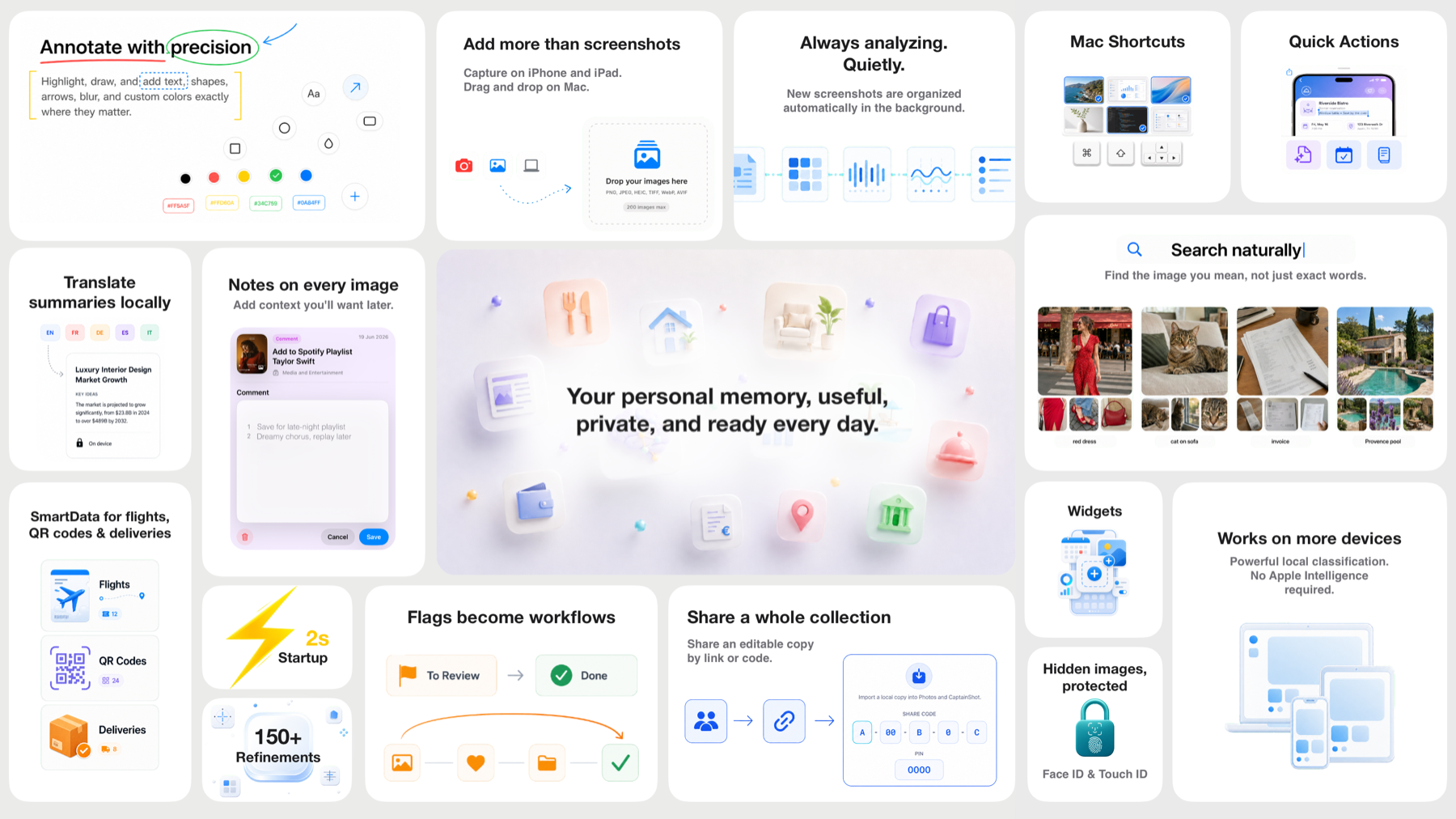
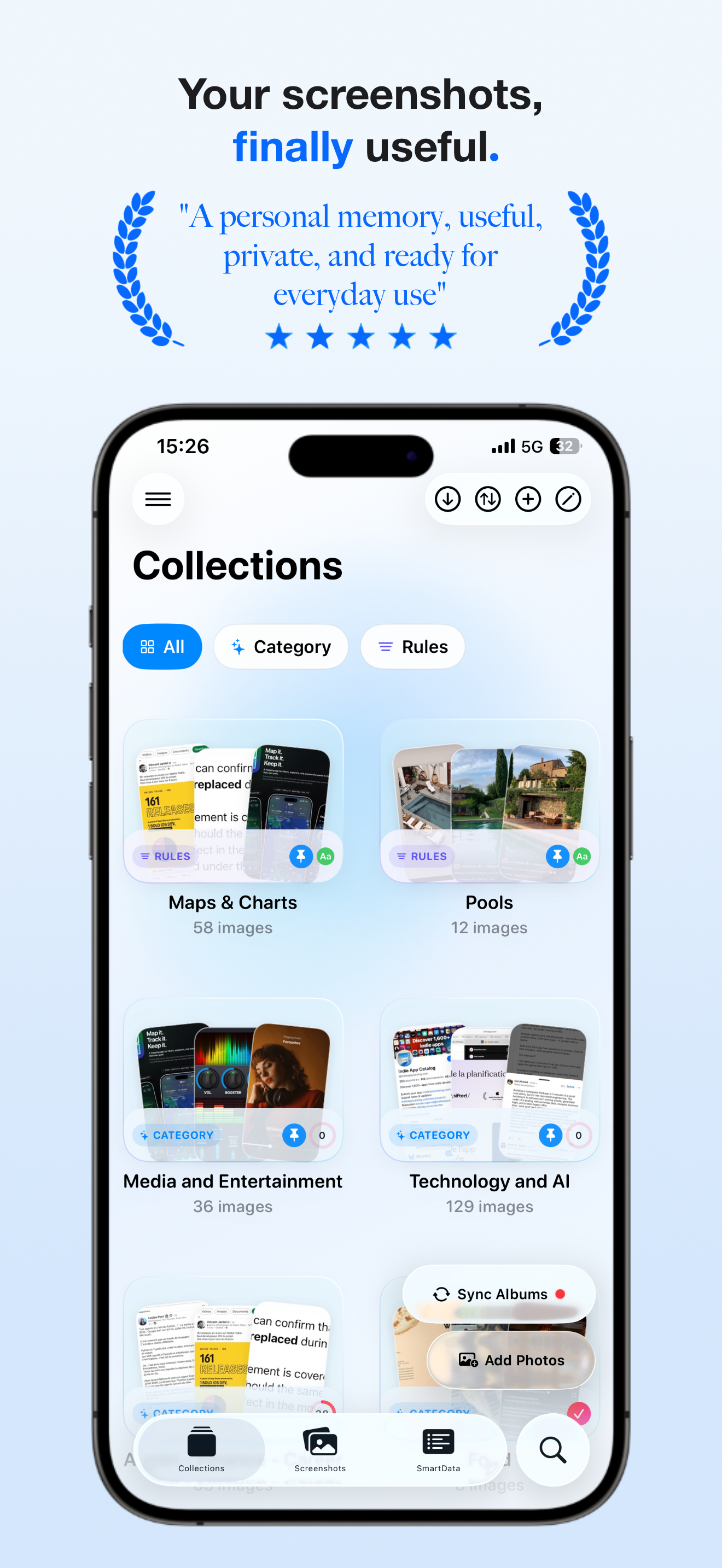
A visual overview of the main updates: continuous analysis, image import, quick actions, SmartData, sharing, widgets, and Mac.
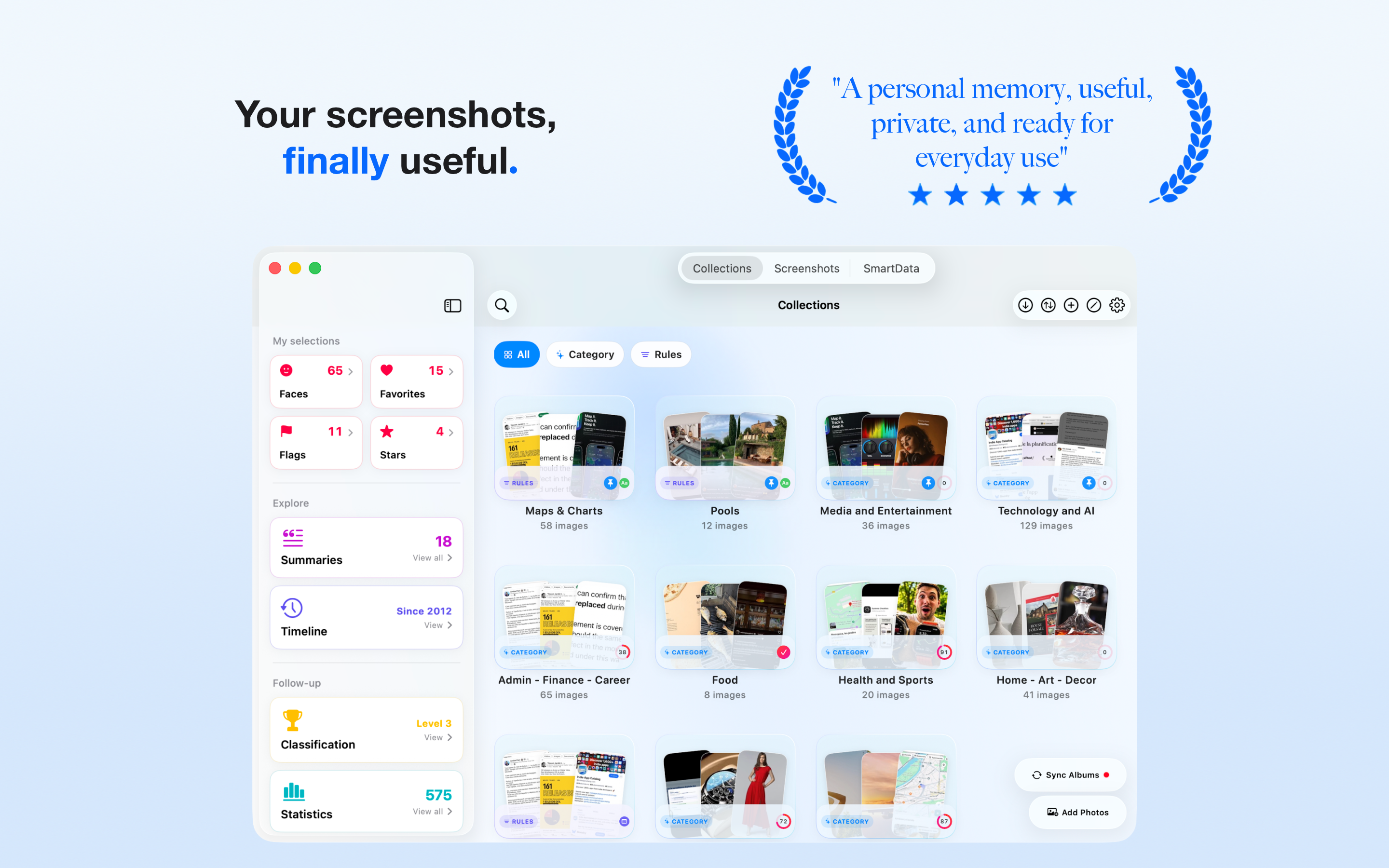
CaptainShot is a native app for iPhone, iPad, and Mac that turns screenshots and imported images into an organized, searchable, and actionable personal library.
Powered by on-device analysis, the app continuously detects new screenshots, classifies them by theme, extracts useful information, and helps turn passive images into usable content. On Apple Intelligence devices, CaptainShot adds summaries, translations, title suggestions, and AI reminder suggestions.
CaptainShot also accepts images imported from Photos, the camera, drag and drop on Mac, or the share sheet, then organizes them with the same private, local-first logic. Built from day one with a privacy-first approach, the app works without accounts, without image-processing backends, and without personal data collection.
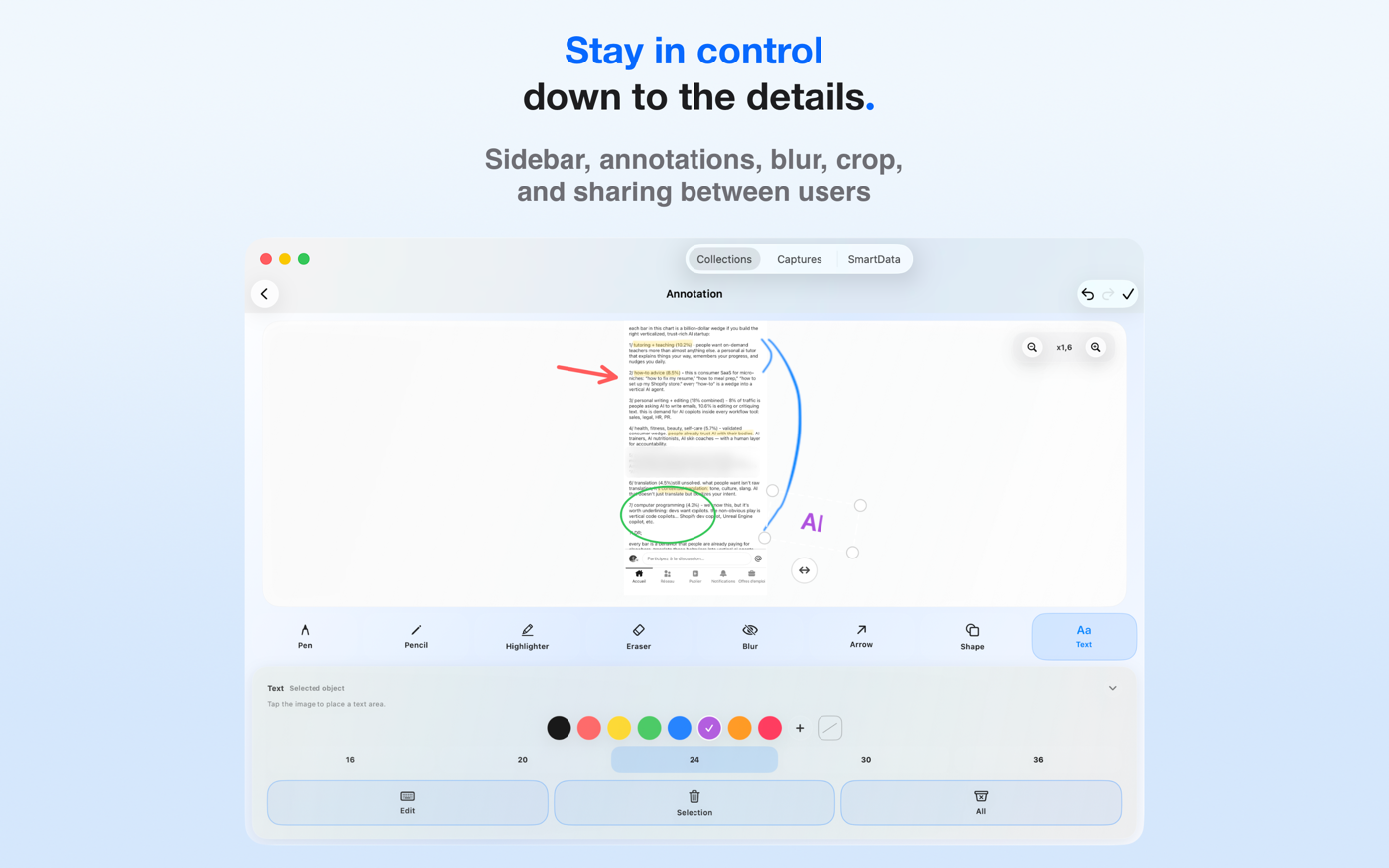
CaptainShot V3 expands the app beyond screenshots with image import, continuous analysis, share sheet actions, quick actions, collection sharing, richer editing, broader SmartData, widgets, and a stronger Mac experience.
A visual overview of the main updates: continuous analysis, image import, quick actions, SmartData, sharing, widgets, and Mac.
V2 introduced the foundations of the current experience: search, timeline, privacy-first design, Liquid Glass interface, and redesigned AI summaries. V3 turns CaptainShot into a broader personal library that can handle more images, analyze them continuously, and make them immediately actionable.
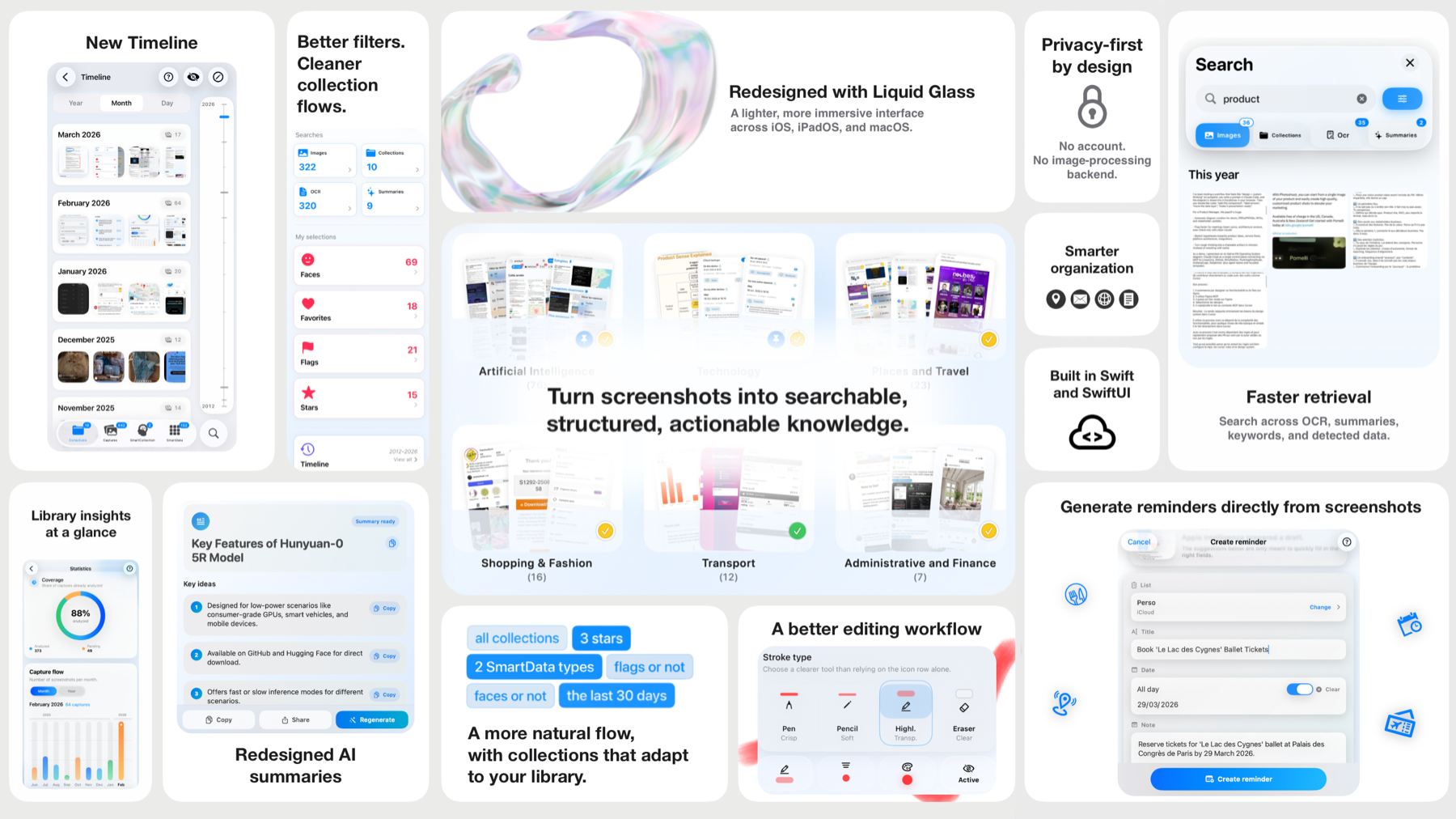
Faster retrieval, timeline, cleaner collections, privacy-first design, and redesigned interface.
Image import, continuous analysis, share sheet actions, quick actions, sharing, widgets, and stronger Mac workflows.
CaptainShot started from a simple frustration.
As a product manager in tech, I was constantly taking screenshots: UI inspiration, receipts, travel bookings, AI articles, and competitor research. Over time, my camera roll filled with thousands of screenshots that were impossible to retrieve efficiently.
Search was unreliable. Albums were manual. Everything stayed trapped in passive storage.
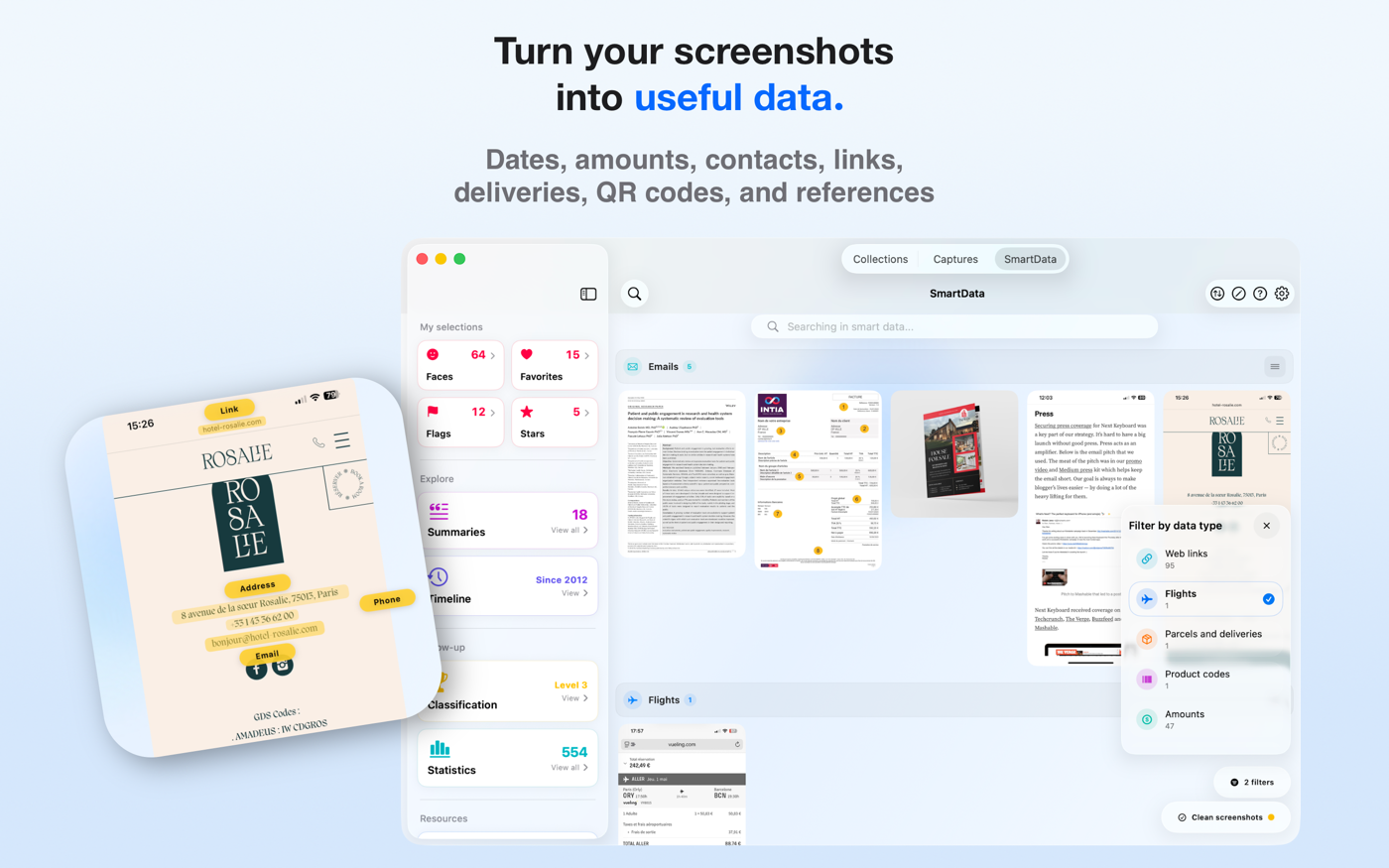
Yet screenshots contain structured information: dates, amounts, addresses, contacts.
So I built CaptainShot.
What began as a personal side project evolved over two years into a fully native Apple ecosystem app powered by on-device analysis. No backend. No cloud processing. A local foundation for organizing screenshots, with deeper enrichments on Apple Intelligence devices.
CaptainShot transforms screenshot chaos into a personal knowledge base.
CaptainShot is designed around privacy-first architecture and deep Apple platform integration, making screenshots useful every day without moving them off the device.
Automatically detects new screenshots and added content, then analyzes them in the background when the device is ready.
Adds images from the camera, Photos, drag and drop on Mac, or the share sheet.
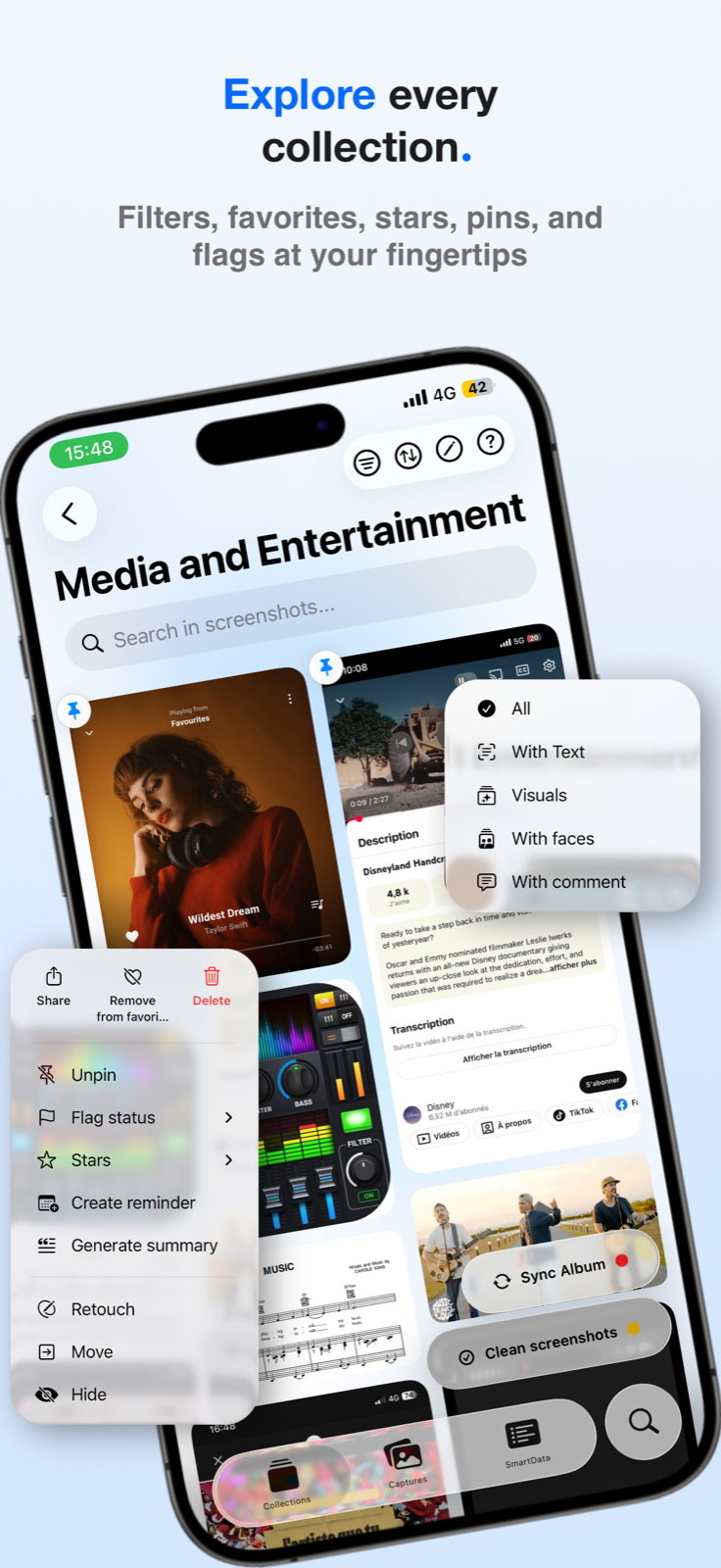
Sends a screenshot to CaptainShot for analysis without manual import, with summary or AI reminder suggestions on Apple Intelligence-compatible devices.
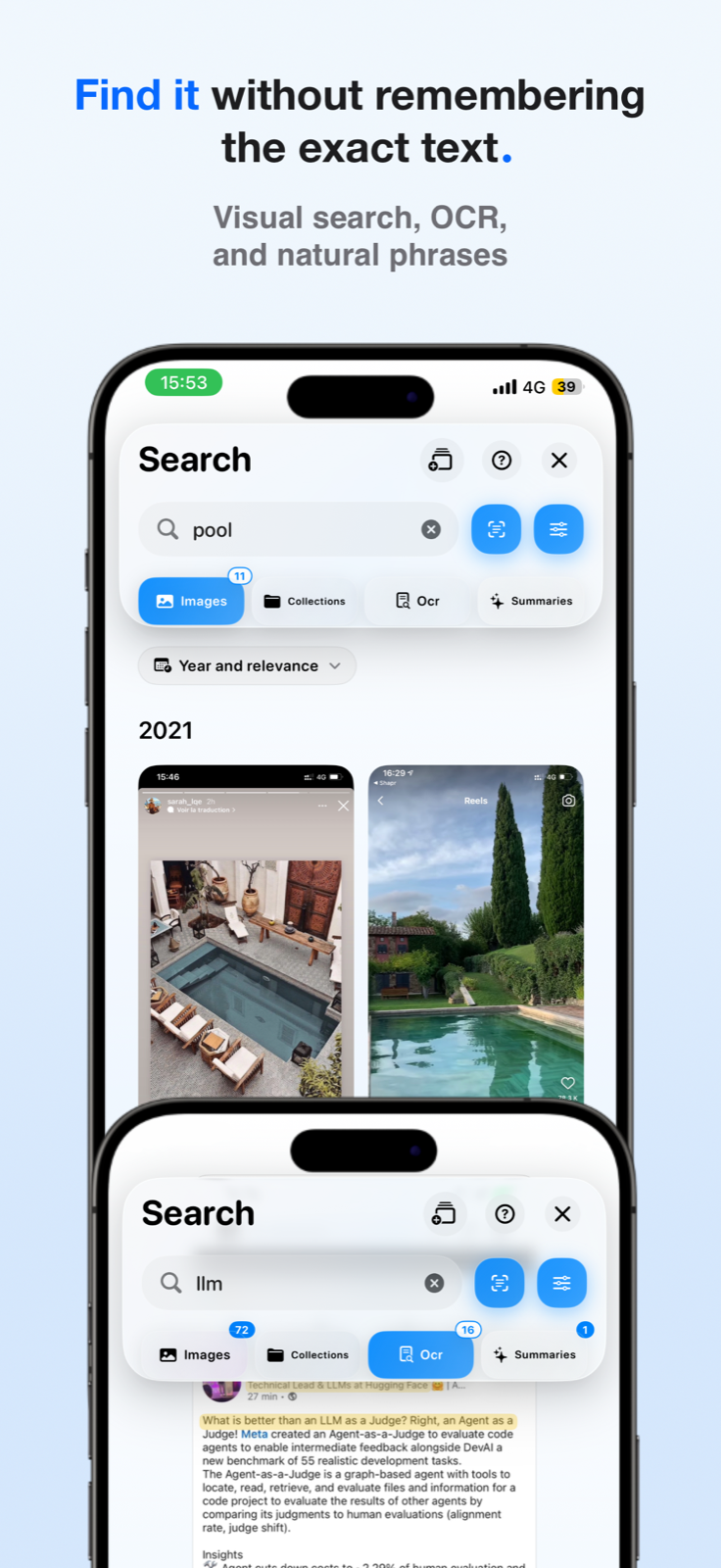
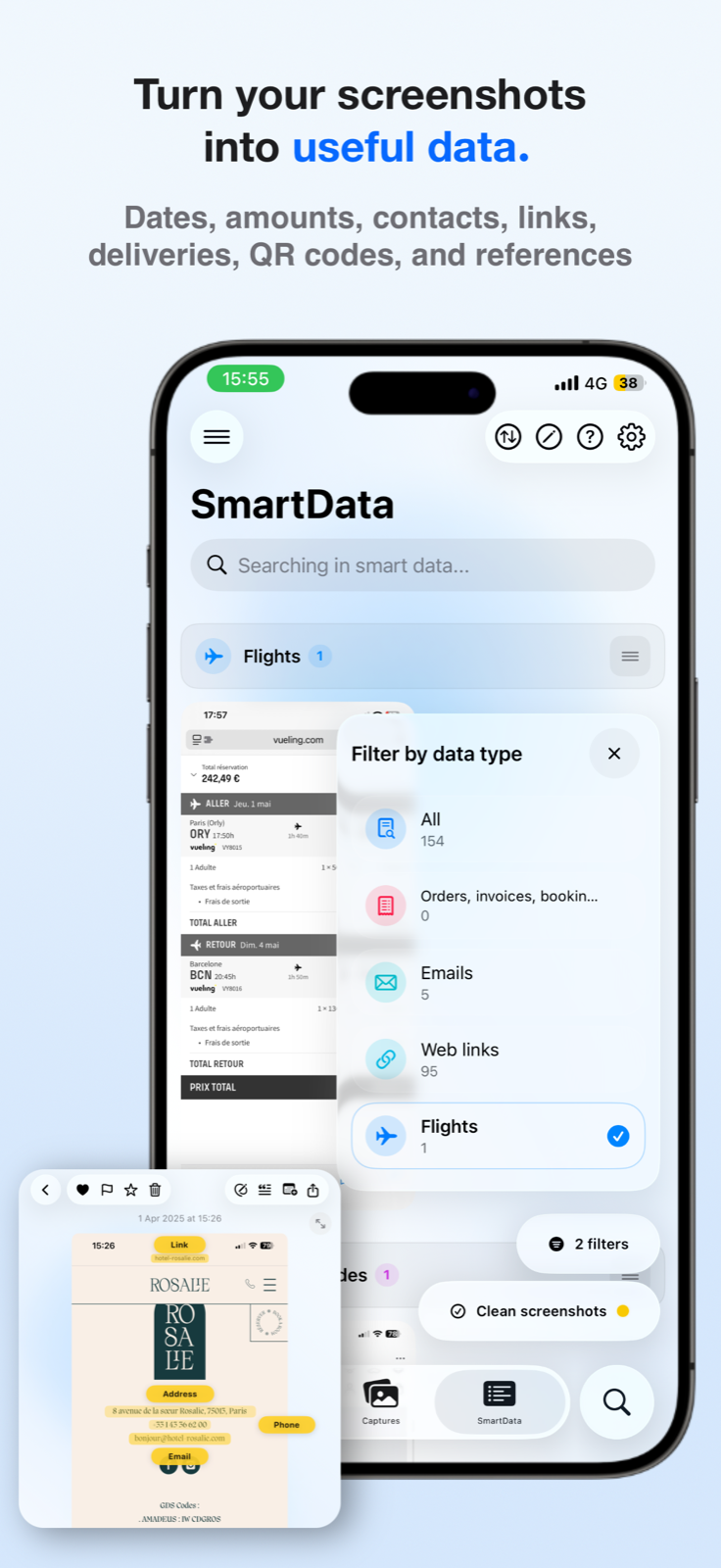
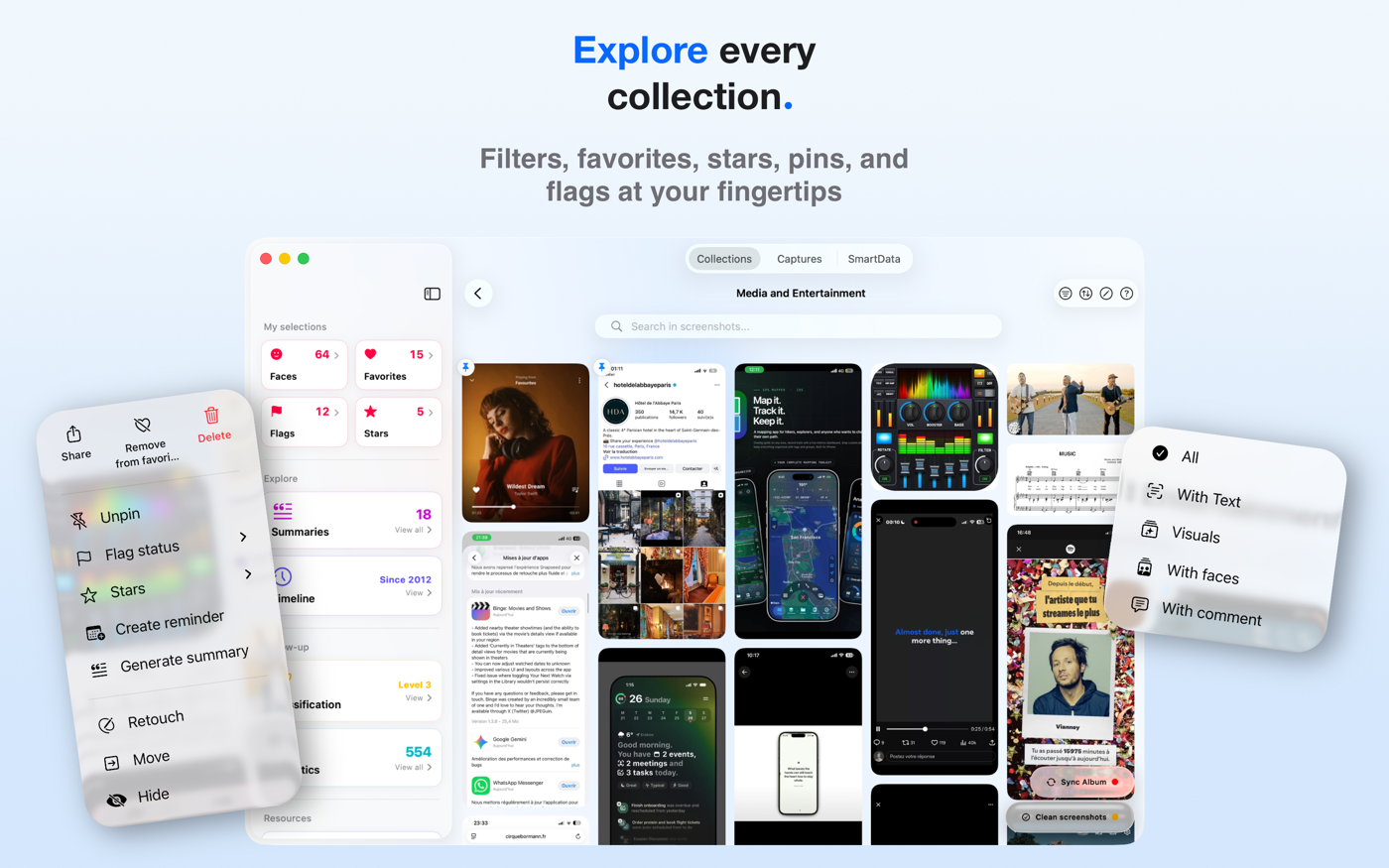
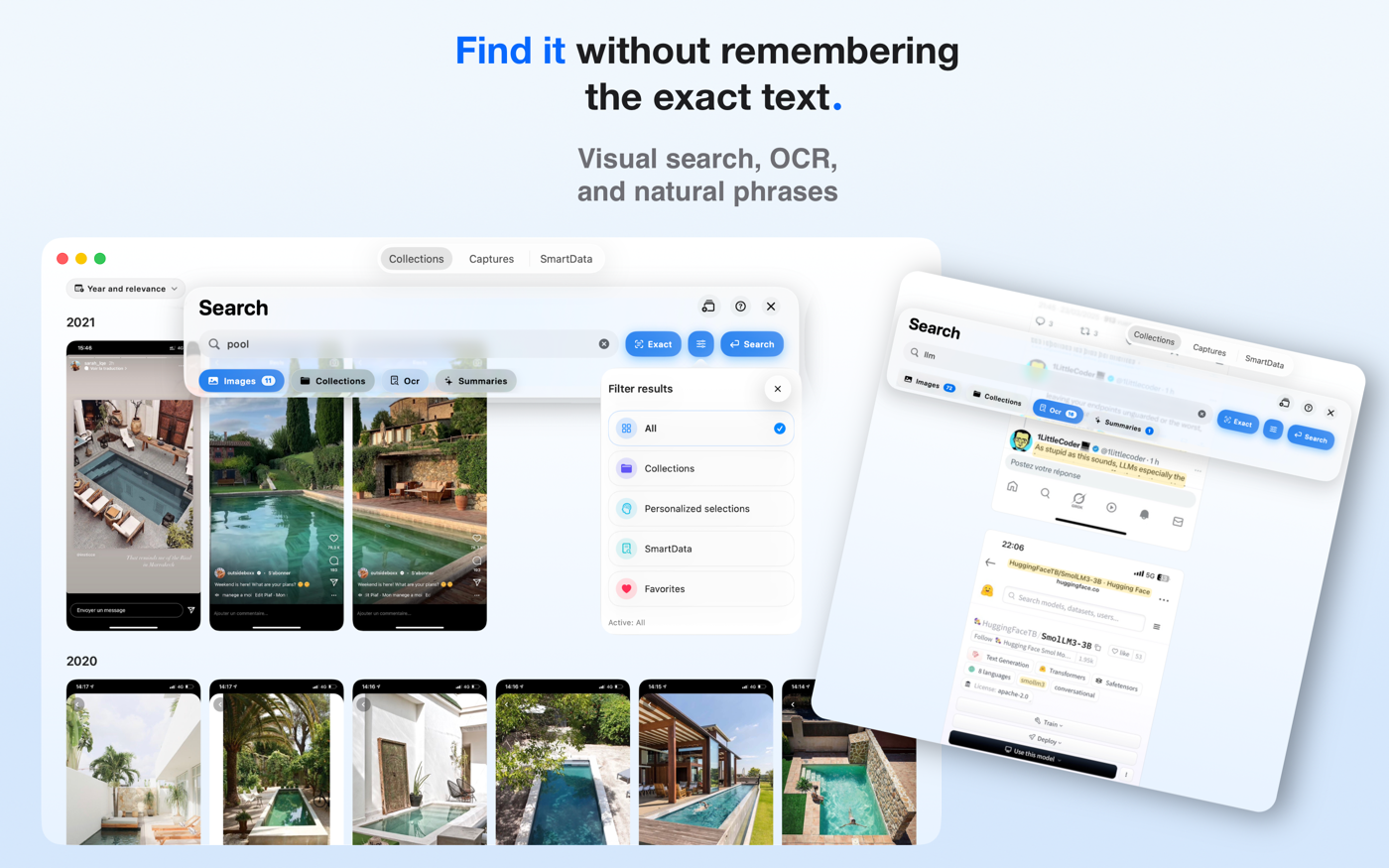
Searches across OCR text, visual content, collections, detected data, filters, synonyms, language variants, and summaries when available.
Automatically detects nine categories: dates and durations, phone numbers, emails, postal addresses, URLs, amounts, flights, deliveries, and business references.
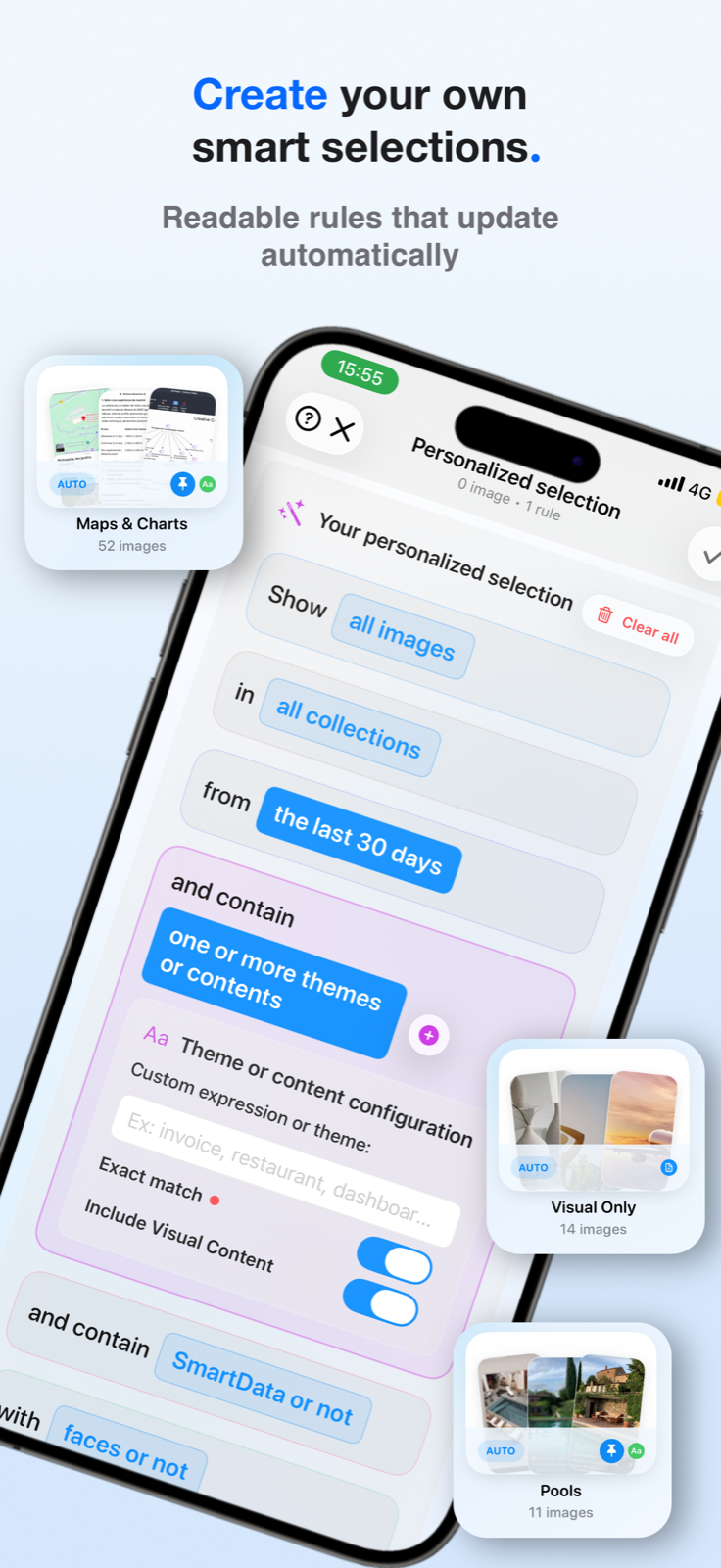
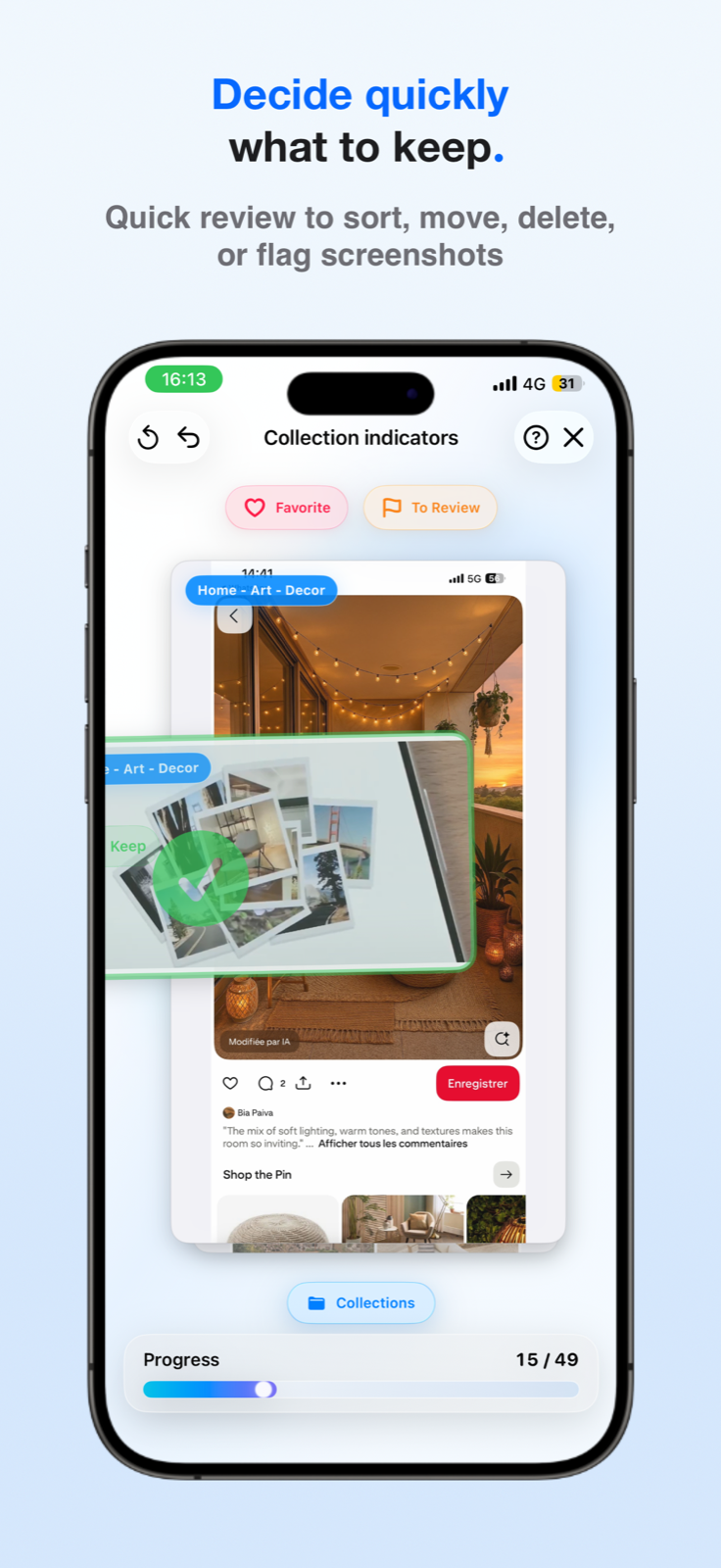
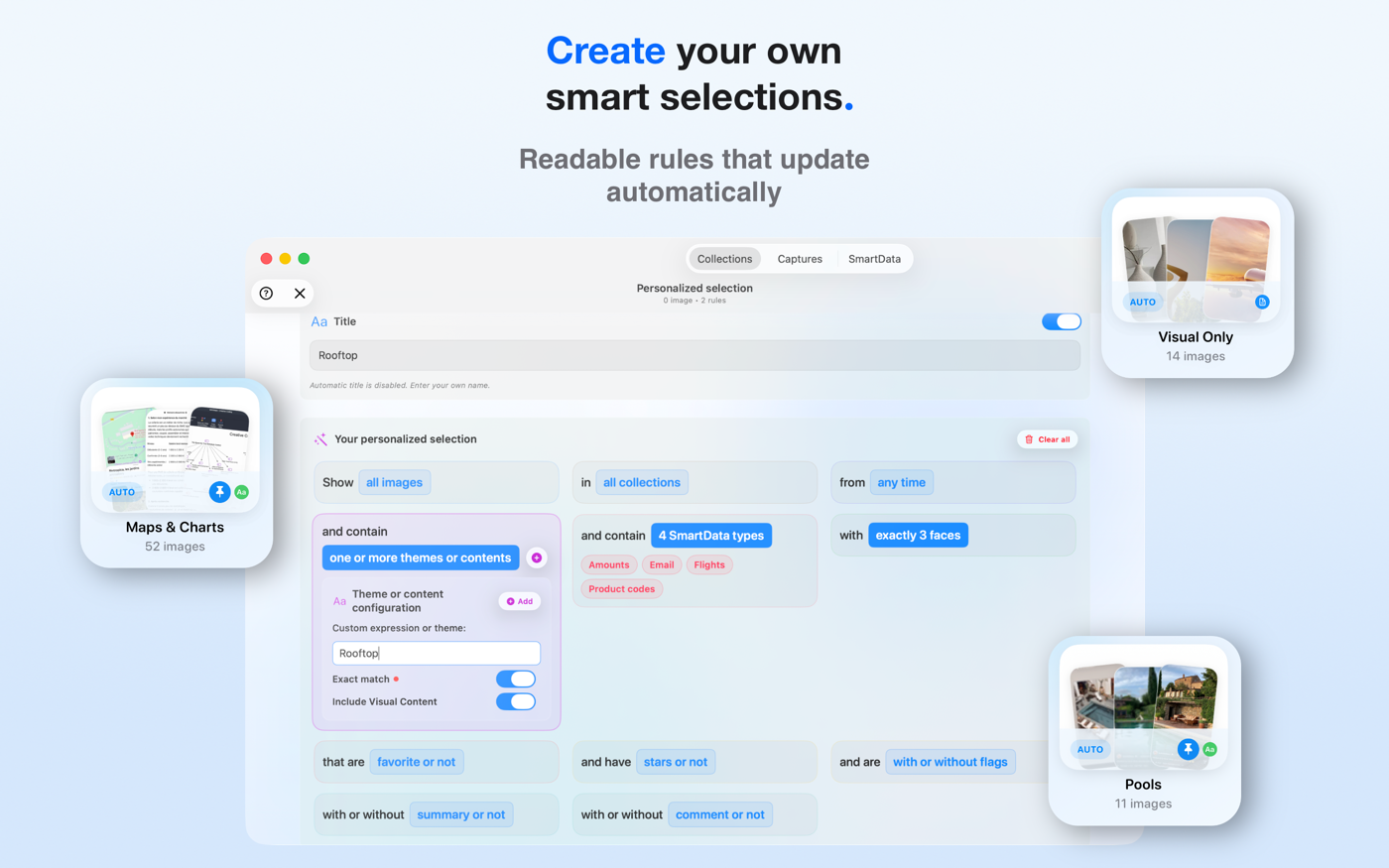
Manually created collections can receive relevant new images during incremental analysis. Selections created from a search or explicit rules automatically recalculate.
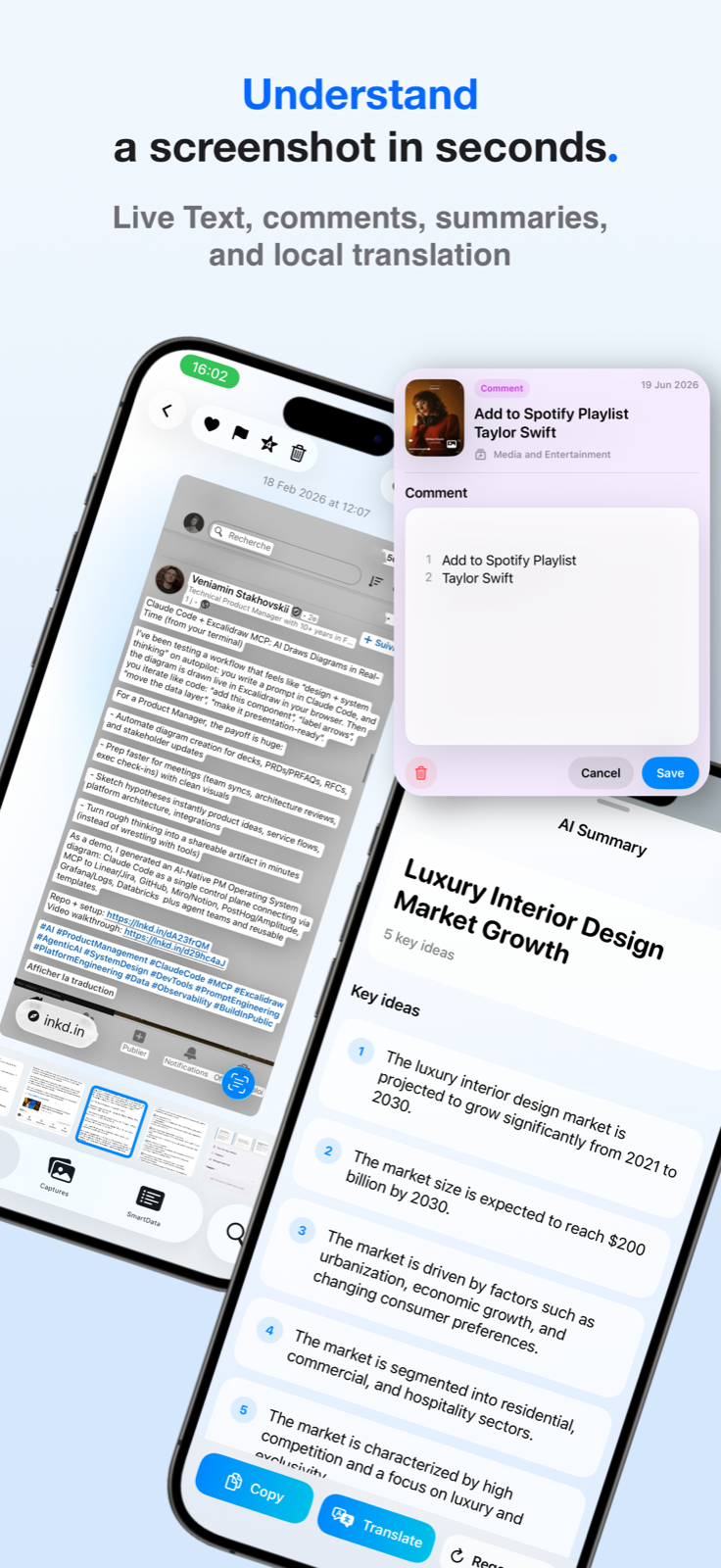
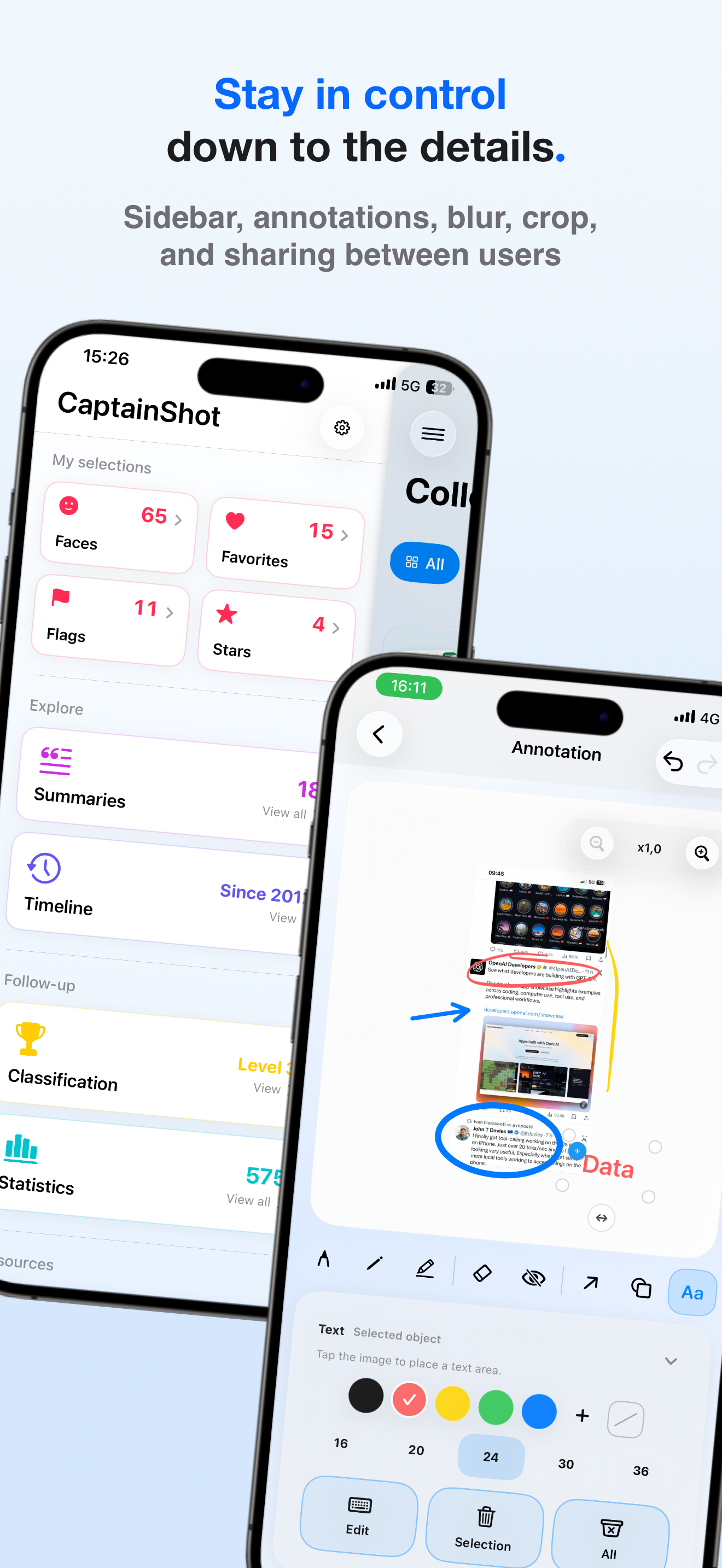
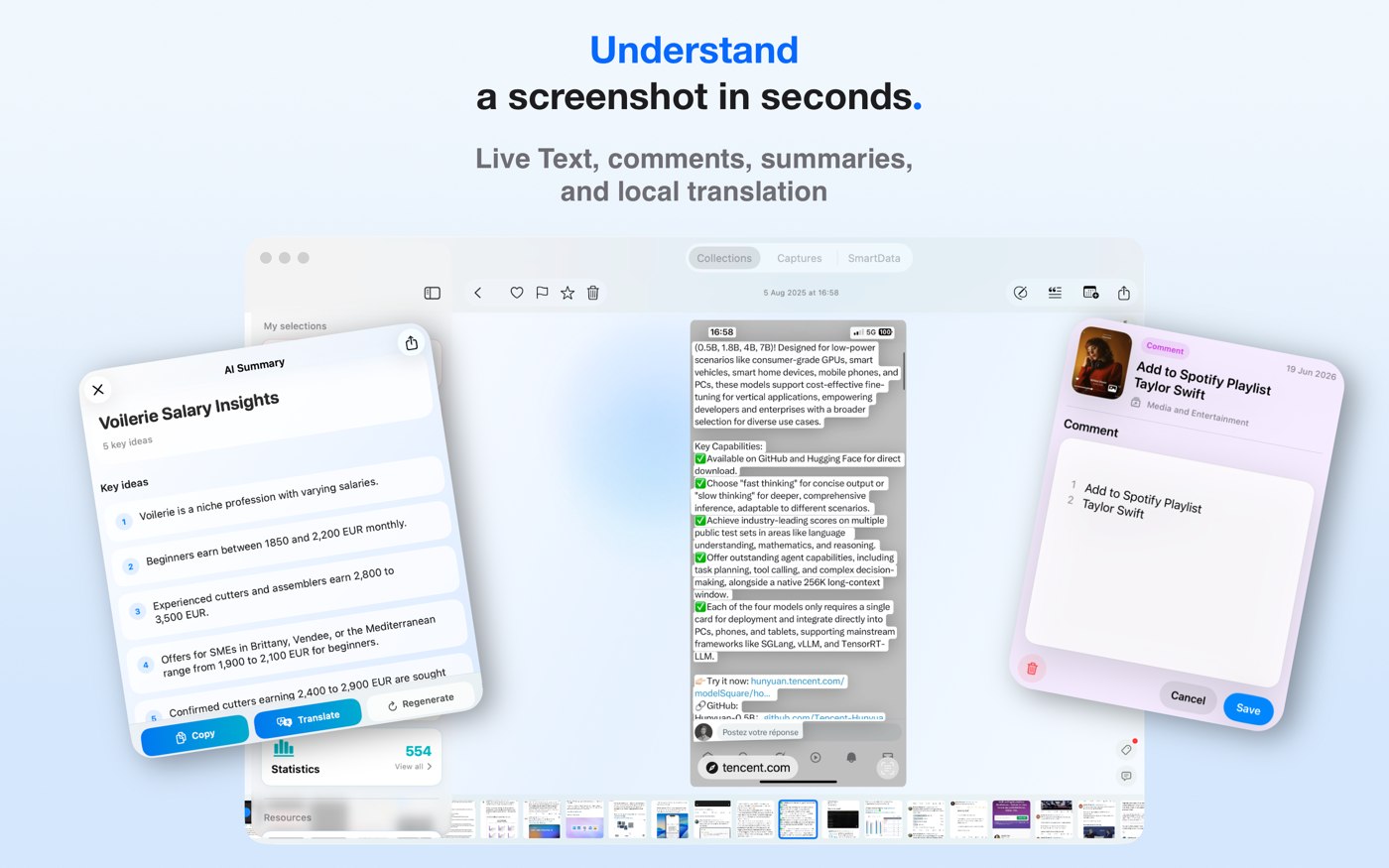
On Apple Intelligence devices, locally generates titles, key ideas, and translations around extracted content, with comments and PDF sharing.
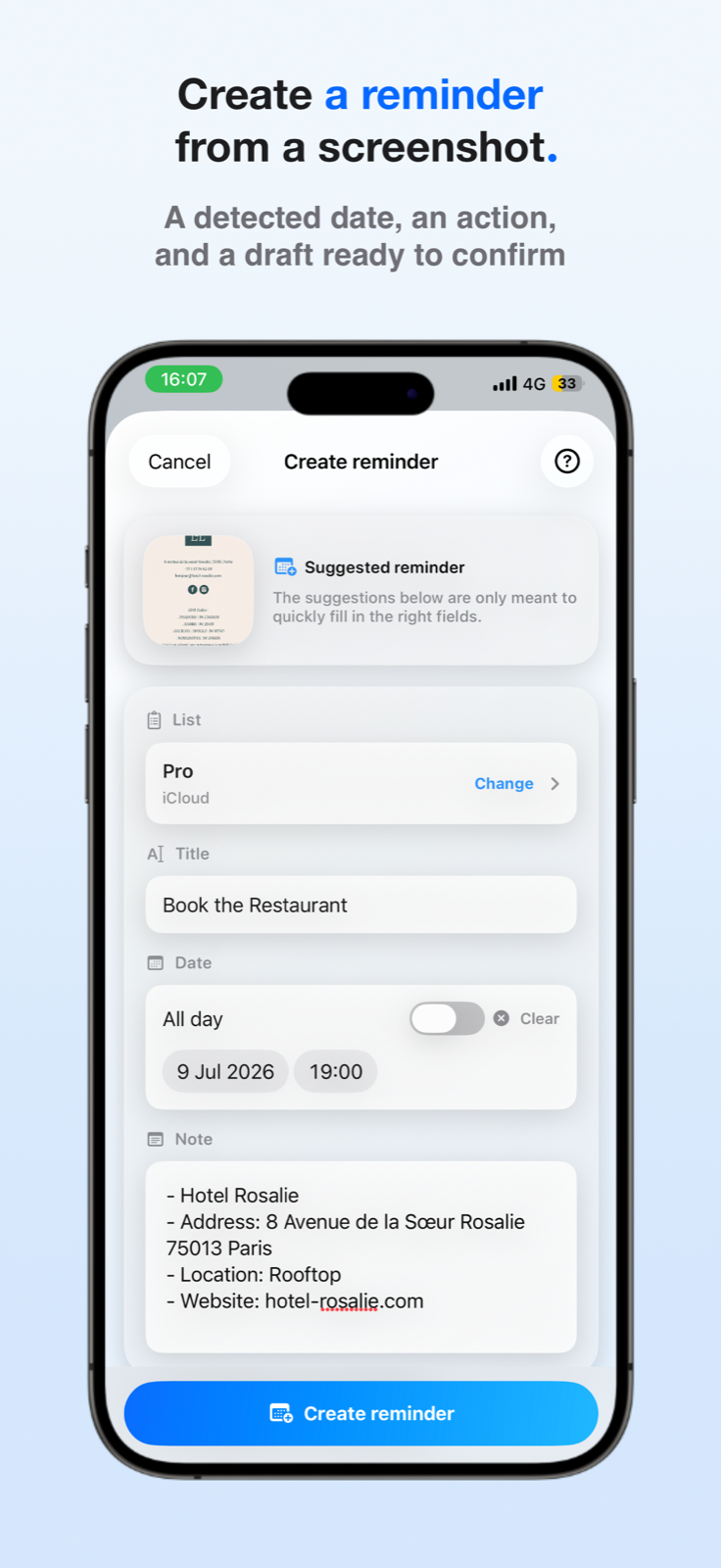
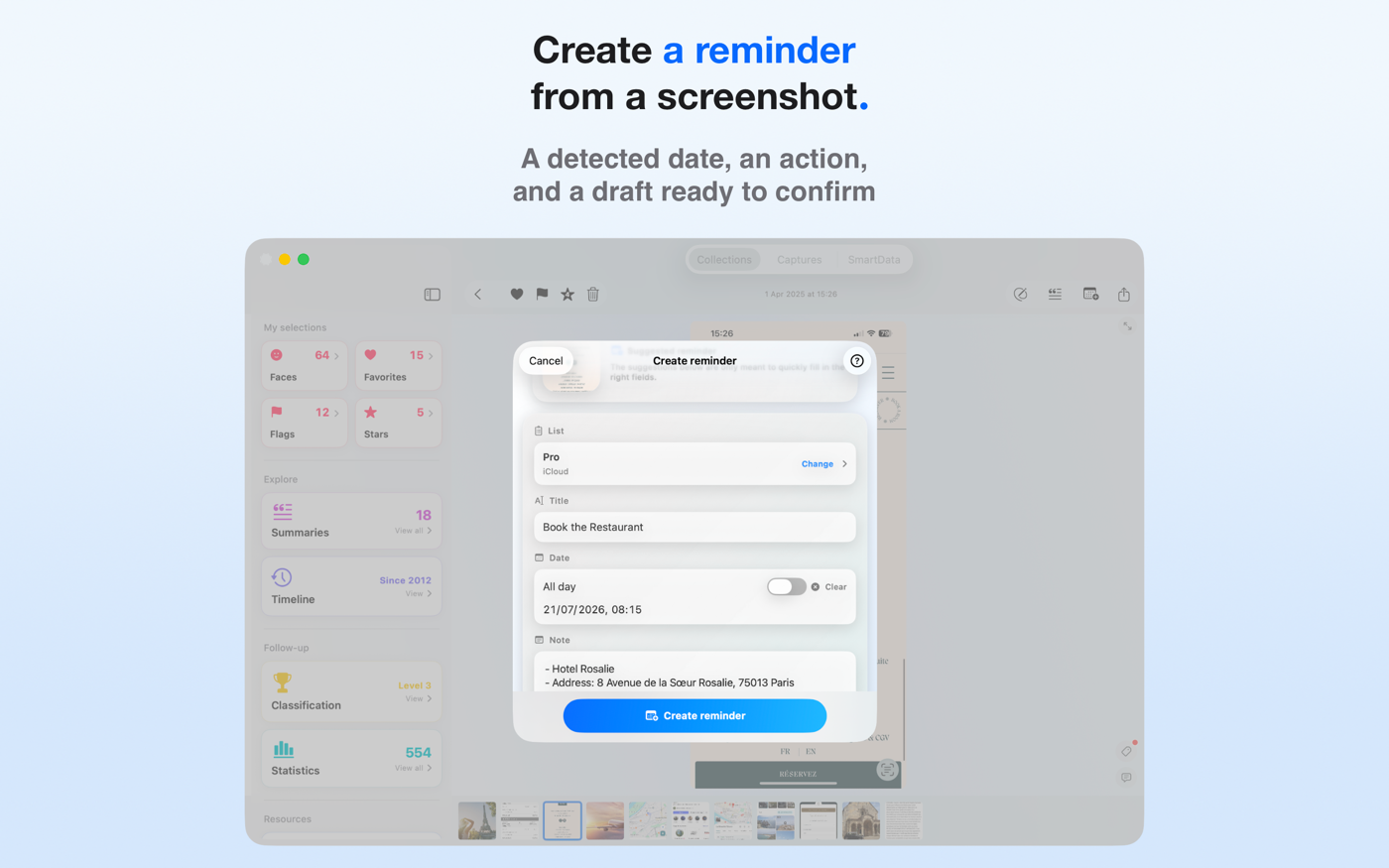
Prepares a reminder draft from dates and information detected in screenshots, with AI suggestions on Apple Intelligence devices.
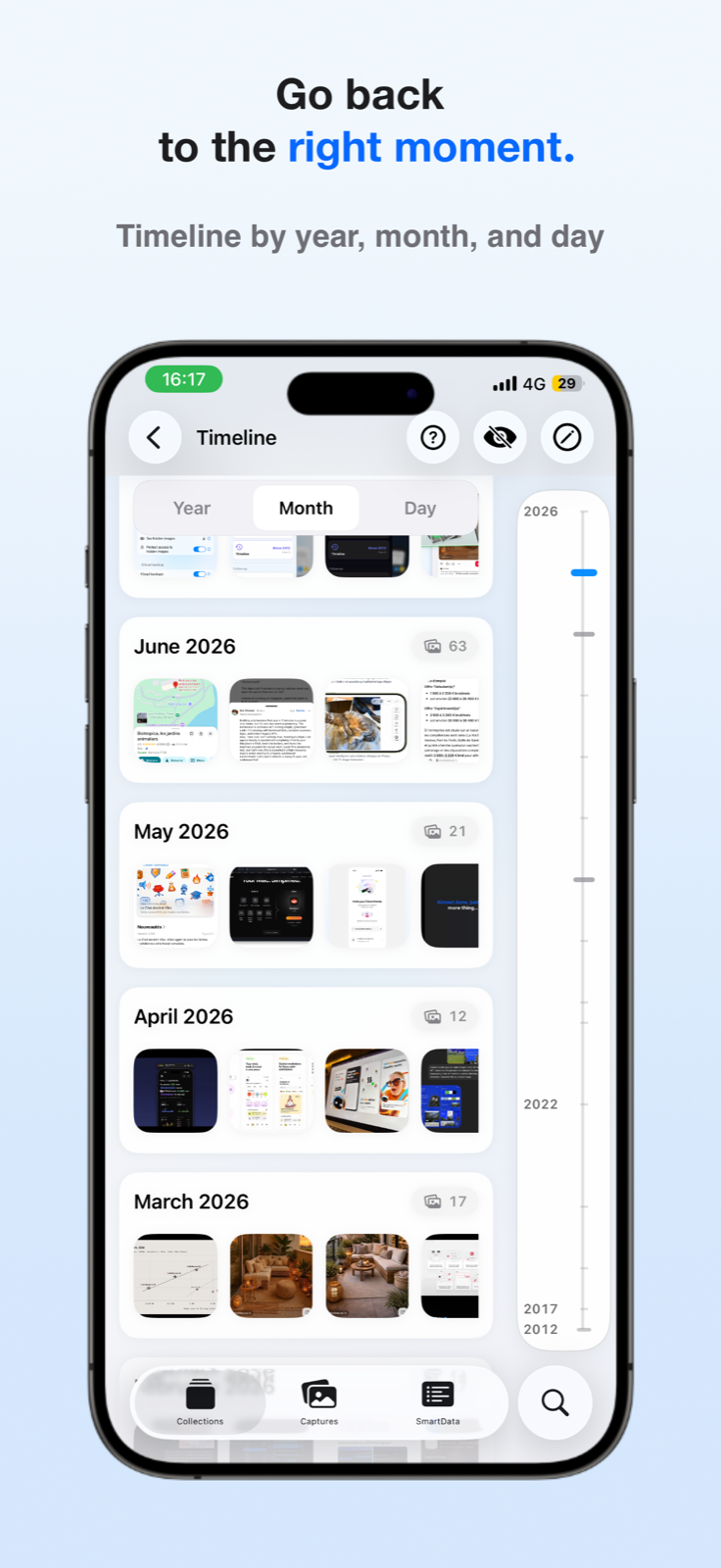
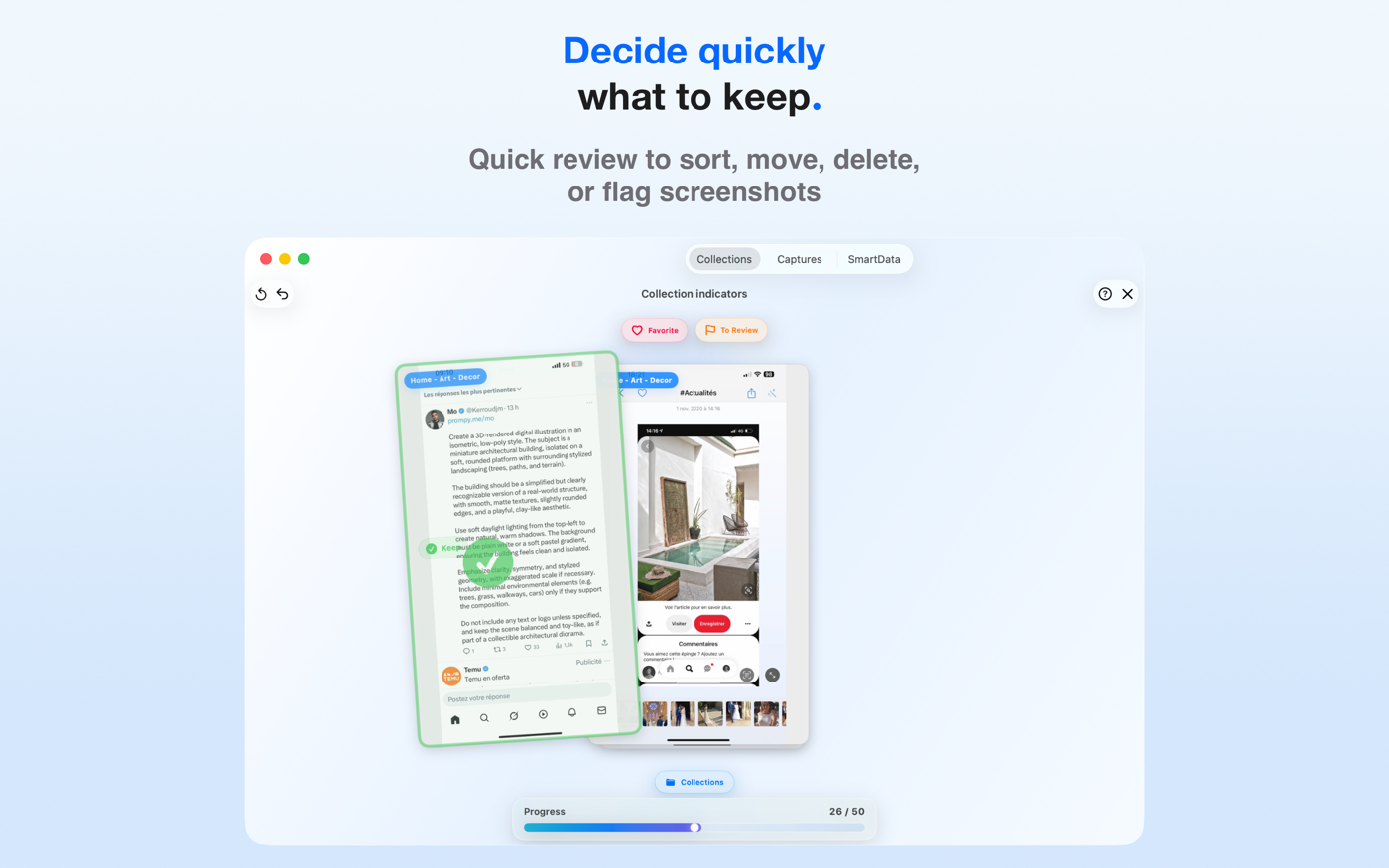
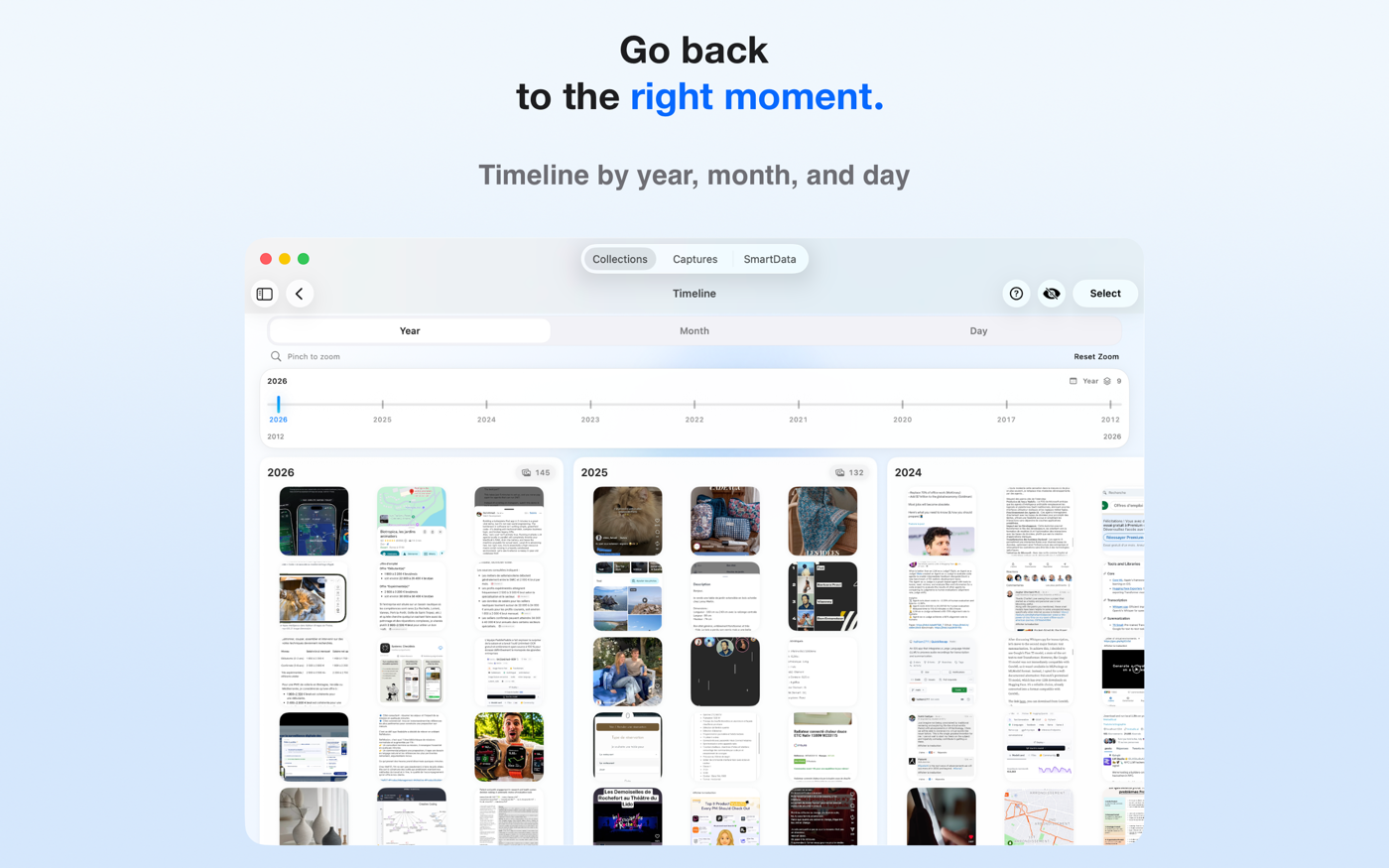
Fast review, year/month/day browsing, statistics, and widgets to keep important content within reach.
Collection sharing by code, Photos synchronization, iCloud import without duplicates, and one subscription for iPhone, iPad, and Mac.
CaptainShot is built entirely in Swift and SwiftUI.
Core technologies include:
The core experience runs locally on the device. Apple Intelligence devices unlock faster analysis and advanced features such as summaries, translations, title suggestions, and AI reminder suggestions. Some supporting features, such as private iCloud sync, iCloud Photos availability, or subscription verification, may require connectivity.
iPhone and Mac screenshots are available for articles, App Store previews, newsletters, and media coverage. Each image can be downloaded as a high-quality PNG.
For press inquiries, high-resolution assets, interviews, or additional information, contact Damien Clère, founder of CaptainShot, at team@captainshot.ai.
You can also find Damien on LinkedIn and download CaptainShot from the App Store.