Your

screenshots,

f

i

n

a

l

l

y

o

r

g

a

n

i

z

e

d

f

i

n

a

l

l

y

o

r

g

a

n

i

z

e

d

Collections of App Screenshots

The everyday screenshot app.
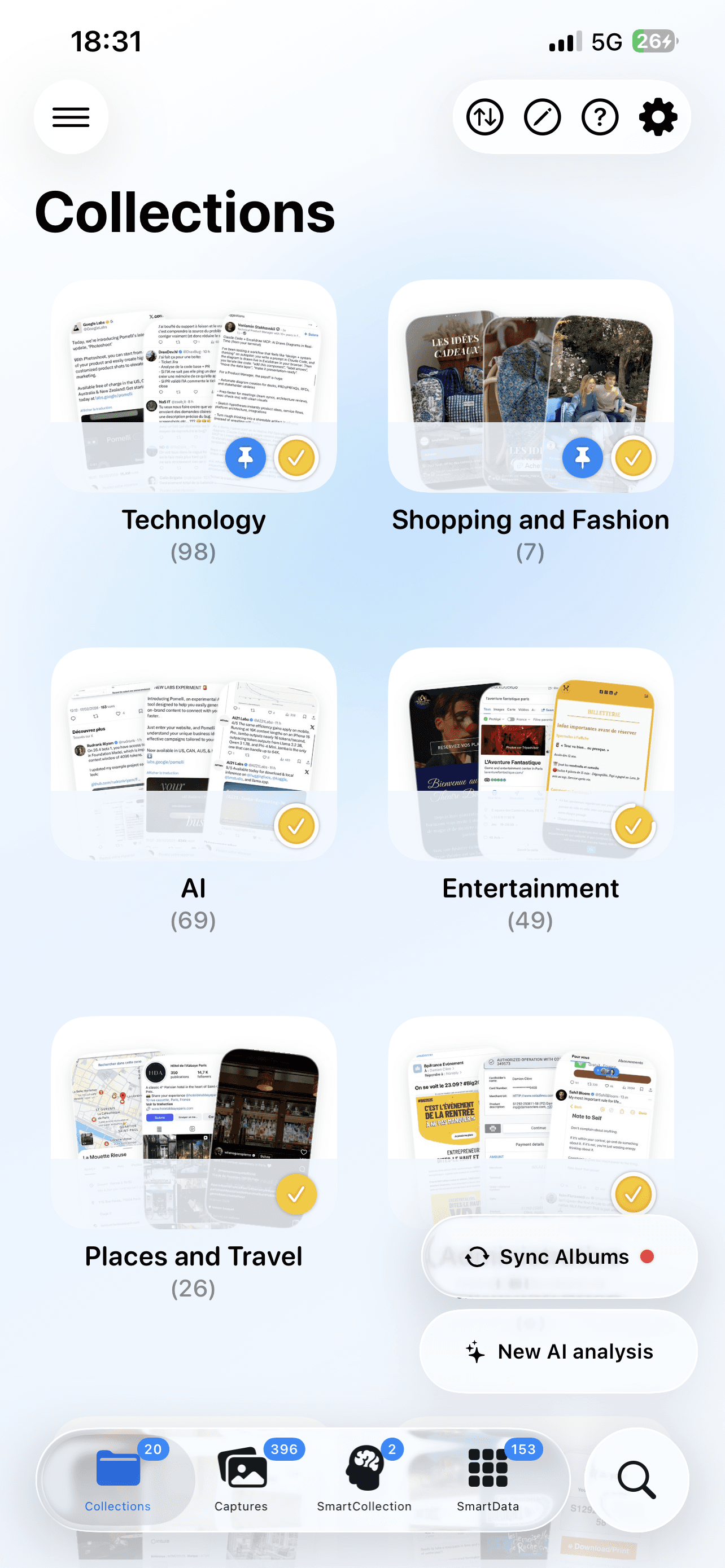
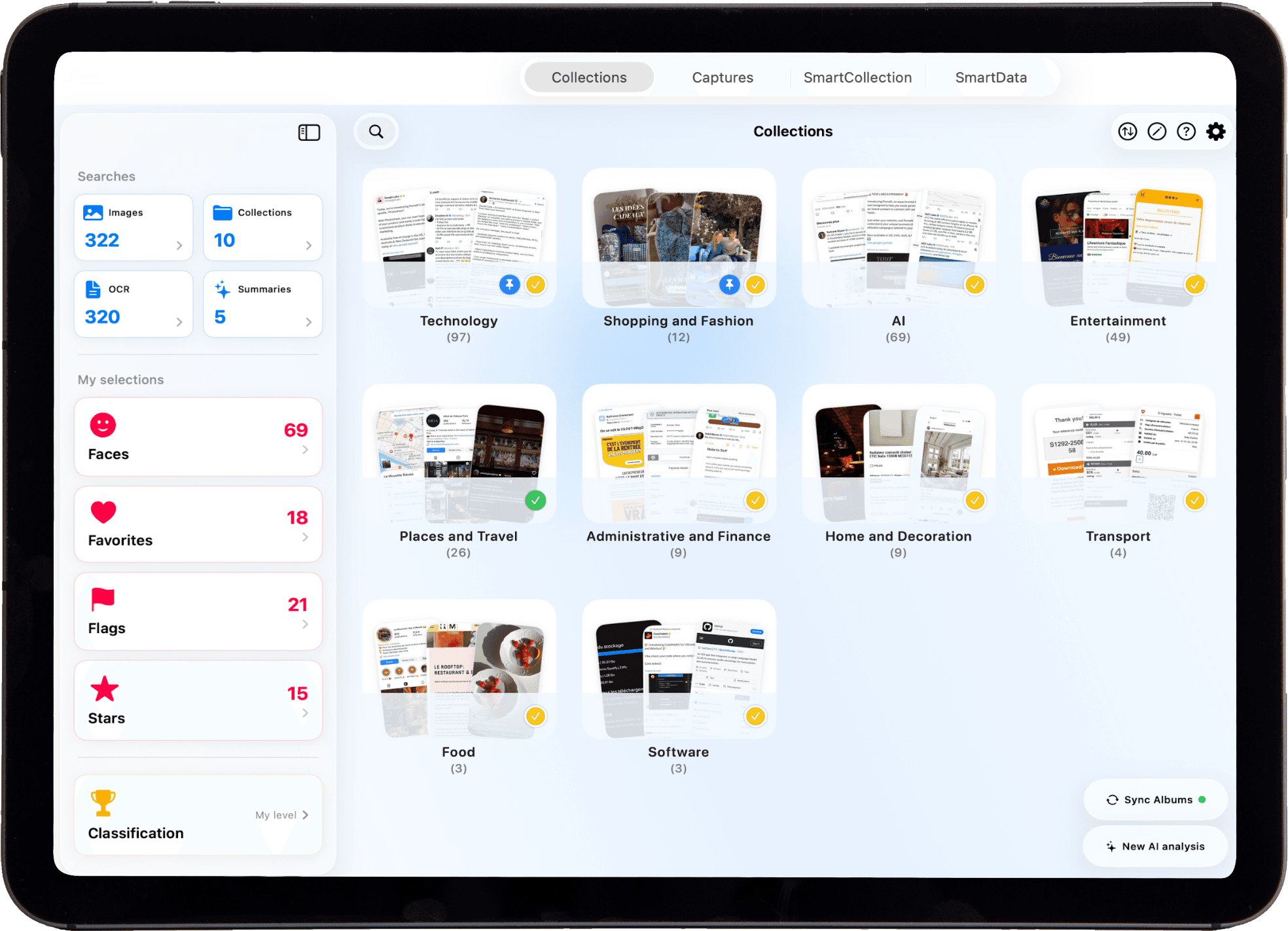
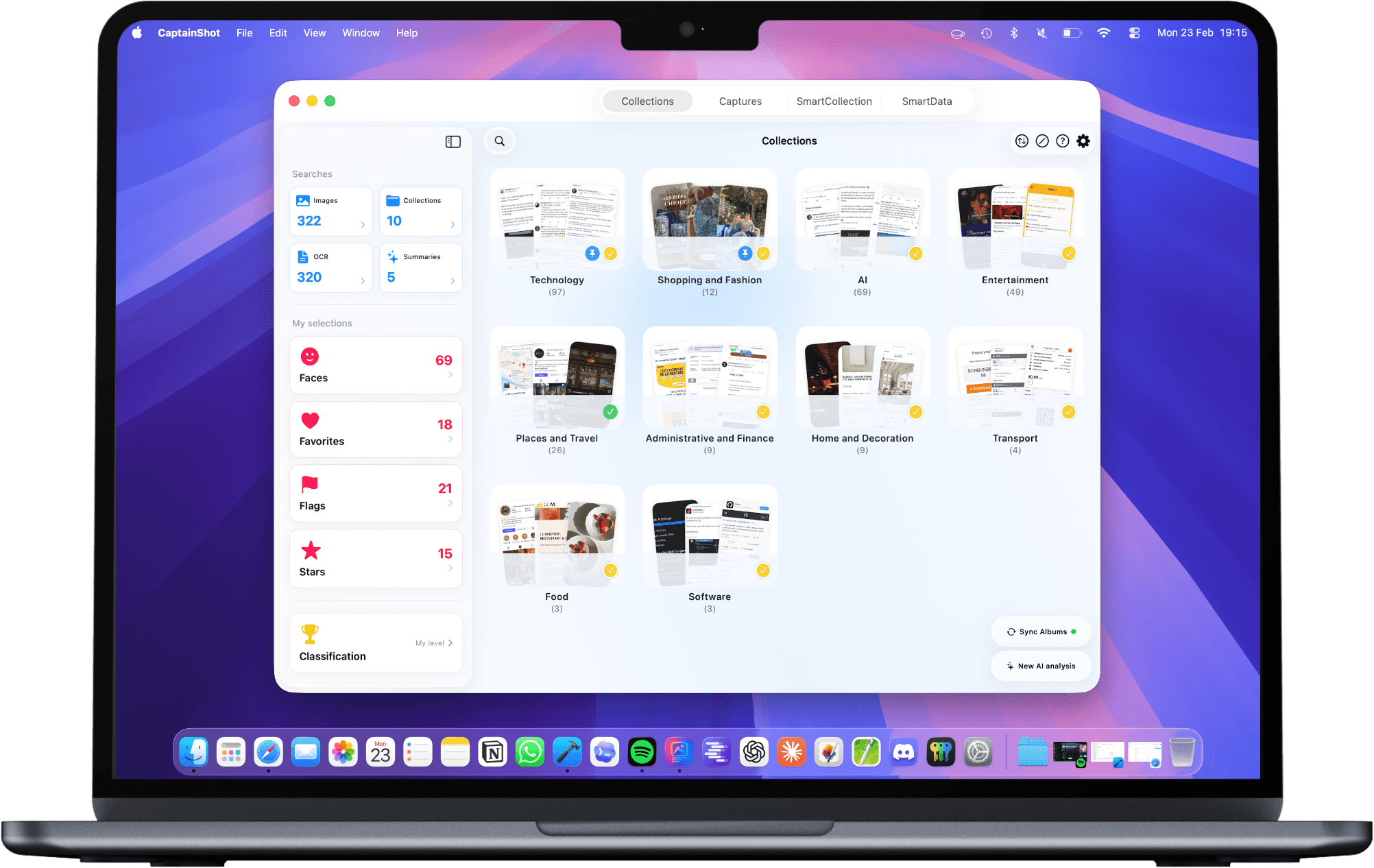
CaptainShot uses artificial intelligence locally to transform your screenshots into an organized library.

The everyday screenshot app.
CaptainShot uses artificial intelligence locally to turn your screenshots into an organized library.

Launch special: 50% off premium until November 23
(starting at $0.99/month, 1 year at $3.99)

FIND US ON

Product Hunt

FIND US ON

Product Hunt

iPhone, iPad, Mac

Apple Intelligence

100% local – no tracking or accounts

Your screenshots,

f

i

n

a

l

l

y

o

r

g

a

n

i

z

e

d

Collections of App Screenshots

iPhone, iPad, Mac

Apple Intelligence

100% local – no tracking or accounts

Launch special:
50% off premium until November 23
(starting at $0.99/month, 1 year at $3.99)

FIND US ON

Product Hunt

FIND US ON

Product Hunt

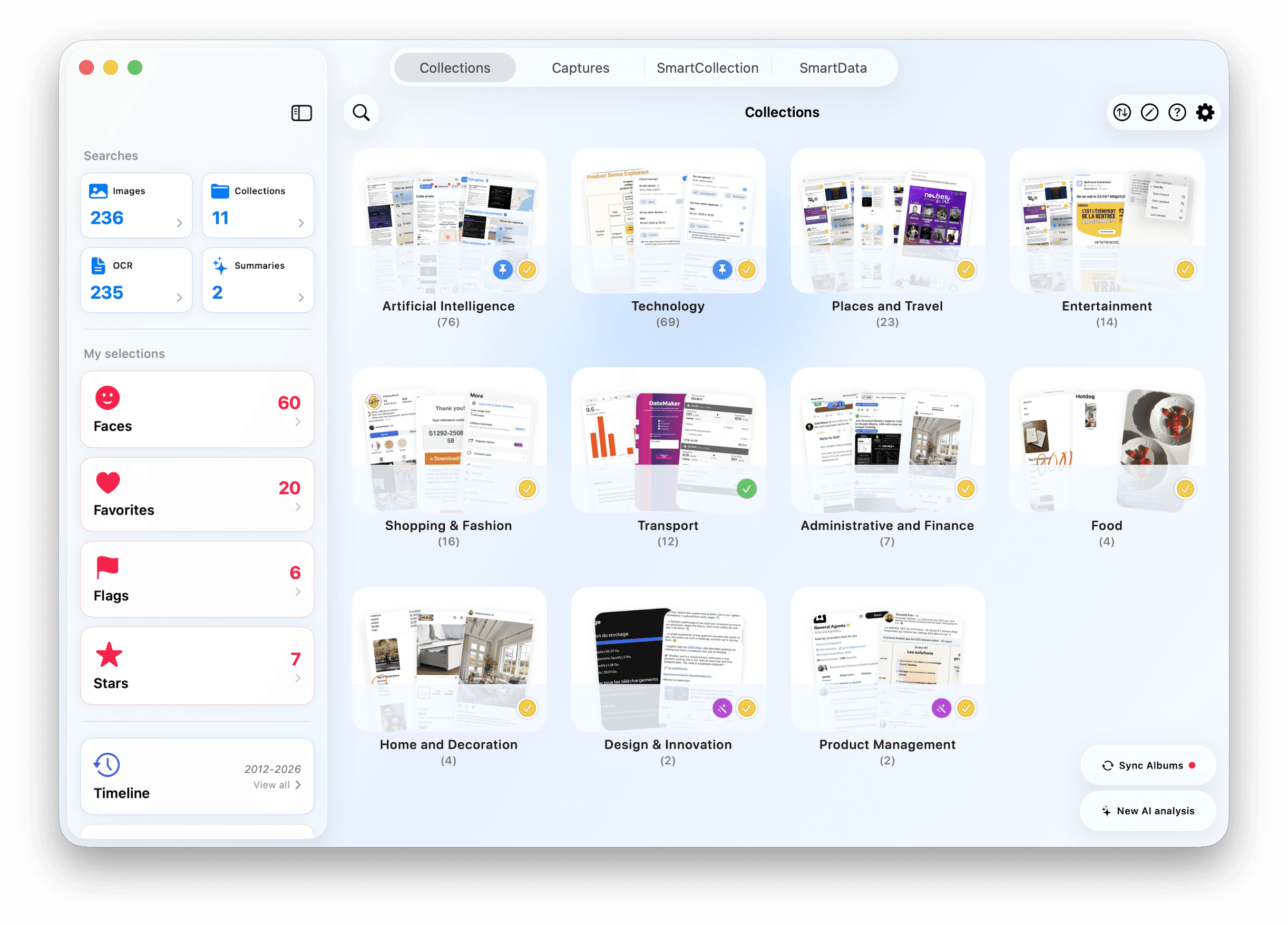
Automatic and precise sorting

Screenshots sorted like magic

Screenshots sorted like magic

Screenshots sorted like magic

Automatic and precise sorting

Thematic collections

Your screenshots are automatically grouped by relevant topics (projects, travel, shopping, recipes, etc.).

Relevant keywords

Each screenshot is automatically tagged for a precise search of its content.

Visual and textual classification

The AI identifies the visual content of your images (objects, scenes, etc.) and extracts its text for intelligent classification.

App screenshot
App screenshot
App screenshot

AI at the heart of the system

AI at the heart of the system

Screenshot de l'application

All the intelligence, right on your iPhone.

All the intelligence, right on your iPhone.

100% Local Analysis

Organize your screenshots wherever you are; the analysis is performed locally and works without a connection.

100% Local Analysis

Organize your screenshots wherever you are; the analysis is performed locally and works without a connection.

Cutting-edge technologies

Language model (LLM), OCR, CLIP, Vision, and custom algorithms join forces to understand your screenshots.

Cutting-edge technologies

Language model (LLM), OCR, CLIP, Vision, and custom algorithms join forces to understand your screenshots.

Powered
by Apple Intelligence

Developed and optimized on Apple Silicon chips for maximum performance: only between 20s and 1min30 to analyze 100 images.

Powered
by Apple Intelligence

Developed and optimized on Apple Silicon chips for maximum performance: only between 20s and 1min30 to analyze 100 images.

Privacy Respect

Your personal data and screenshots are never collected or shared. Your screenshots never leave your device. No ads or data sharing. No account needed.

Privacy Respect

Your personal data and screenshots are never collected or shared. Your screenshots never leave your device. No ads or data sharing. No account needed.

Screenshot de l'application

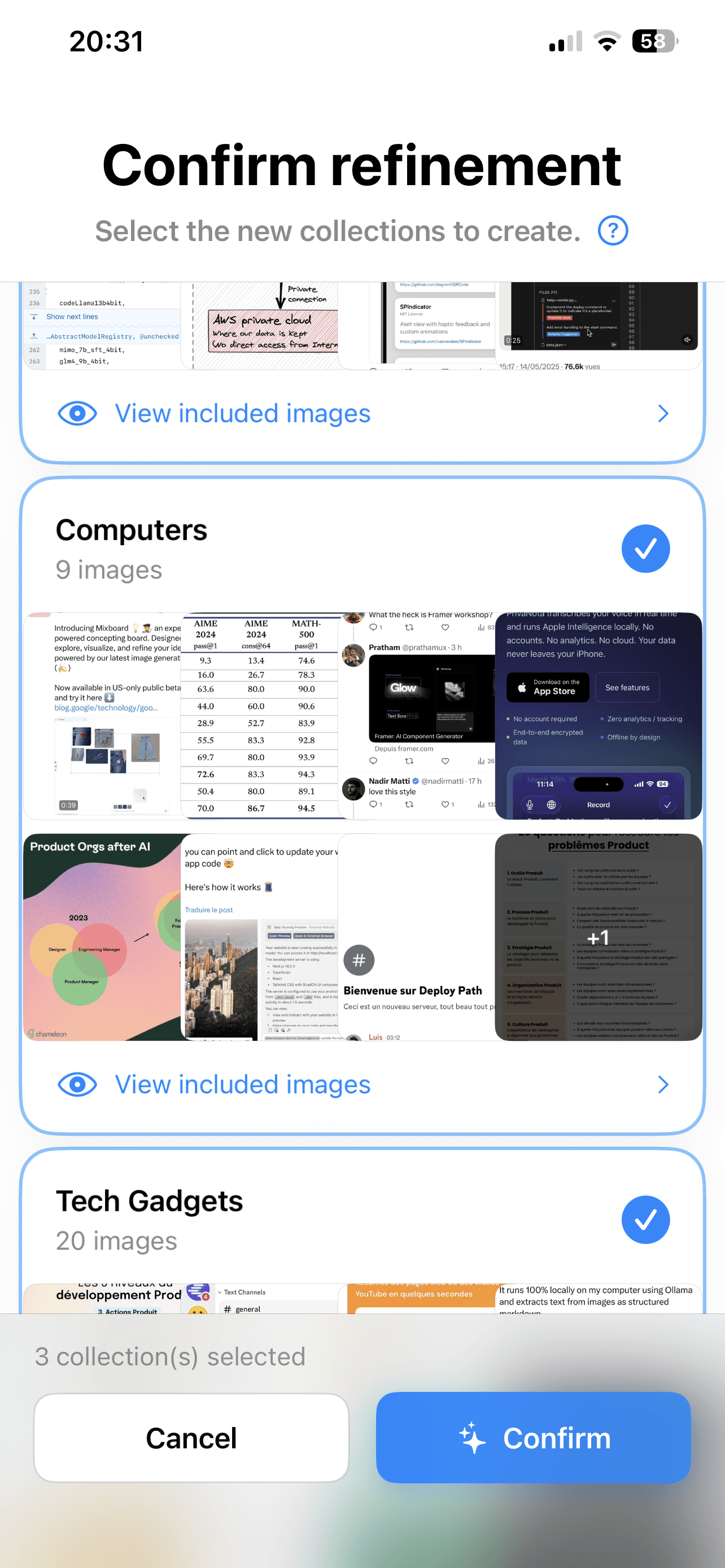
Refining your collections

Refining your collections

More accurate collections thanks to AI.

More accurate collections thanks to AI.

Screenshot de l'application

Intelligent Reorganization

The AI reevaluates the content of a collection to divide it into more specific and organized subcollections.

Intelligent Reorganization

The AI reevaluates the content of a collection to divide it into more specific and organized subcollections.

Intuitive validation

Validate or adjust the refinement suggestions to achieve a result that meets your expectations.

Intuitive validation

Validate or adjust the refinement suggestions to achieve a result that meets your expectations.

Language of collections and keywords

Choose the language for generating collection names and keywords: German, English, Spanish, French, Italian.

Language of collections and keywords

Choose the language for generating collection names and keywords: German, English, Spanish, French, Italian.

Refinement Indicator

Collections enhanced by AI refinement are clearly identified.

Refinement Indicator

Collections enhanced by AI refinement are clearly identified.

Screenshot de l'application

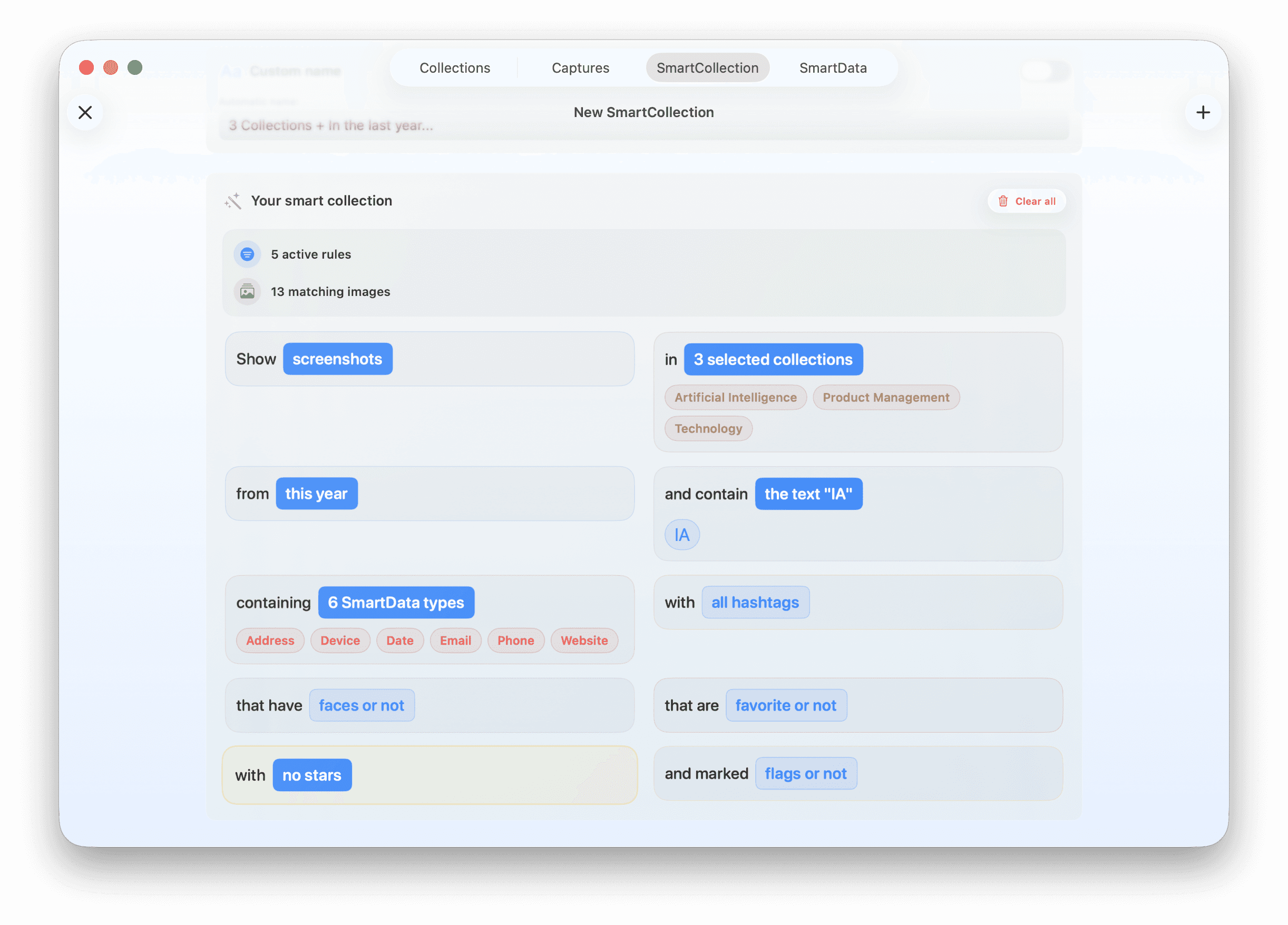
Smart collections

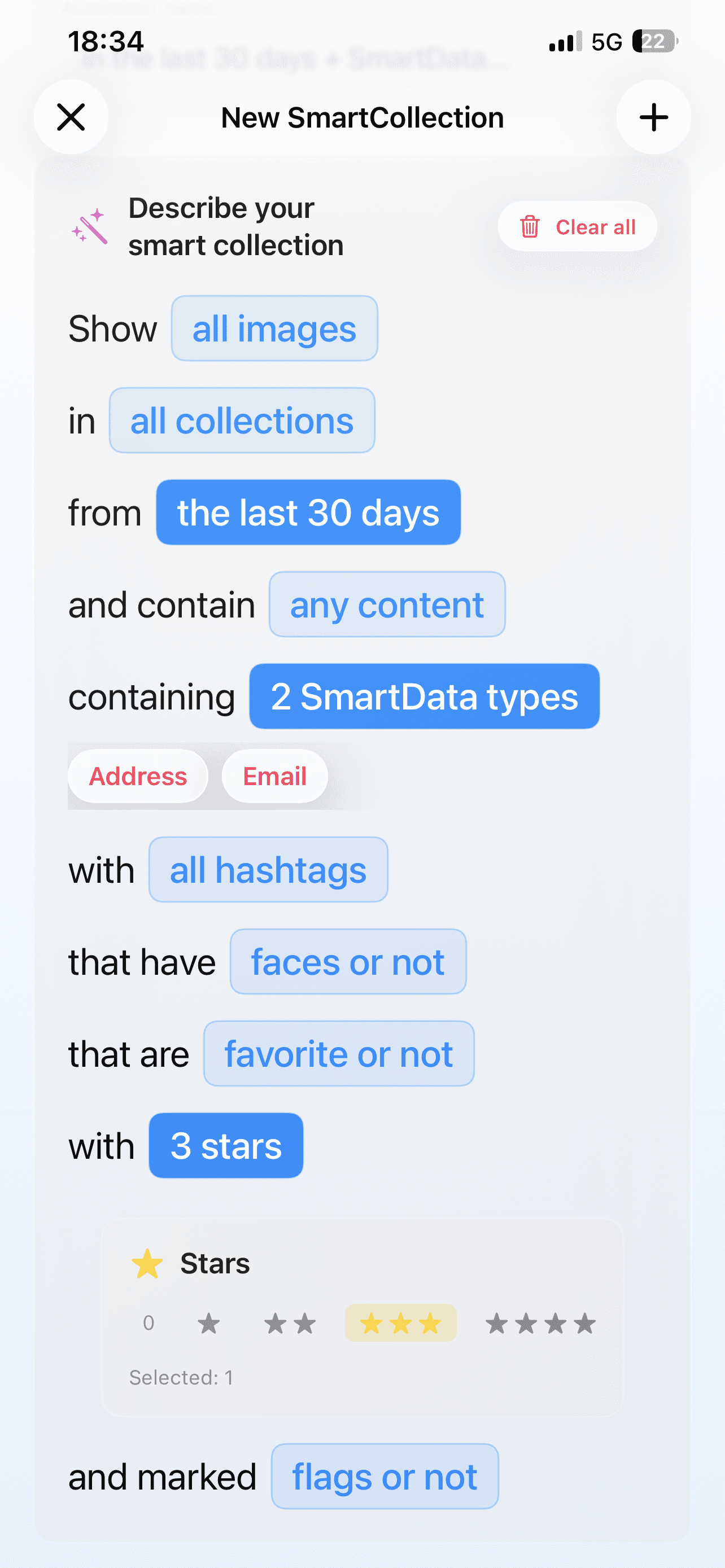
Create smart collections by completing a natural sentence with your own custom rules.

Advanced custom rules

Create custom rules with over 10 types available: text content, keywords, SmartData, faces, periods, favorites, stars, and flags. Combine multiple rules with different logics for ultra-precise collections.

Automatic update

Your SmartCollections automatically recalculate: add new screenshots or modify your data, and your collections instantly adapt to reflect the changes.

Advanced custom rules

Create custom rules with more than 10 types available: text content, keywords, SmartData, faces, periods, favorites, stars, and flags. Combine multiple rules with different logics for ultra-precise collections.

Advanced custom rules

Create custom rules with more than 10 types available: text content, keywords, SmartData, faces, periods, favorites, stars, and flags. Combine multiple rules with different logics for ultra-precise collections.

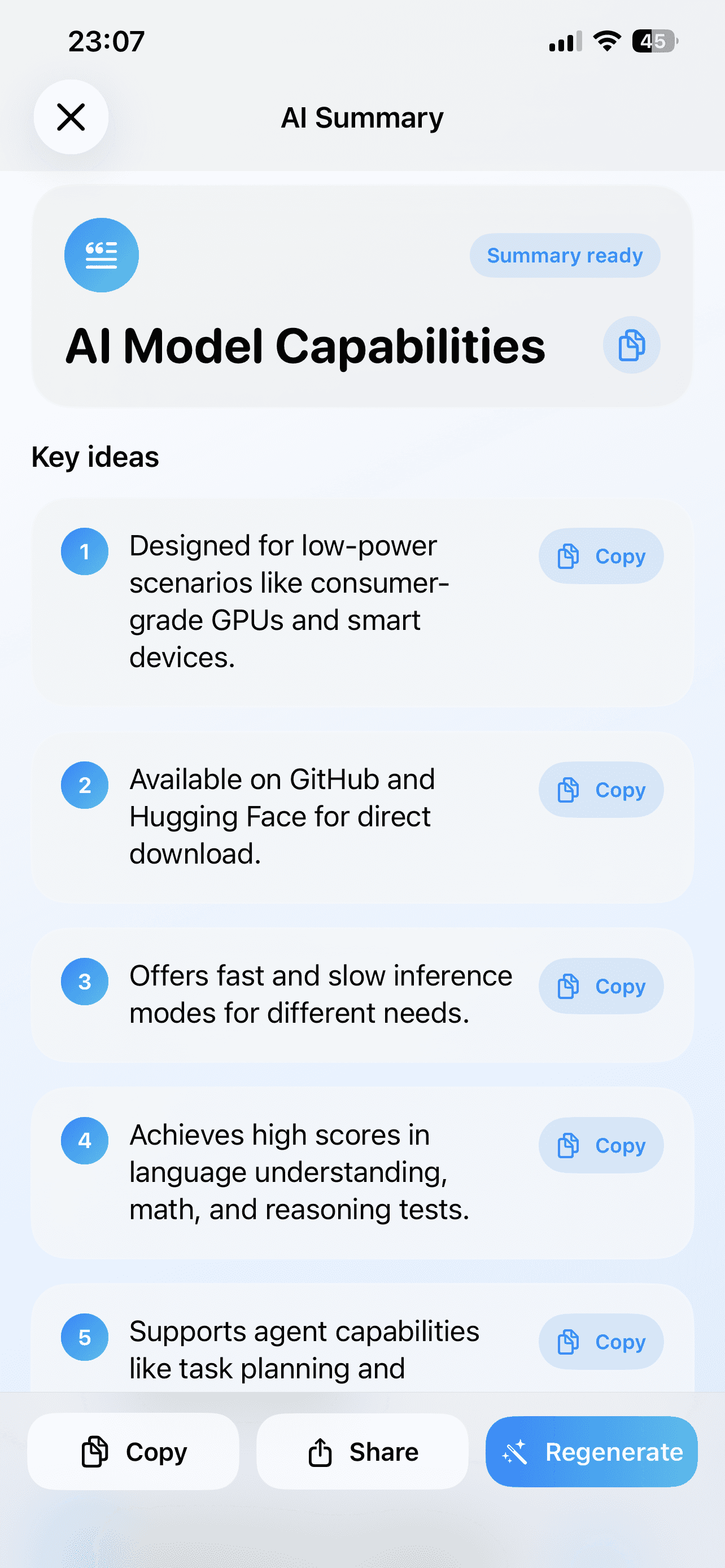
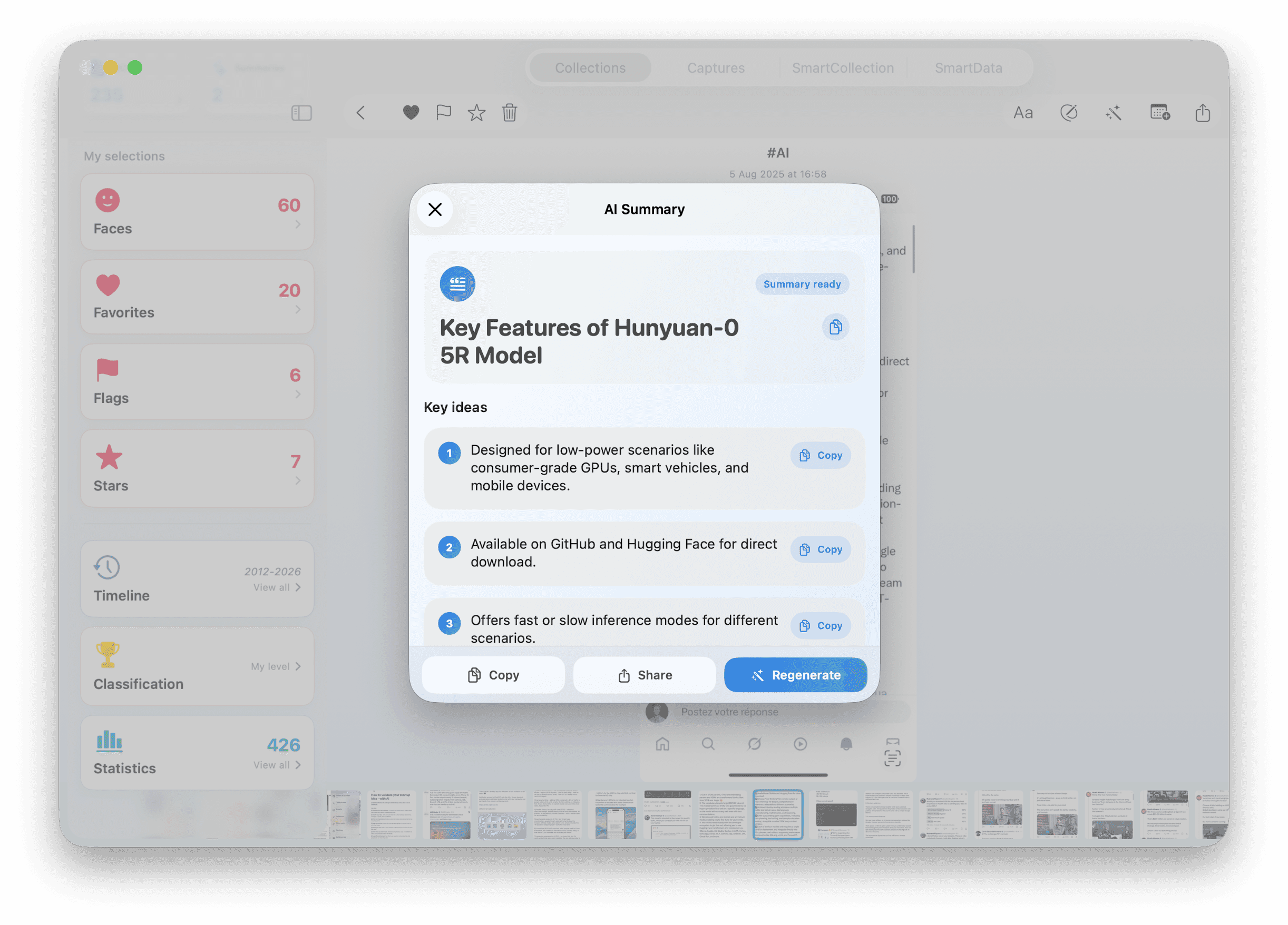
Intelligent Summaries

Get a clear and concise summary of the textual content of a screenshot, generated by AI.

Share the essentials

Easily share the summary of a screenshot with your contacts or other apps.

Automatic update

Your SmartCollections automatically recalculate: add new screenshots or modify your data, and your collections instantly adapt to reflect the changes.

SmartData

SmartData

Transform your screenshots into an intelligent database.

Transform your screenshots into an intelligent database.

Transform your screenshots into an intelligent database.

App screenshot
App screenshot
App screenshot
App screenshot

SmartData automatically analyzes your images to detect and extract crucial information.

SmartData automatically analyzes your images to detect and extract crucial information.

Seven categories of intelligent data

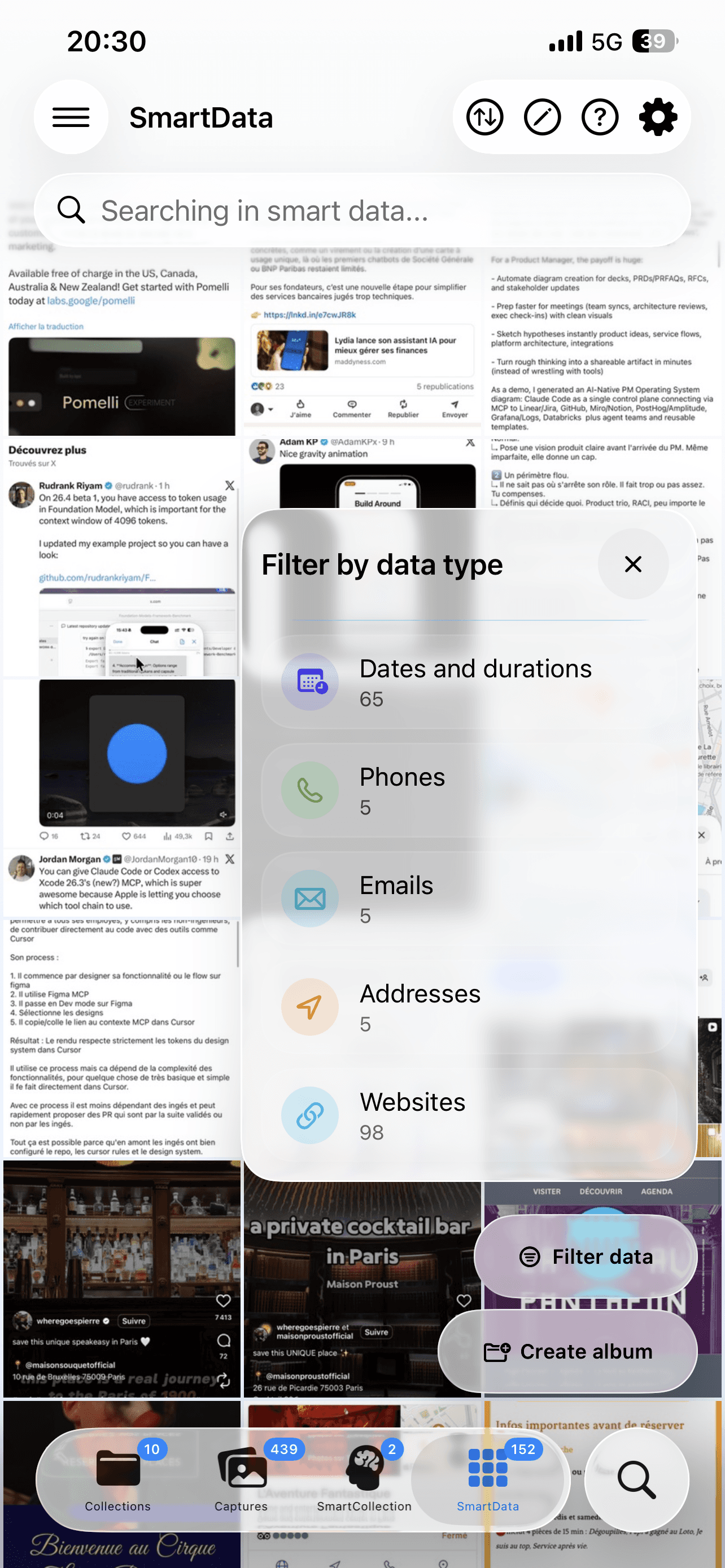
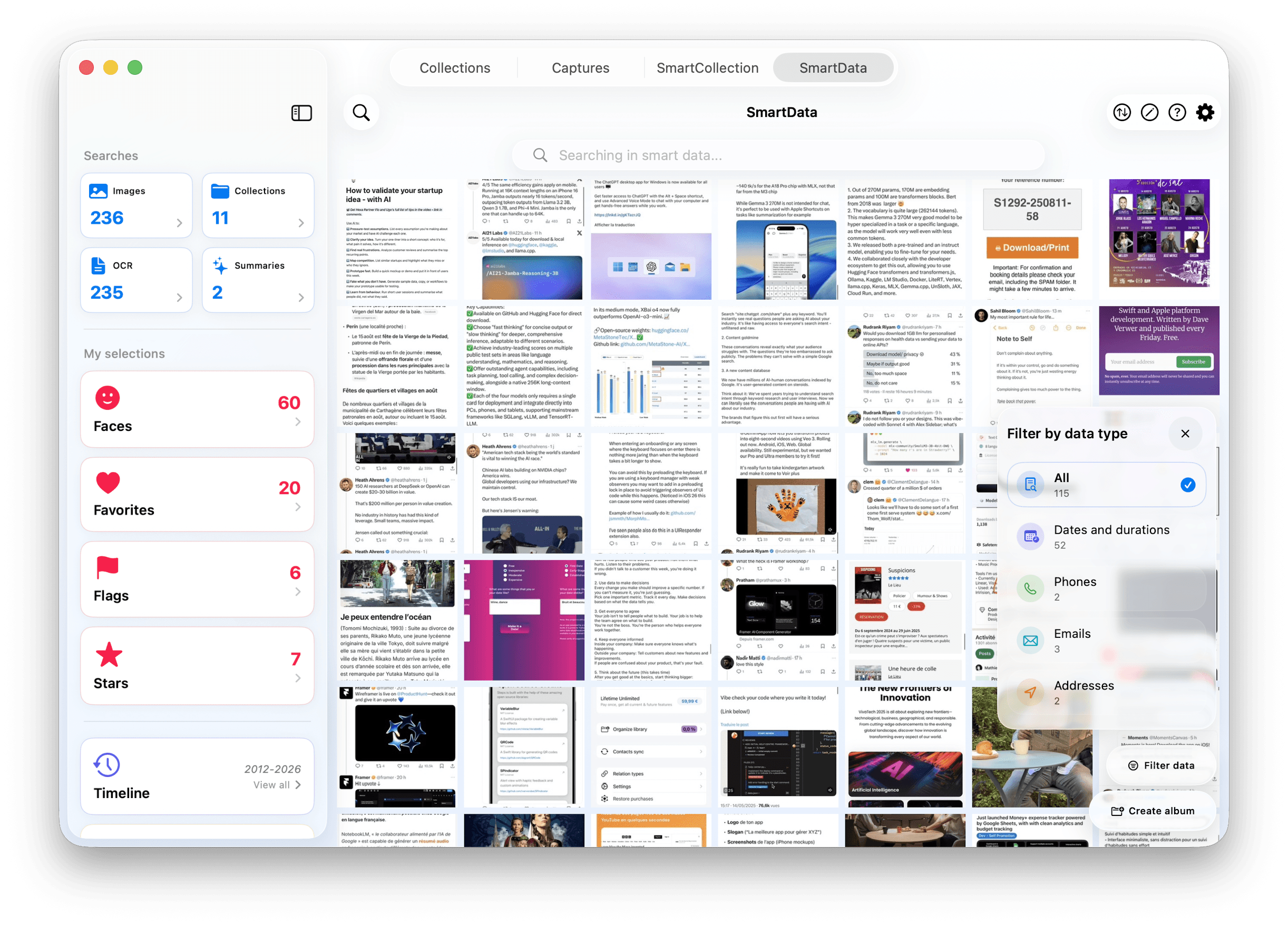
Automatic recognition of dates and durations, phone numbers (French and international), email addresses, complete postal addresses, websites and URLs, currency amounts, barcodes, business references, order numbers, and identifiers. Each analysis enriches your database without manual intervention.

Advanced filtering and organization

Filter your screenshots by specific data types or view all of your SmartData. Sorting system by date and dedicated interface with real-time counters for each detected data category.

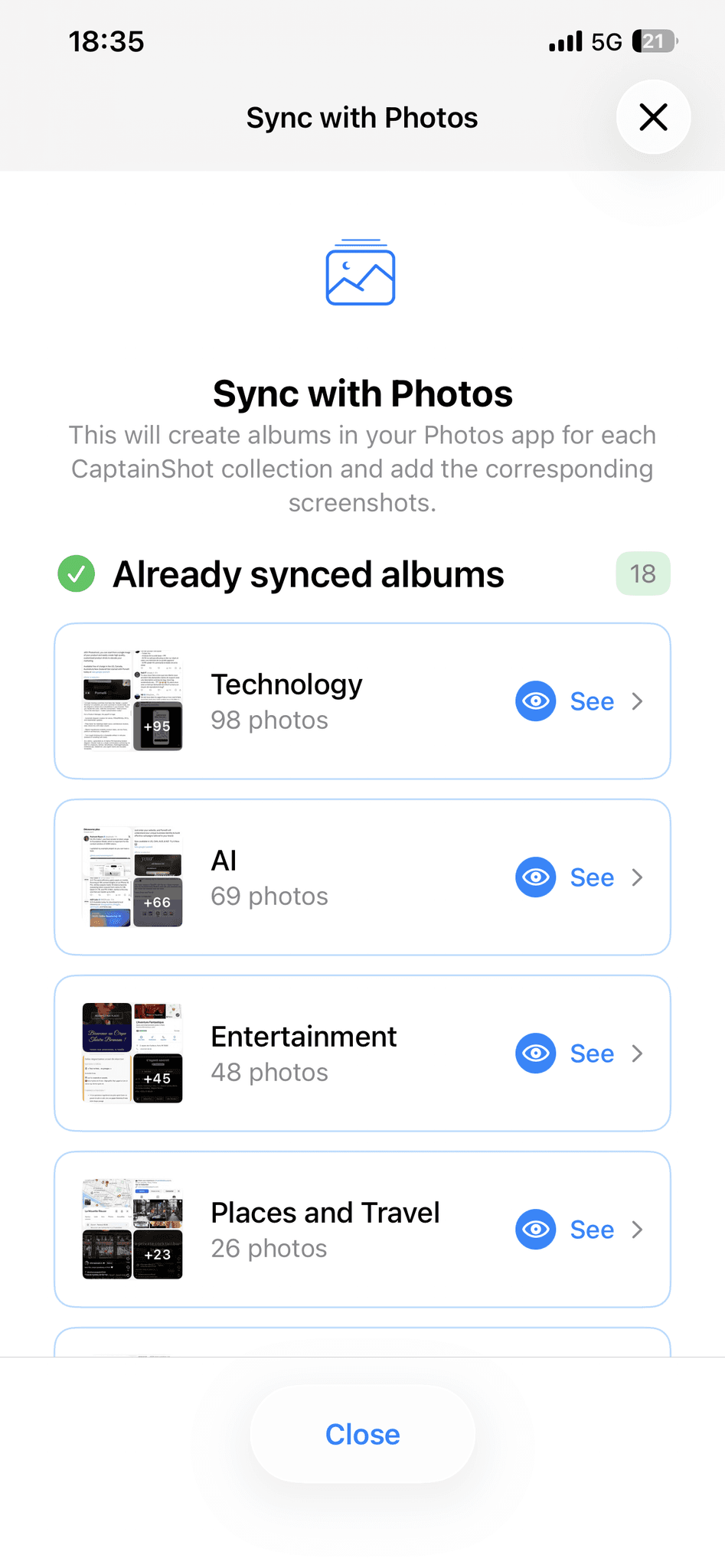
Sync with the Photos app

The reflection of your collections.

The reflection of your collections.

Bidirectional synchronization

CaptainShot creates and updates dedicated albums in your Photos app. The Photo albums linked to your collections are deleted if you remove them from the app. Your modified titles, moved captures…

Automatic detection and resolution of conflicts

Advanced system for multi-device conflict detection: simultaneous modifications, name changes, additions/deletions of photos. Resolution interface with suitable strategies: prioritize the app, prioritize Photos, merge, or automatically rename to avoid duplicates.

Real-time visual indicators

A visual indicator informs you if your collections need synchronization with Photos. Automatic detection of external modifications and changes made on other devices connected to the same iCloud account.

Screenshot de l'application

Sync with the Photos app

The reflection of your collections.

App screenshot
App screenshot

Bidirectional synchronization

CaptainShot creates and updates dedicated albums in your Photos app. The Photo albums linked to your collections are deleted if you remove them from the app. Your modified titles, moved captures…

Automatic detection and resolution of conflicts

Advanced system for multi-device conflict detection: simultaneous modifications, name changes, additions/deletions of photos. Resolution interface with suitable strategies: prioritize the app, prioritize Photos, merge, or automatically rename to avoid duplicates.

Real-time visual indicators

A visual indicator informs you if your collections need synchronization with Photos. Automatic detection of external modifications and changes made on other devices connected to the same iCloud account.

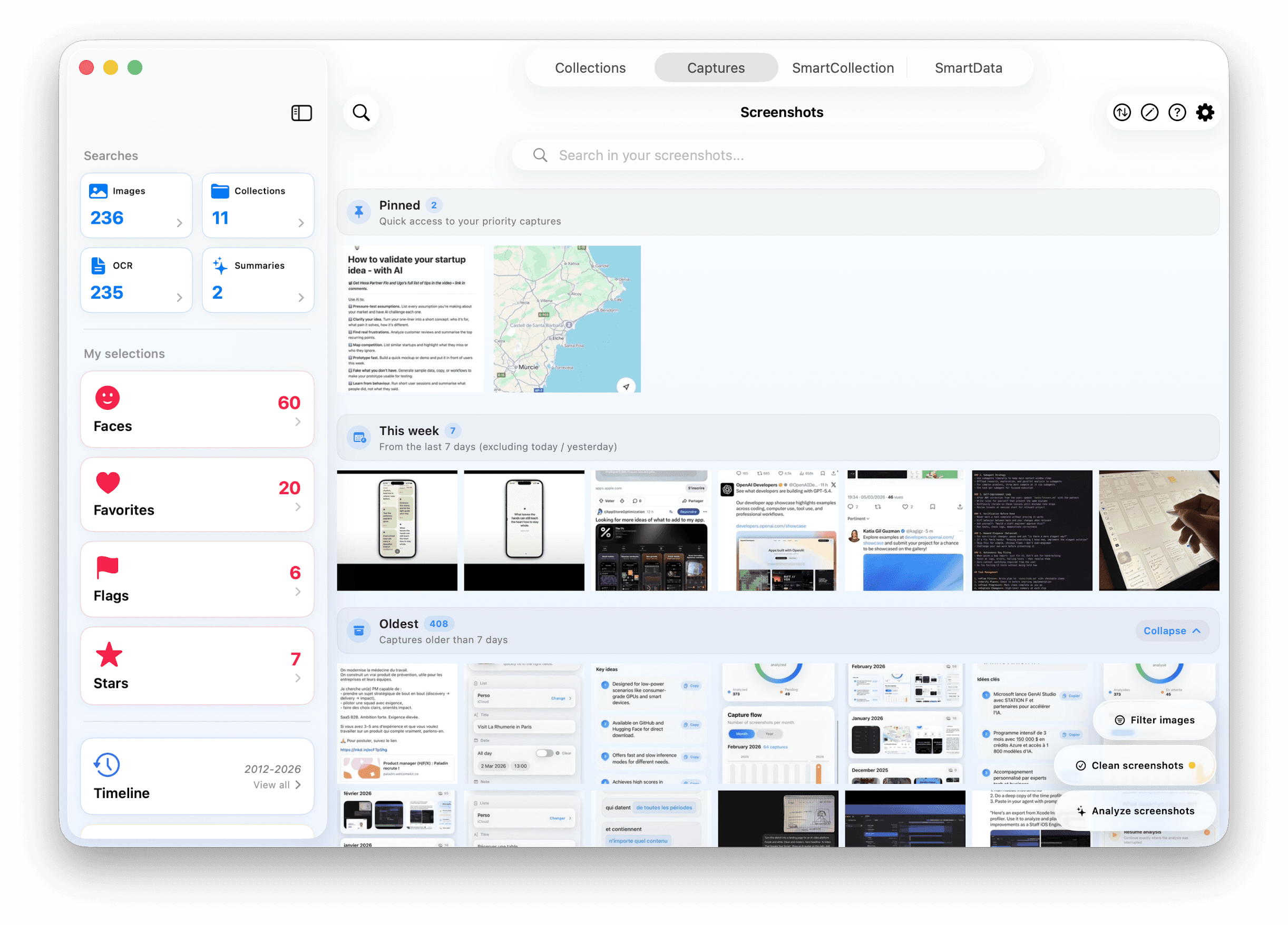
All my screenshots

All my screenshots

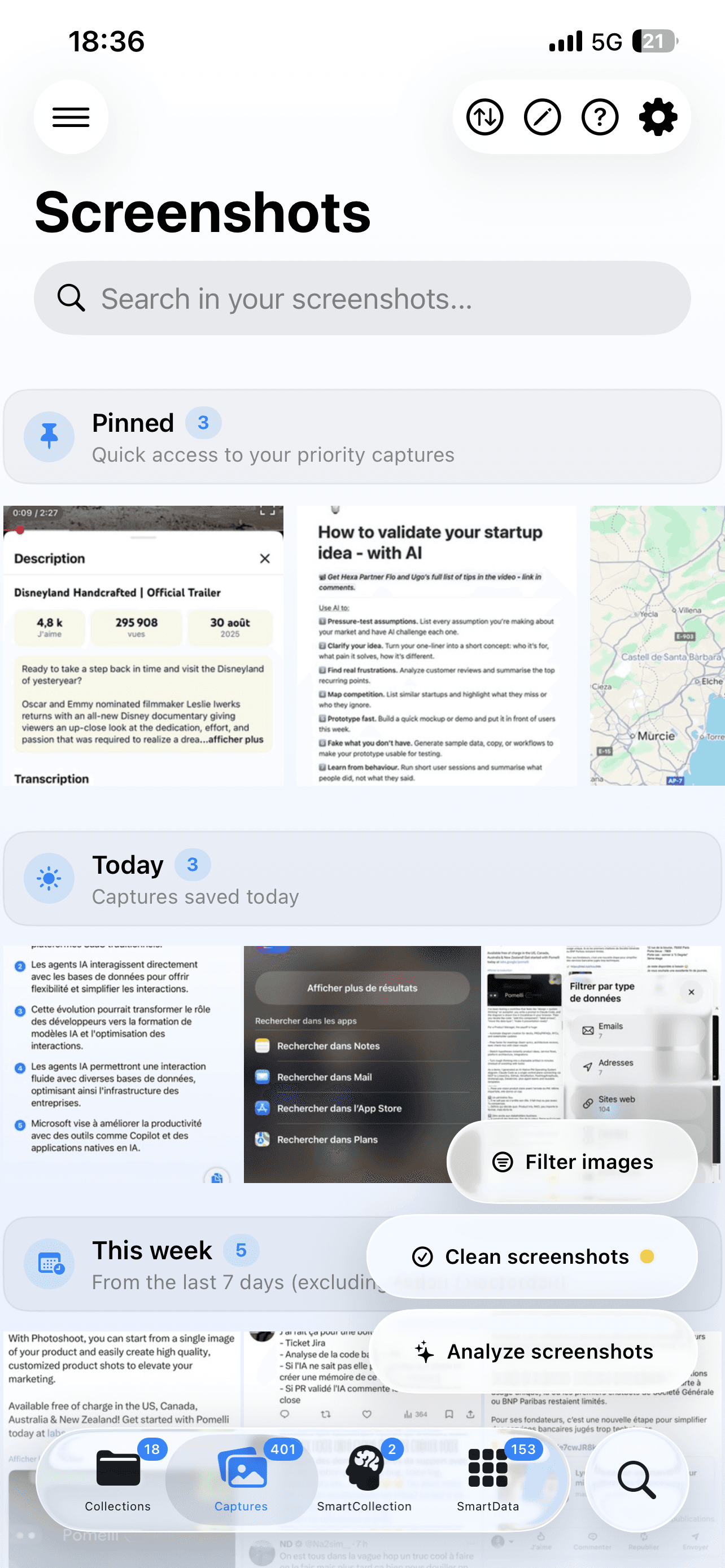
Access all your screenshots in a unified interface for complete management of your photo library.

App screenshot
App screenshot

Access all your screenshots in a unified interface for complete management of your photo library.

A single interface

View your analyzed screenshots (already organized in collections) and non-analyzed screenshots simultaneously.

A single interface

View your analyzed screenshots (already organized in collections) and non-analyzed screenshots simultaneously.

Pinned captures

Priority access to your most important images by pinning up to 5 essential screenshots.

Pinned captures

Priority access to your most important images by pinning up to 5 essential screenshots.

Analyze your pending screenshots

Quick access to directly start the analysis of a capture or to launch a smart update. Filtering by analysis status.

Analyze your pending screenshots

Quick access to directly start the analysis of a capture or to launch a smart update. Filtering by analysis status.

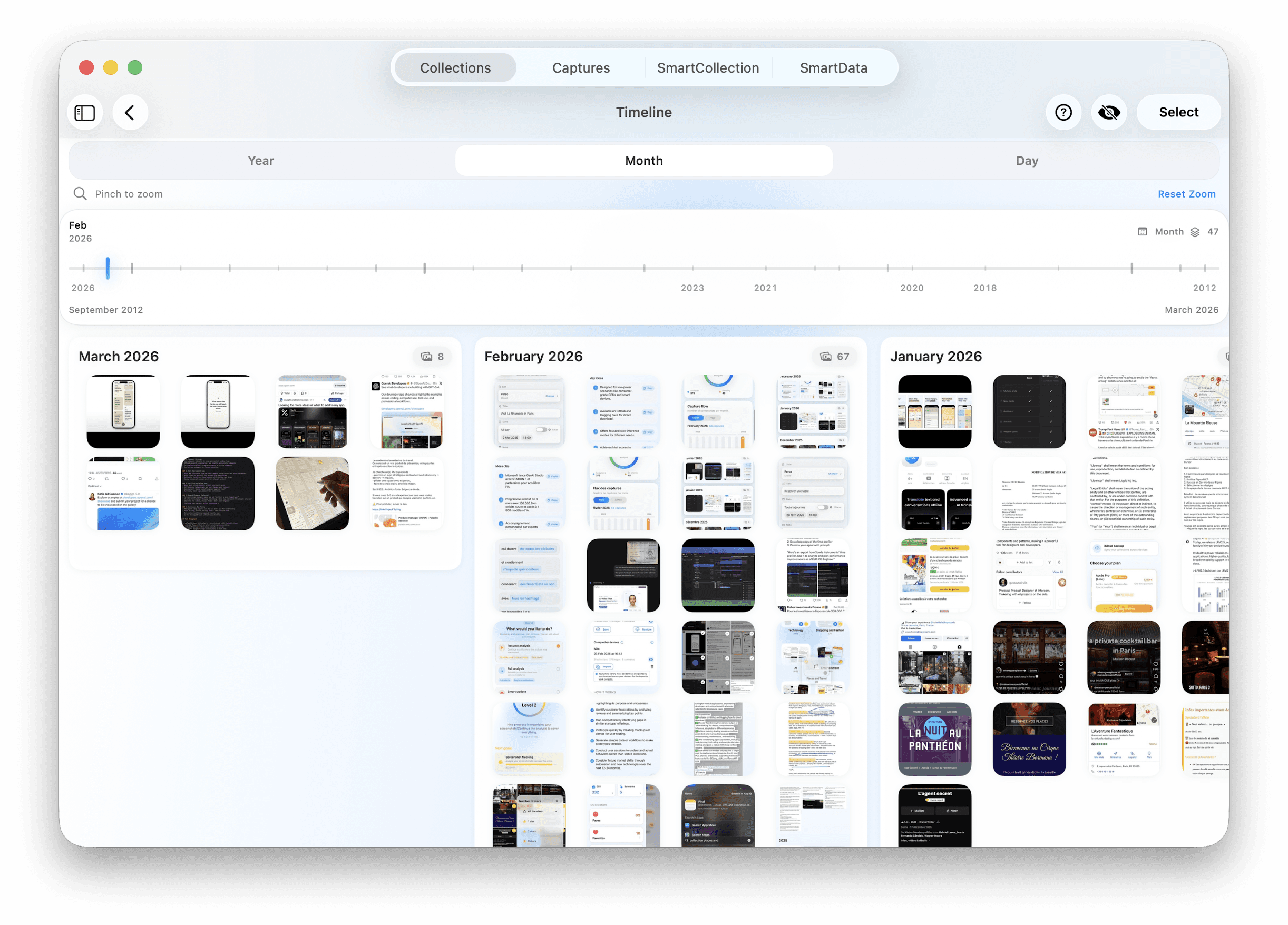
Temporal organization

Three sections: pinned, recently saved (last 7 days), and older (previous). Sort configurable by date.

Temporal organization

Three sections: pinned, recently saved (last 7 days), and older (previous). Sort configurable by date.

App screenshot
App screenshot

Quick and efficient cleaning

Quick and efficient cleaning

Screenshot de l'application

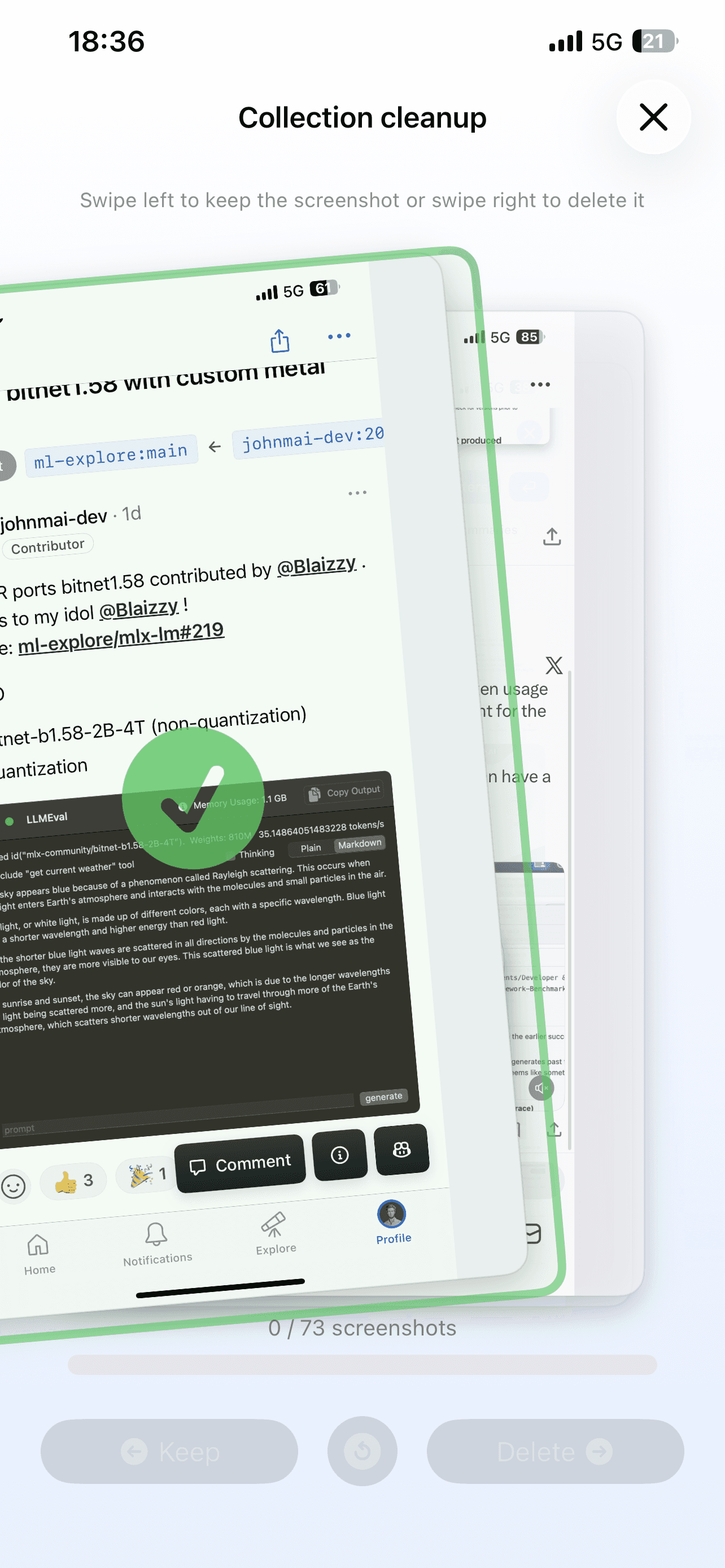
Sort your screenshots instantly.

Sort your screenshots instantly.

Intuitive swipe interface

Swipe a screenshot to the right to mark it for deletion, to the left to keep it.

Final Decision

Confirm to permanently delete the selected screenshots from your device.

Progress tracking

Your progress is saved. A visual indicator allows you to track the progress of cleaning each collection.

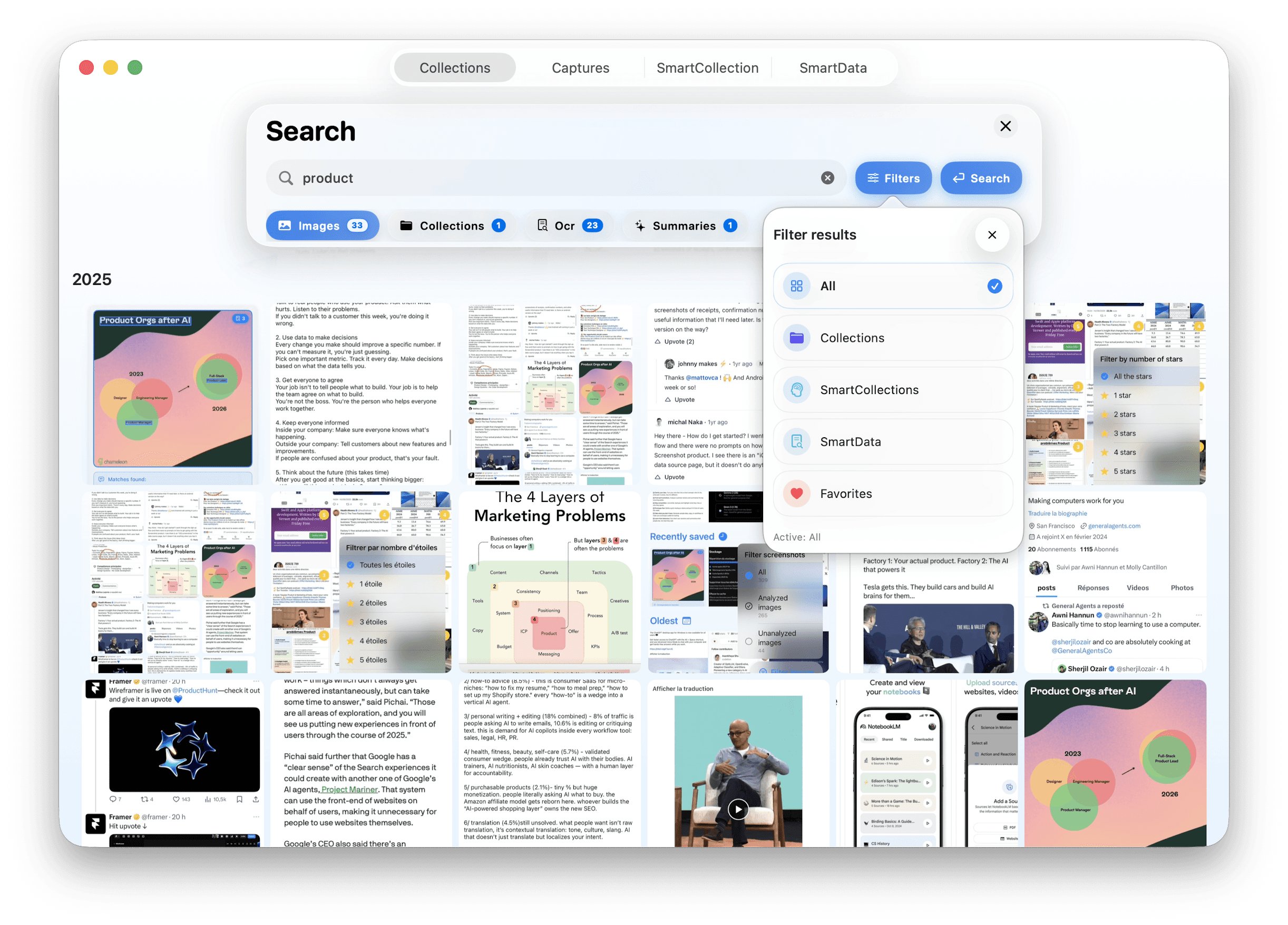
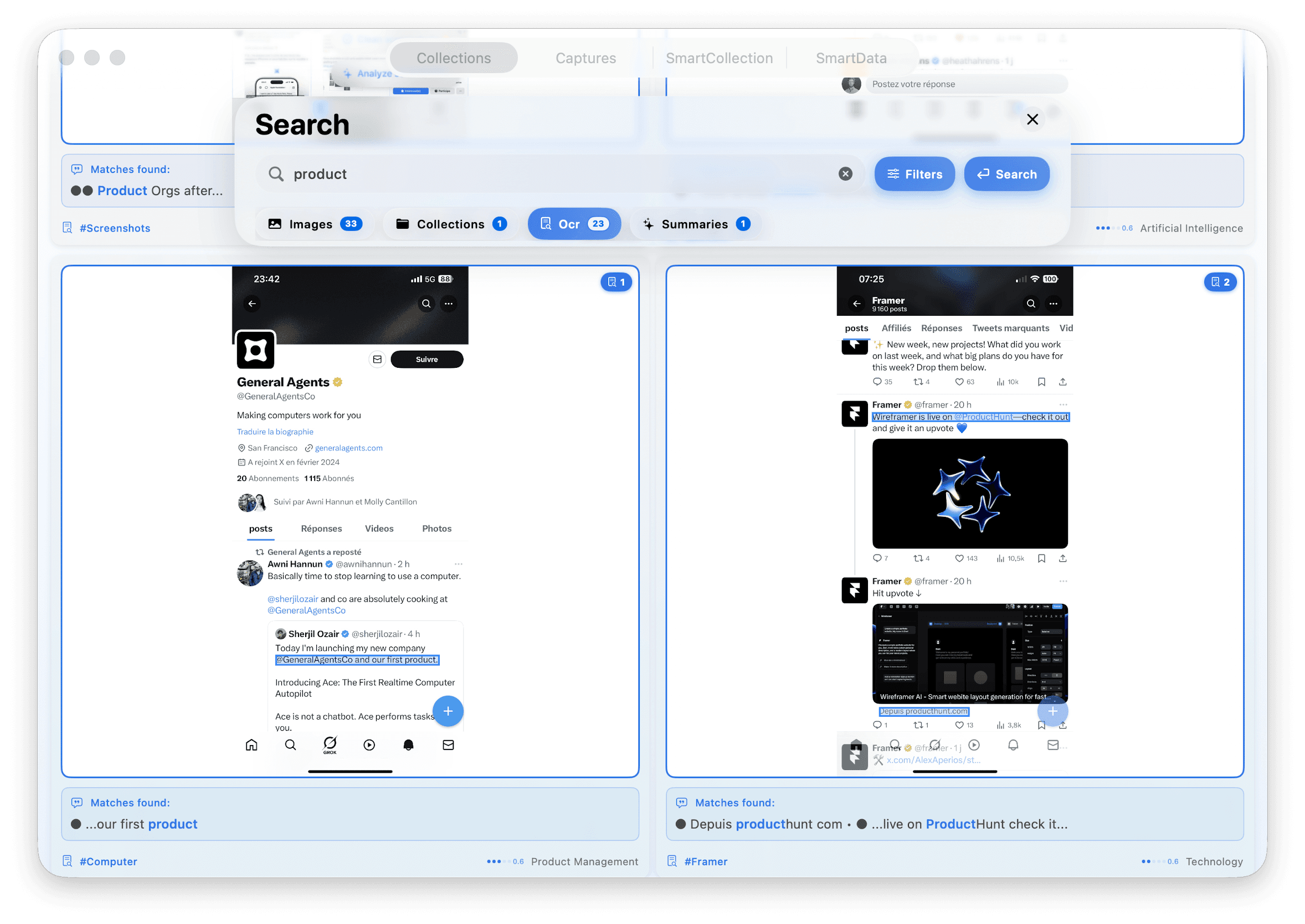
Powerful search

App screenshot

Smart and multi-sourced

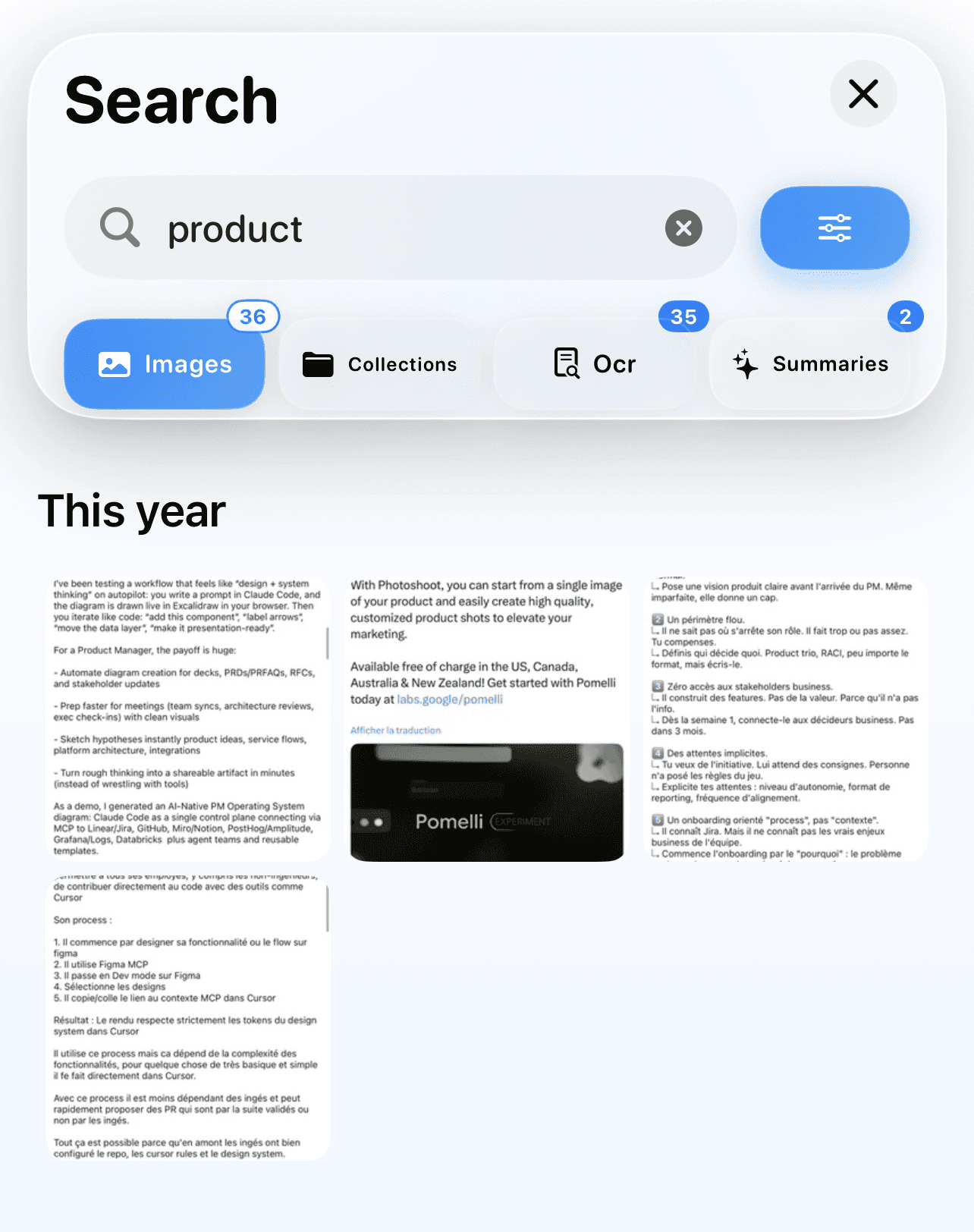
Search within your images using all available data: collections, keywords, visual detections, OCR…
Apple Intelligence automatically detects language variations (French-English) and synonyms.
Advanced relevance scoring based on matches and context.

app screenshot

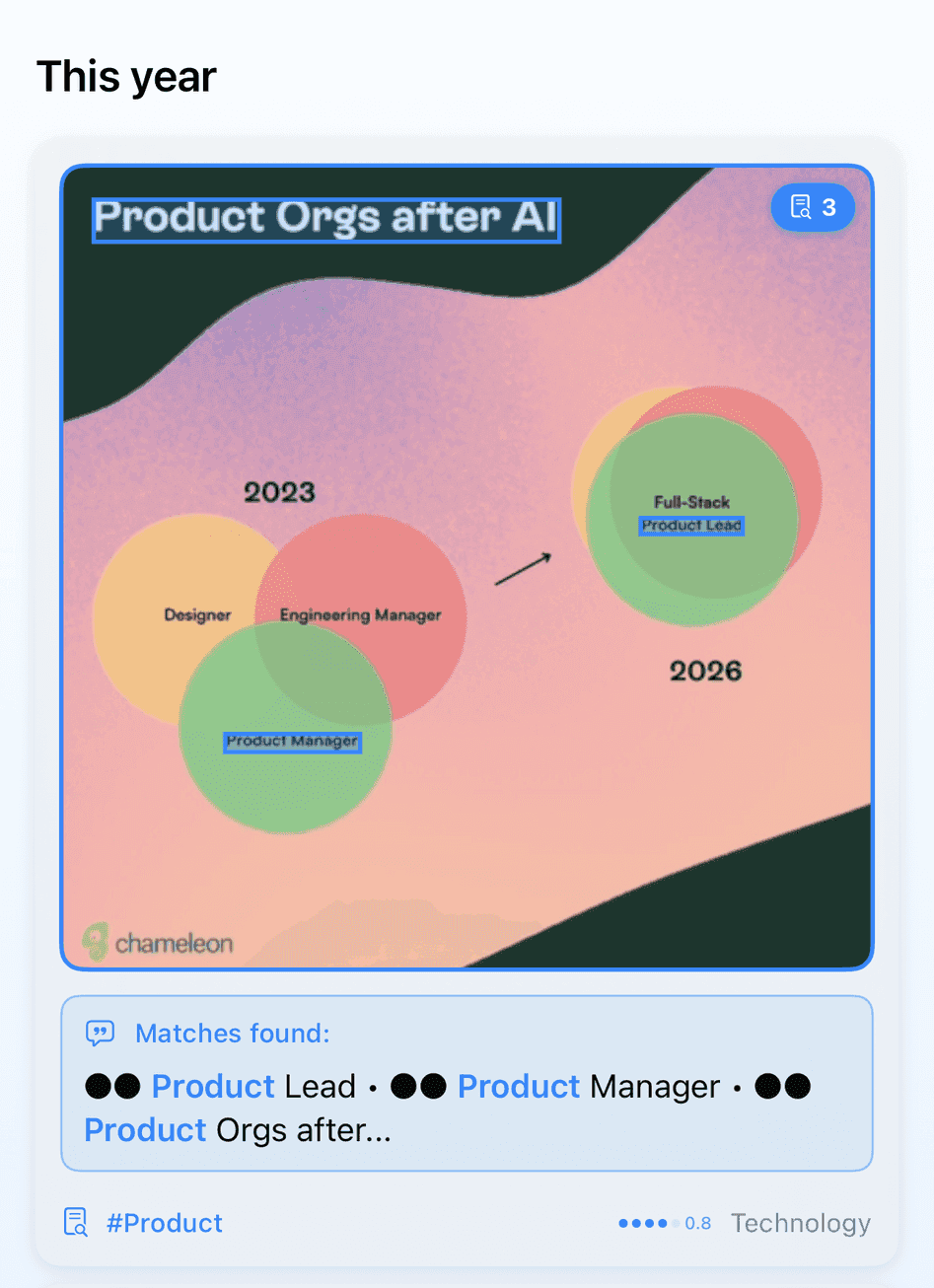
Visual localization with scoring

The terms of your search are highlighted directly on the text of the screenshots found by OCR, even with certain variations.

App screenshot

Highlighted Collection

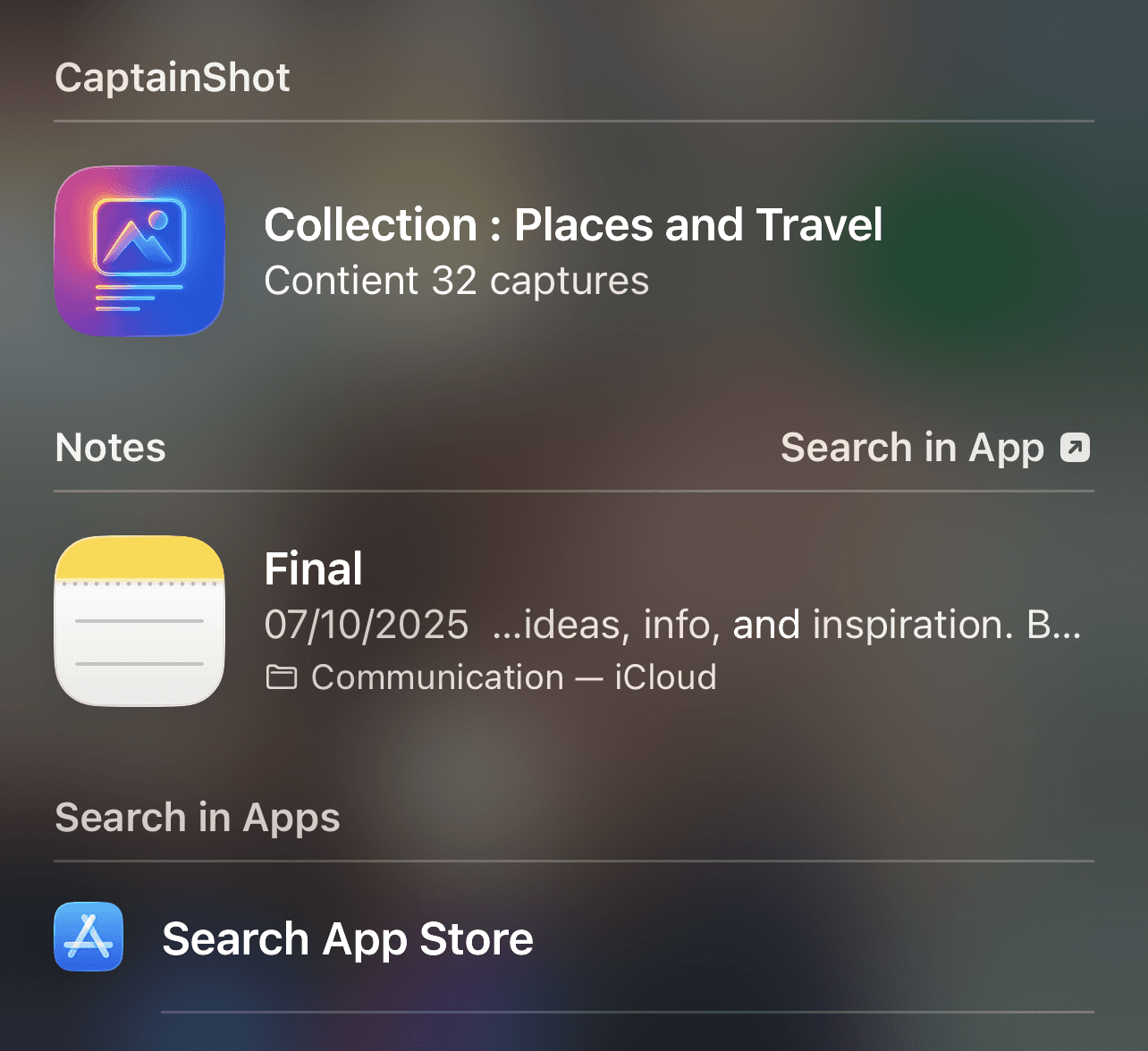
Access your collections and their image galleries directly from the Spotlight search bar on your iPhone.

App screenshot
App screenshot

Smart and multi-sourced

Search through your images using all the data: collections, keywords, visual detections, OCR…
Apple Intelligence automatically detects language variants (French-English) and synonyms.
Advanced relevance scoring based on matches and context.

App screenshot
App screenshot

Visual localization with scoring

The terms of your search are highlighted directly on the text of the screenshots found by OCR, even with certain variations.

Poster
Poster

Highlighted Collection

Access your collections and their image galleries directly from the Spotlight search bar on your iPhone.

Advanced management tools

App screenshot
App screenshot

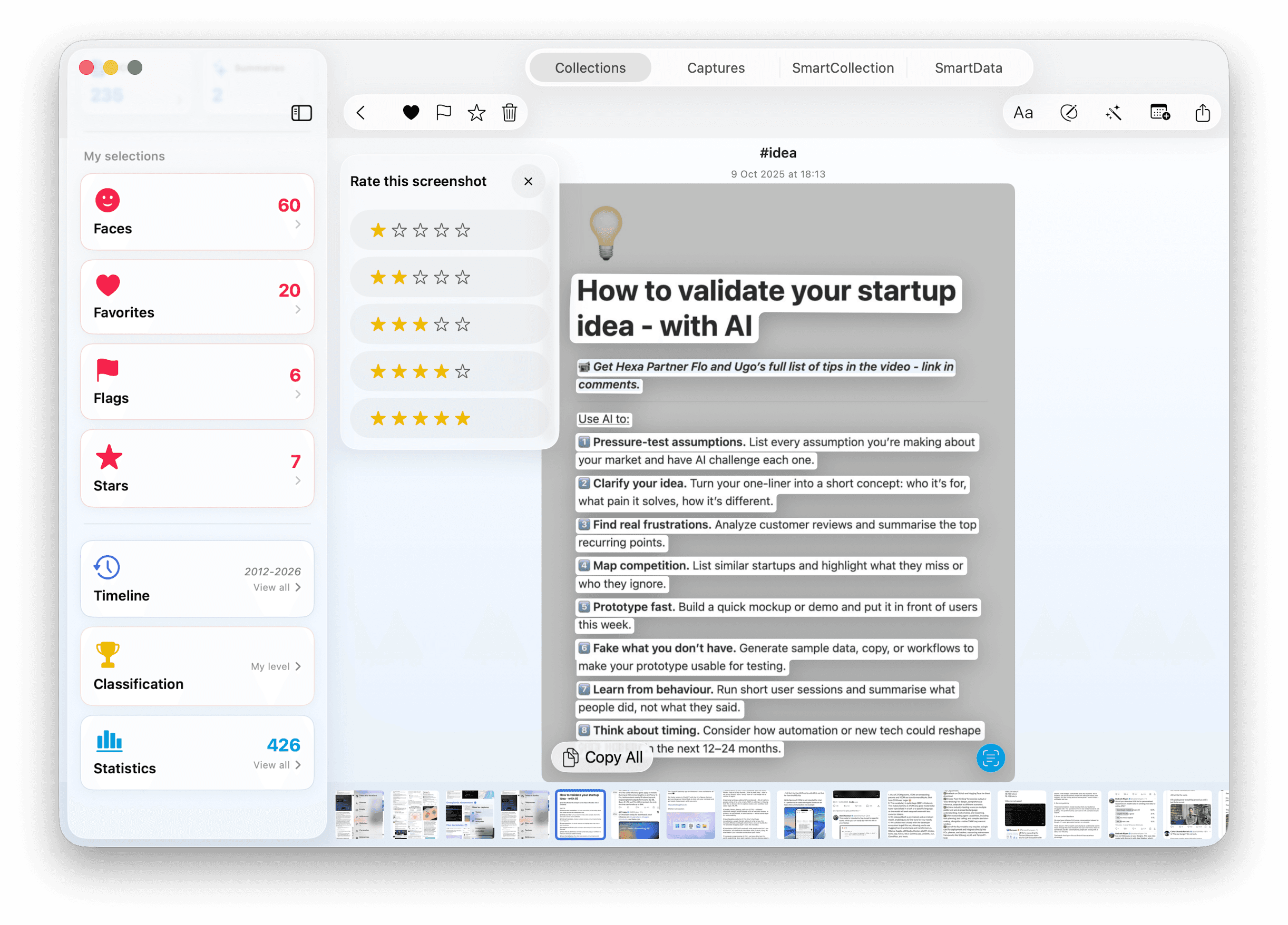
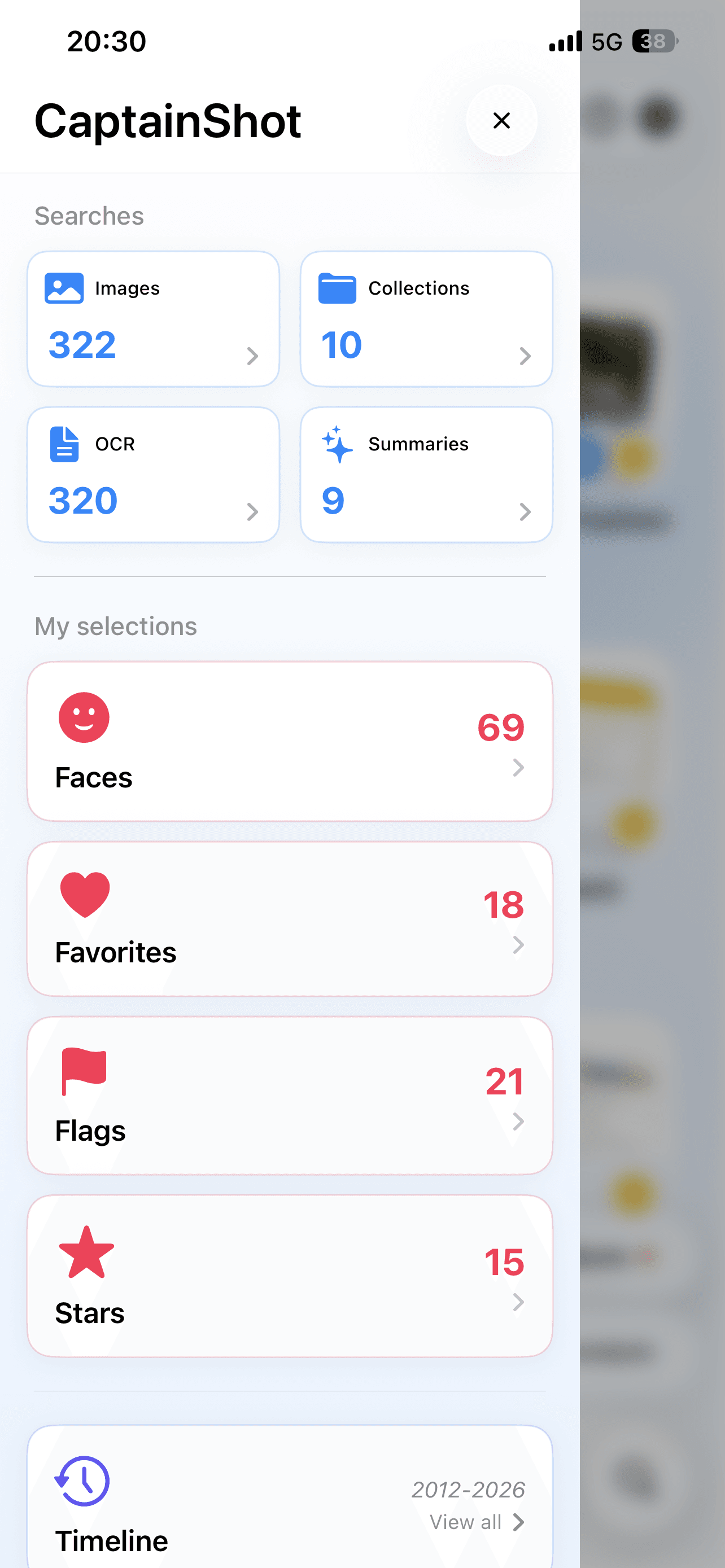
Quick access to special collections

Sidebar menu instantly giving access to your favorite captures, marked with a flag, containing faces, or rated with stars.

App screenshot
App screenshot

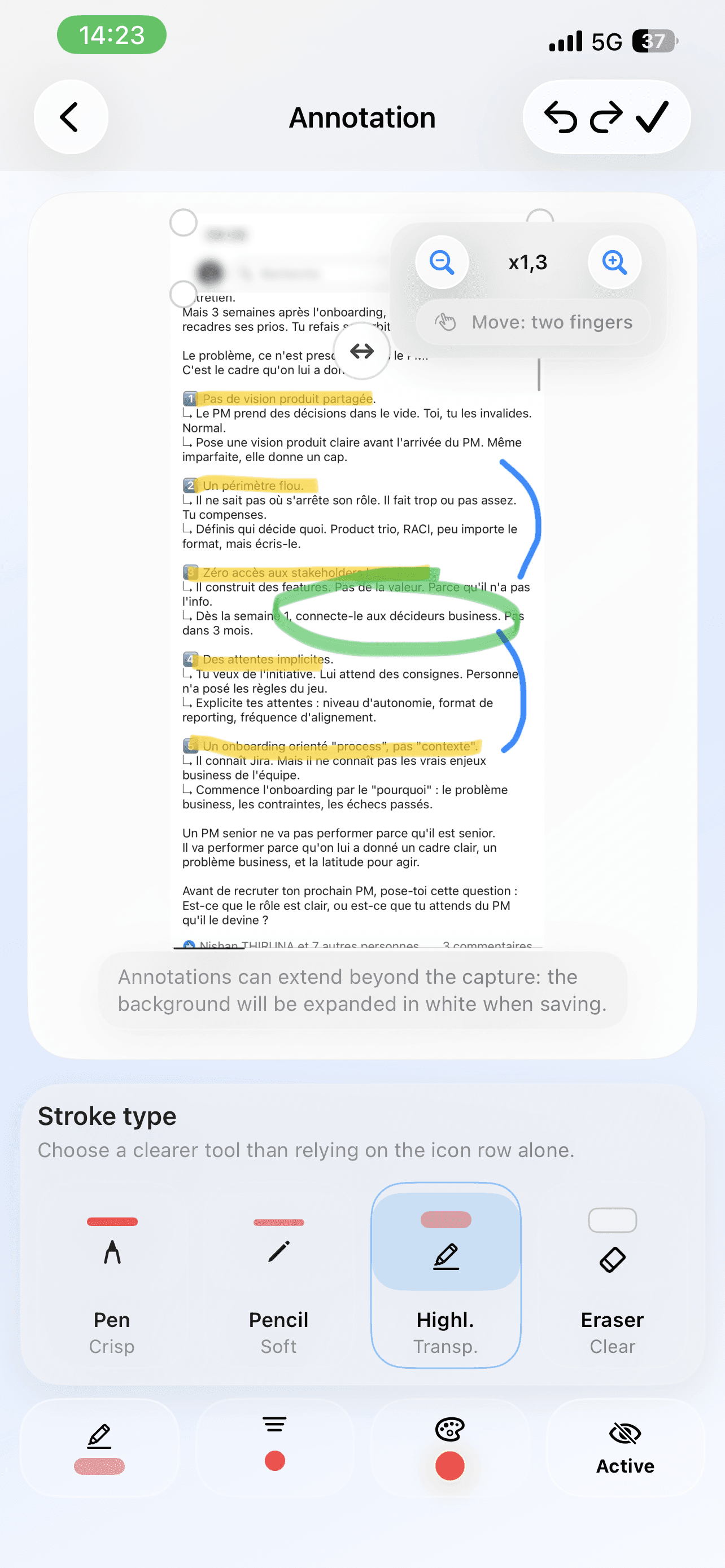
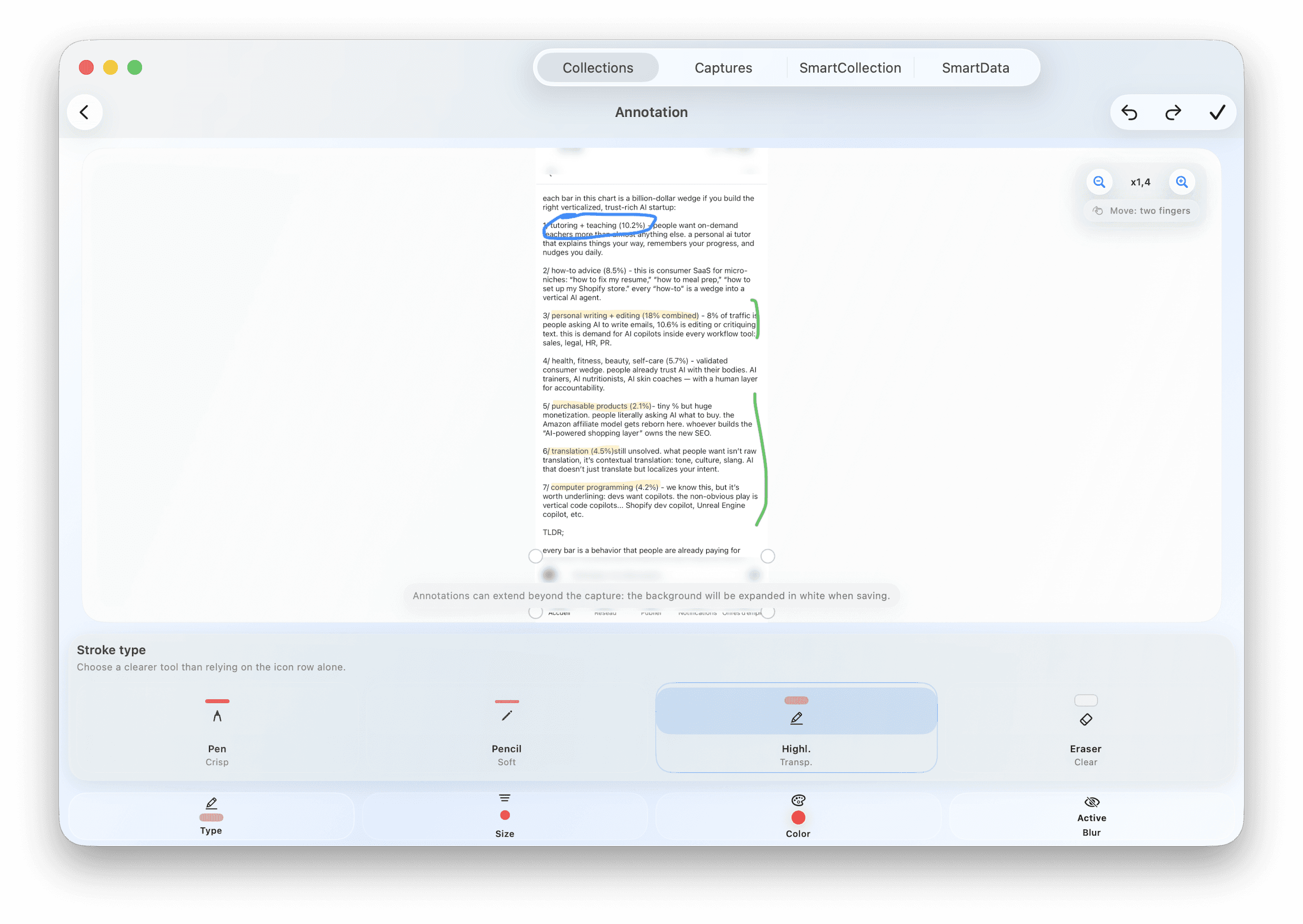
Integrated image editing

Annotations with different styles and colors (Compatible with the Apple Pencil). Easy cropping. 90° step rotation. Editing history for safe modifications directly within Photos.

App screenshot
App screenshot

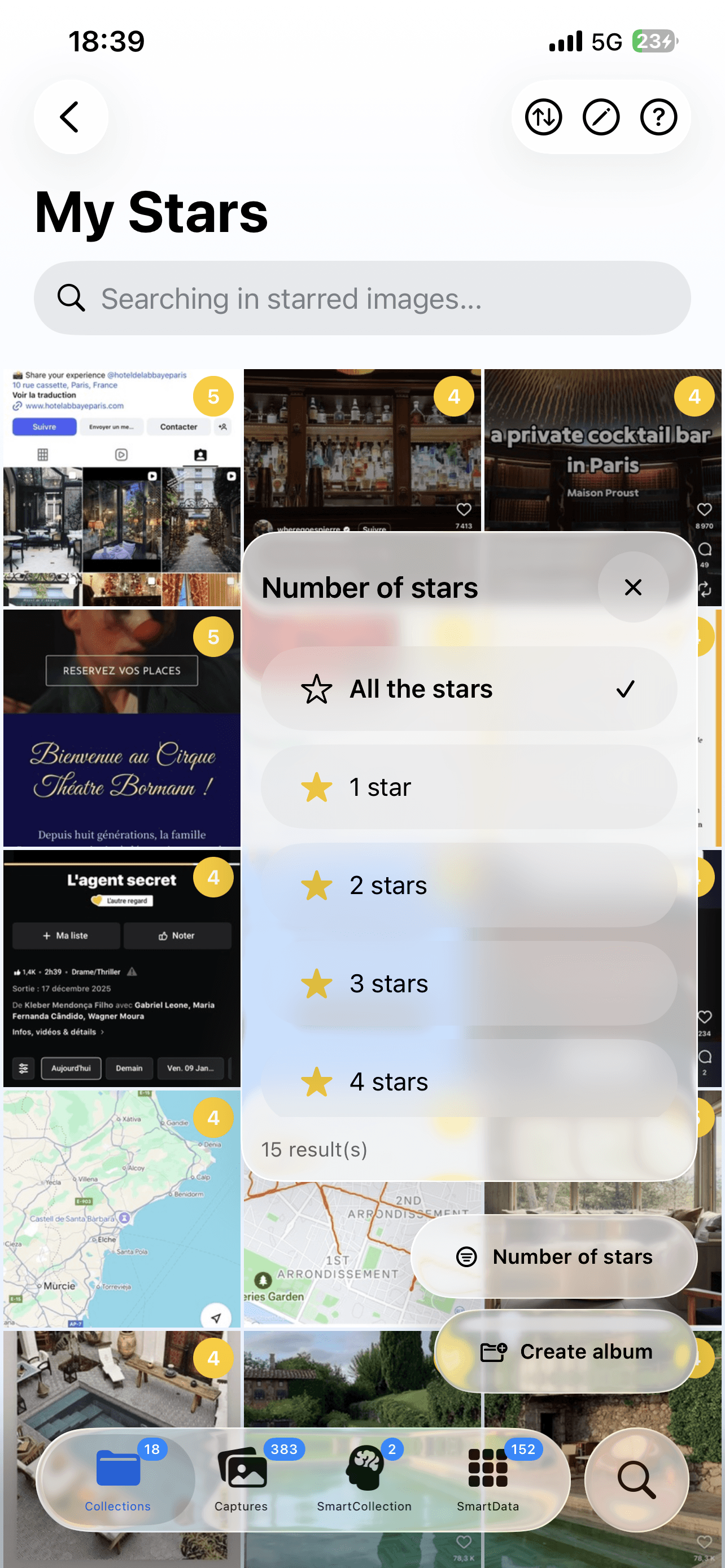
Smart rating and filtering

Assign 1 to 5 stars to your screenshots to indicate their importance. Advanced filtering by number of stars and custom sorting to quickly identify your most interesting content.

App screenshot
App screenshot

Quick access to special collections

Sidebar menu instantly giving access to your favorite captures, marked with a flag, containing faces, or rated with stars.

App screenshot
App screenshot

Integrated image editing

Annotations with different styles and colors (Compatible with the Apple Pencil). Easy cropping. 90° step rotation. Editing history for safe modifications directly within Photos.

Screenshot of app
Screenshot of app

Smart rating and filtering

Assign 1 to 5 stars to your screenshots to indicate their importance. Advanced filtering by number of stars and custom sorting to quickly identify your most interesting content.

Leverage every word from your screenshots

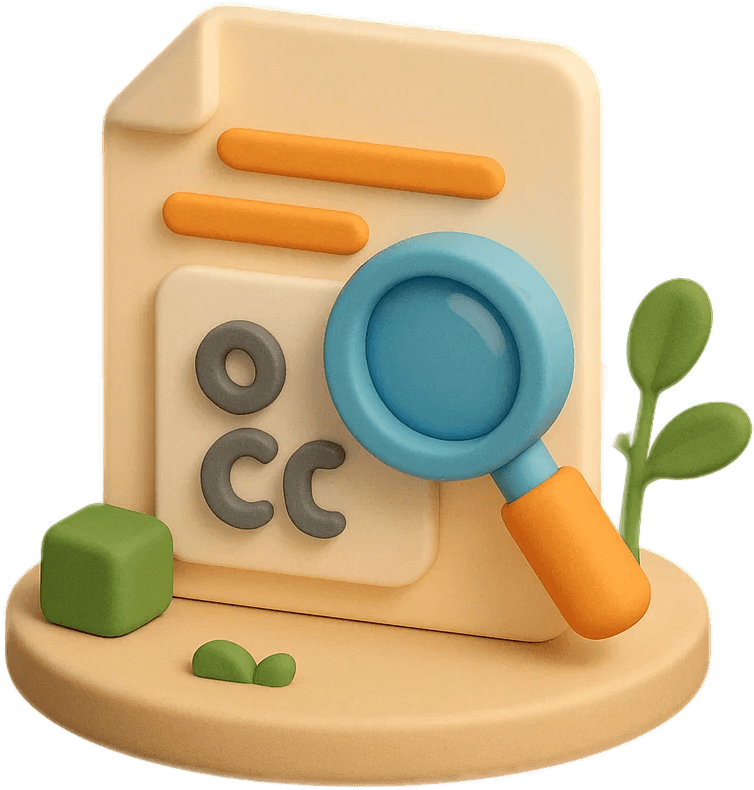
Advanced OCR and AI synthesis
App screenshot
App screenshot
App screenshot Collections

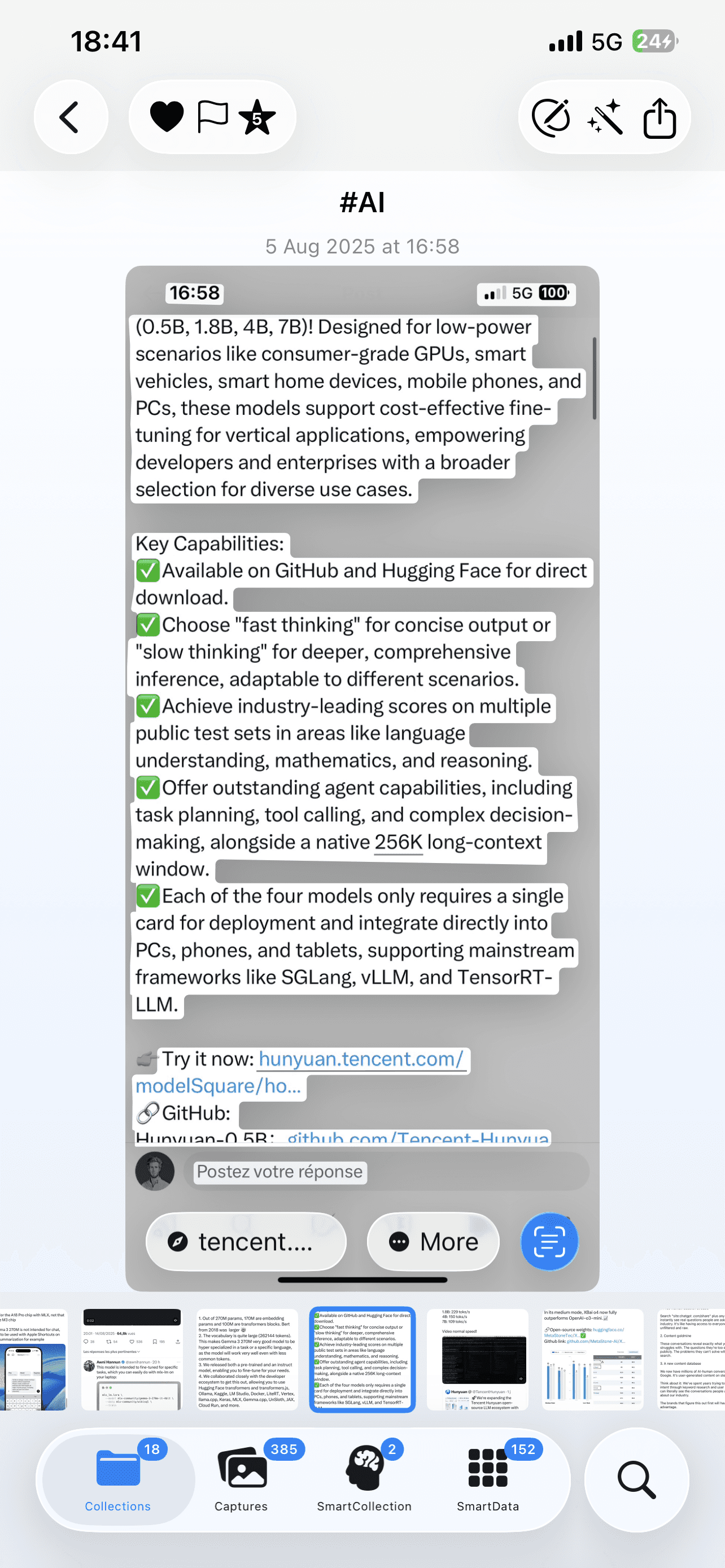
Advanced textual interactions

The text extracted by OCR displays instantly. Select or interact directly with the content of your screenshots.

Intelligent Summaries

Get a clear and concise summary of the textual content of a screenshot, generated by AI.

Share the essentials

Easily share the summary of a screenshot with your contacts or other apps.

Customizable synthesis language

Choose the global generation language between the original (automatically detected content language), German, English, Spanish, French, Italian.

Intelligent Summaries

Get a clear and concise summary of the textual content of a screenshot, generated by AI.

Customizable synthesis language

Choose the global generation language between the original (automatically detected content language), German, English, Spanish, French, Italian.

App screenshot
App screenshot

Advanced textual interactions

The text extracted by OCR displays instantly. Select or interact directly with the content of your screenshots.

Advanced textual interactions

The text extracted by OCR displays instantly. Select or interact directly with the content of your screenshots.

Intelligent Summaries

Get a clear and concise summary of the textual content of a screenshot, generated by AI.

Share the essentials

Easily share data or a summary of a screenshot with your contacts or other apps.

Share the essentials

Easily share data or a summary of a screenshot with your contacts or other apps.

Share the essentials

Easily share the summary of a screenshot with your contacts or other apps.

App screenshot Collections

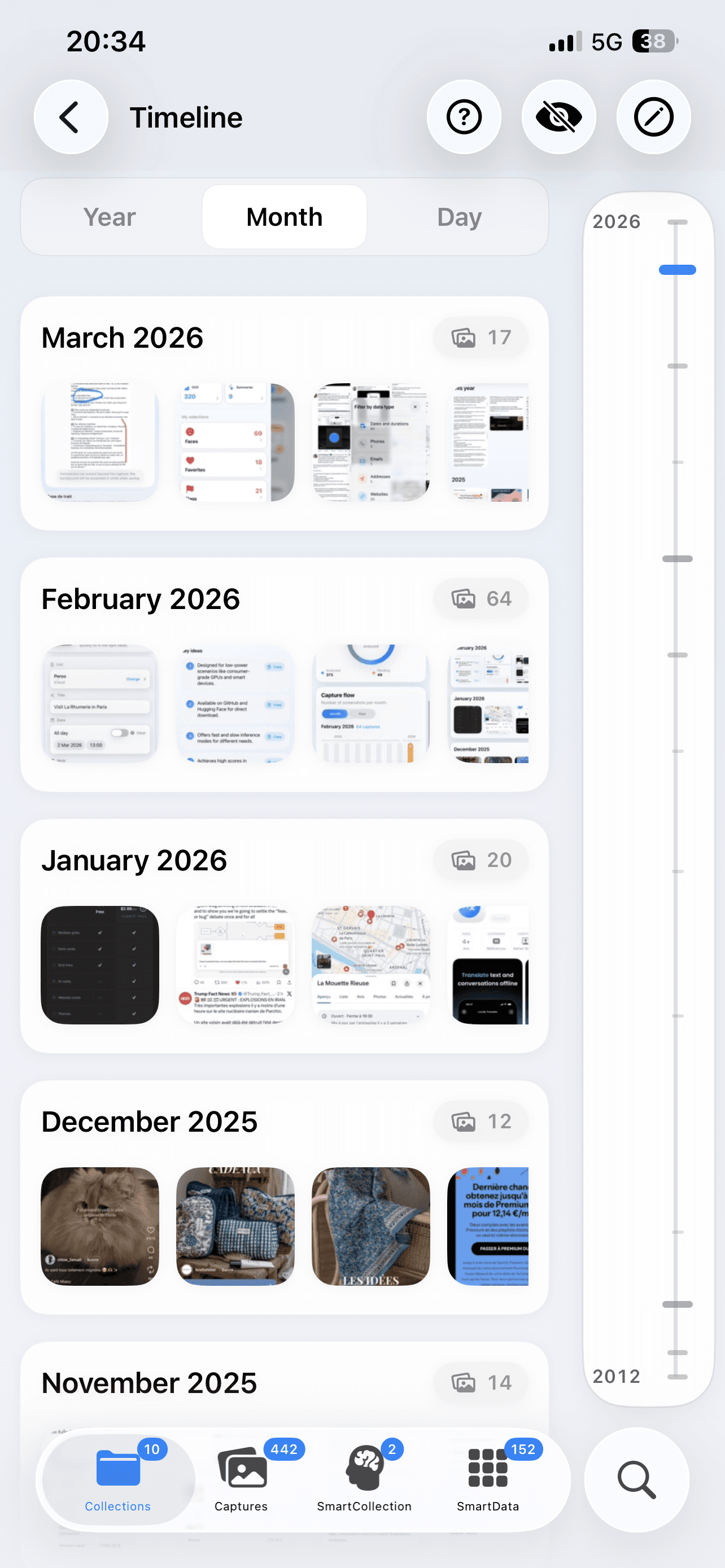
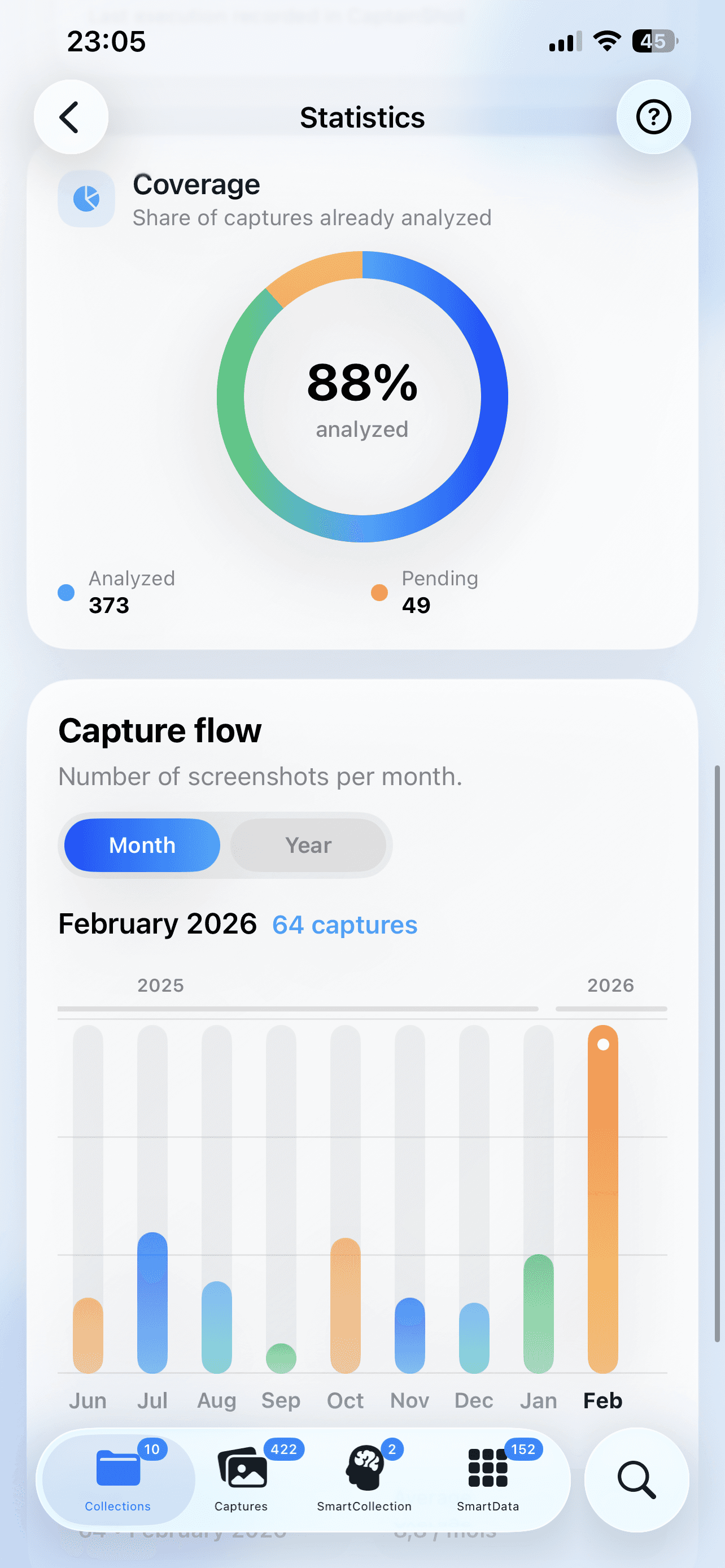
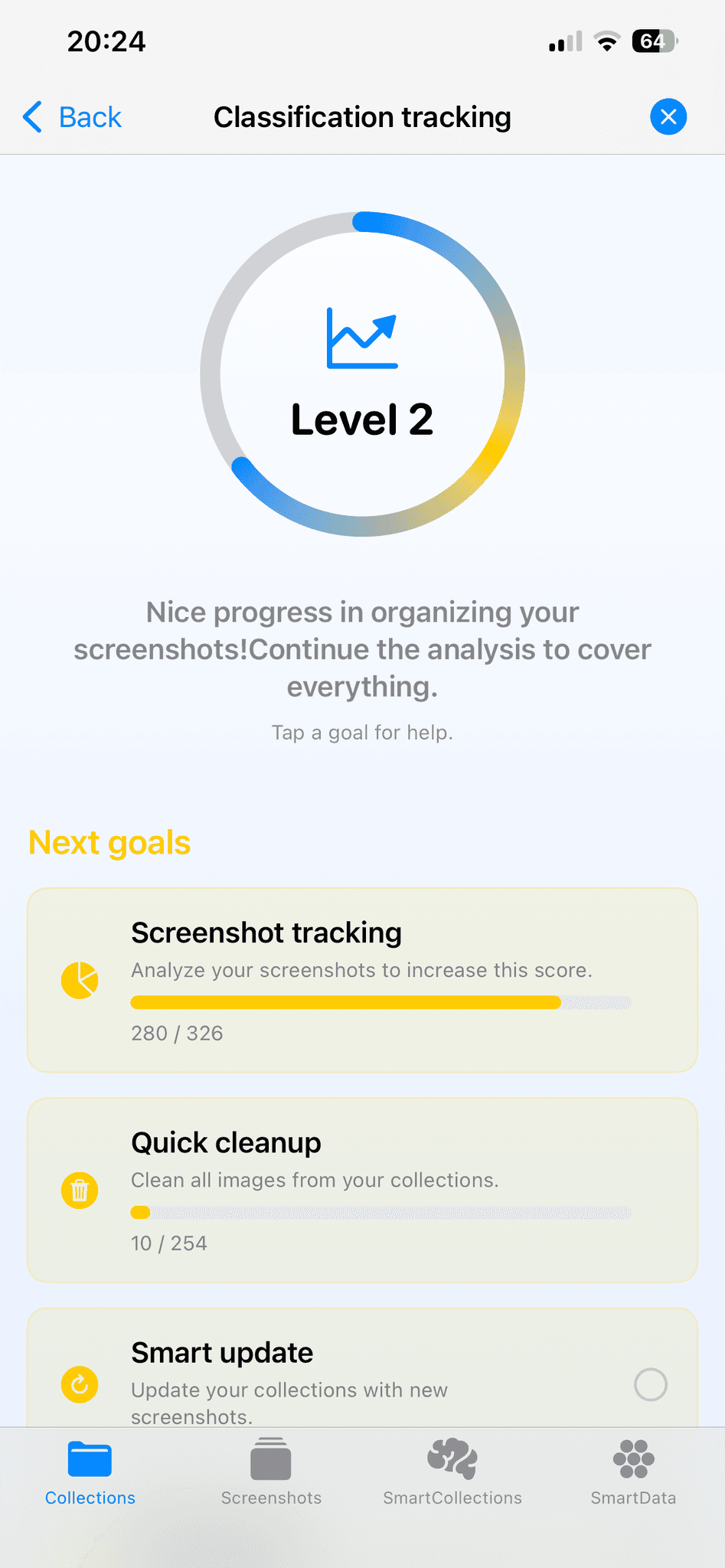
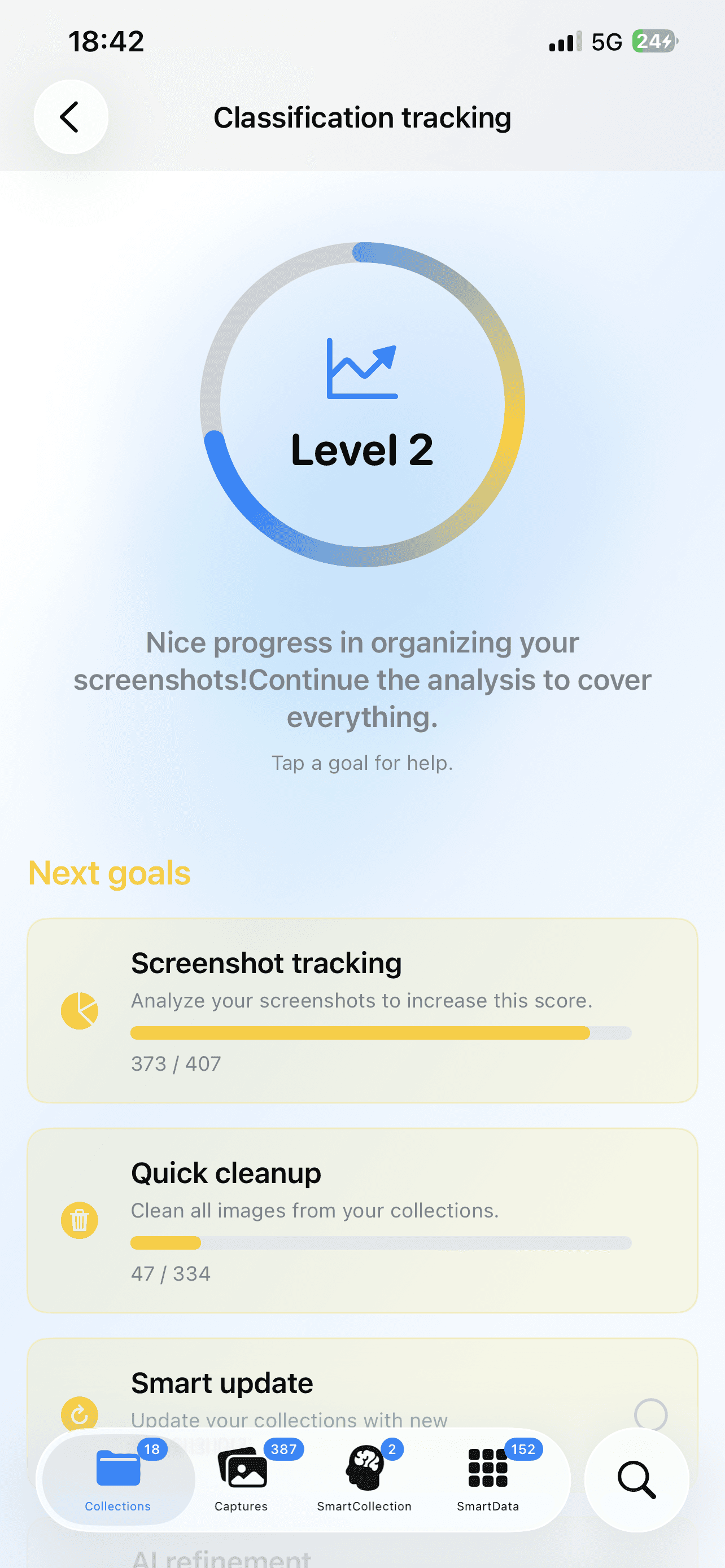
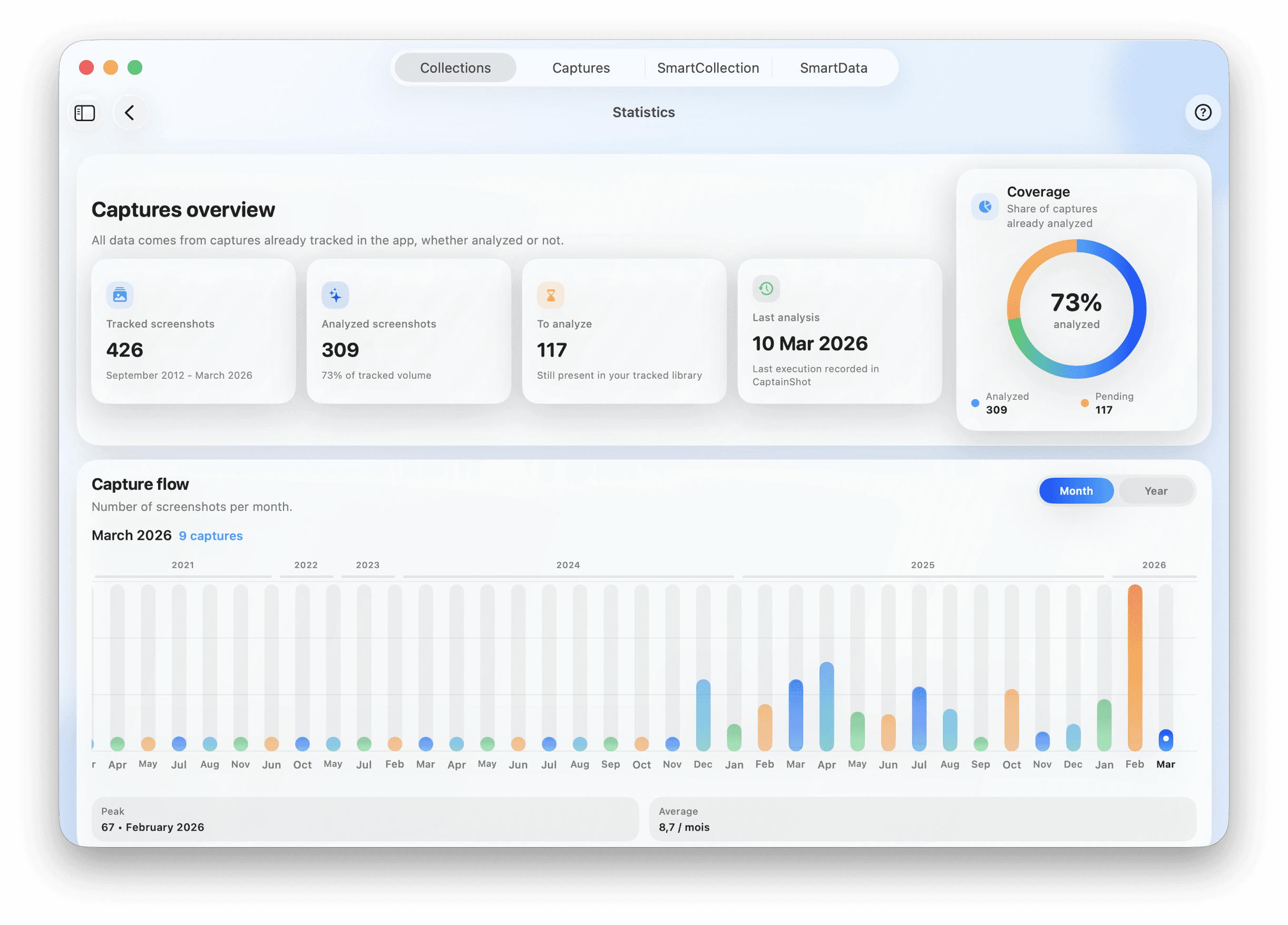
Your classification companion

Track your progress in categorization and through the features.
Screenshot de l'application
Collections of App Screenshots
Screenshot de l'application

Take command: organize, adjust, optimize
Screenshot de l'application

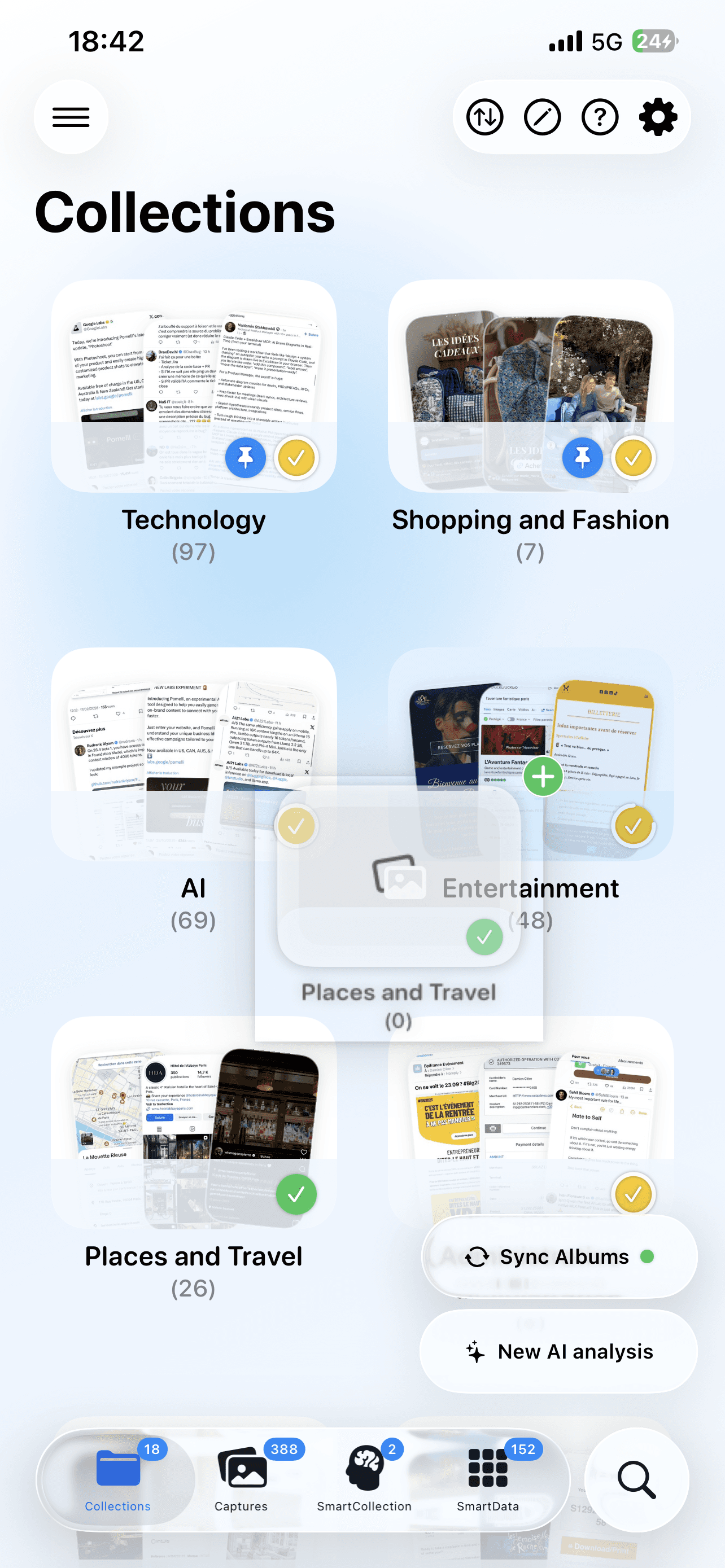
Merge multiple collections

Easily combine two similar collections with a simple drag-and-drop, or multiple ones via the edit menu.

Screenshot de l'application

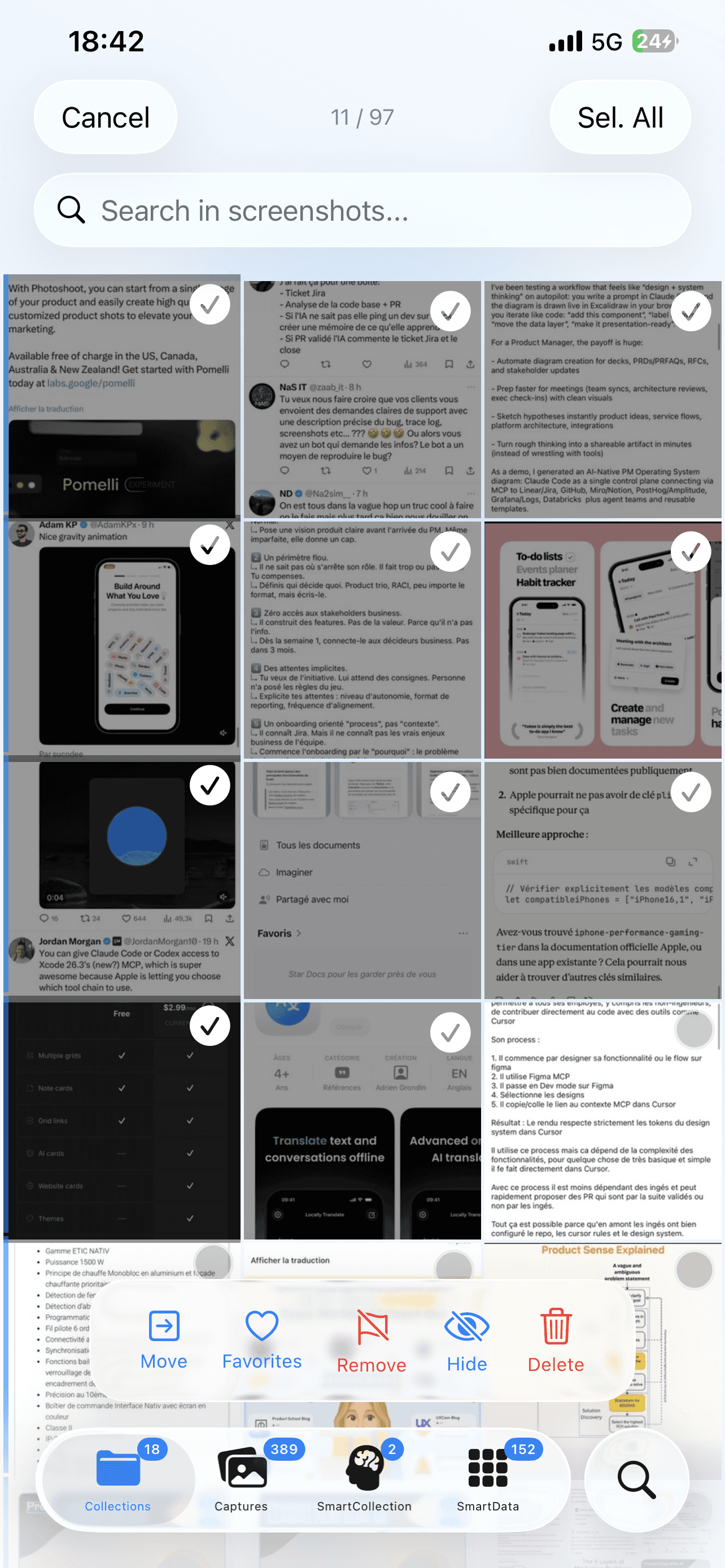
Manage multiple screenshots simultaneously

Edit mode for batch actions: hide screenshots, move to other collections, add/remove favorites, flags, stars, or bulk delete.

Screenshot de l'application

Advanced customization

Compatible dark/light mode, interface language choice (English or French), management of hidden images, cache cleaning, or data reset.

Screenshot de l'application

Merge multiple collections

Easily combine two similar collections with a simple drag-and-drop, or multiple ones via the edit menu.

Screenshot de l'application

Manage multiple screenshots simultaneously

Edit mode for batch actions: hide screenshots, move to other collections, add/remove favorites, flags, stars, or bulk delete.

Screenshot de l'application

Advanced customization

Compatible dark/light mode, interface language choice (English or French), management of hidden images, cache cleaning, or data reset.

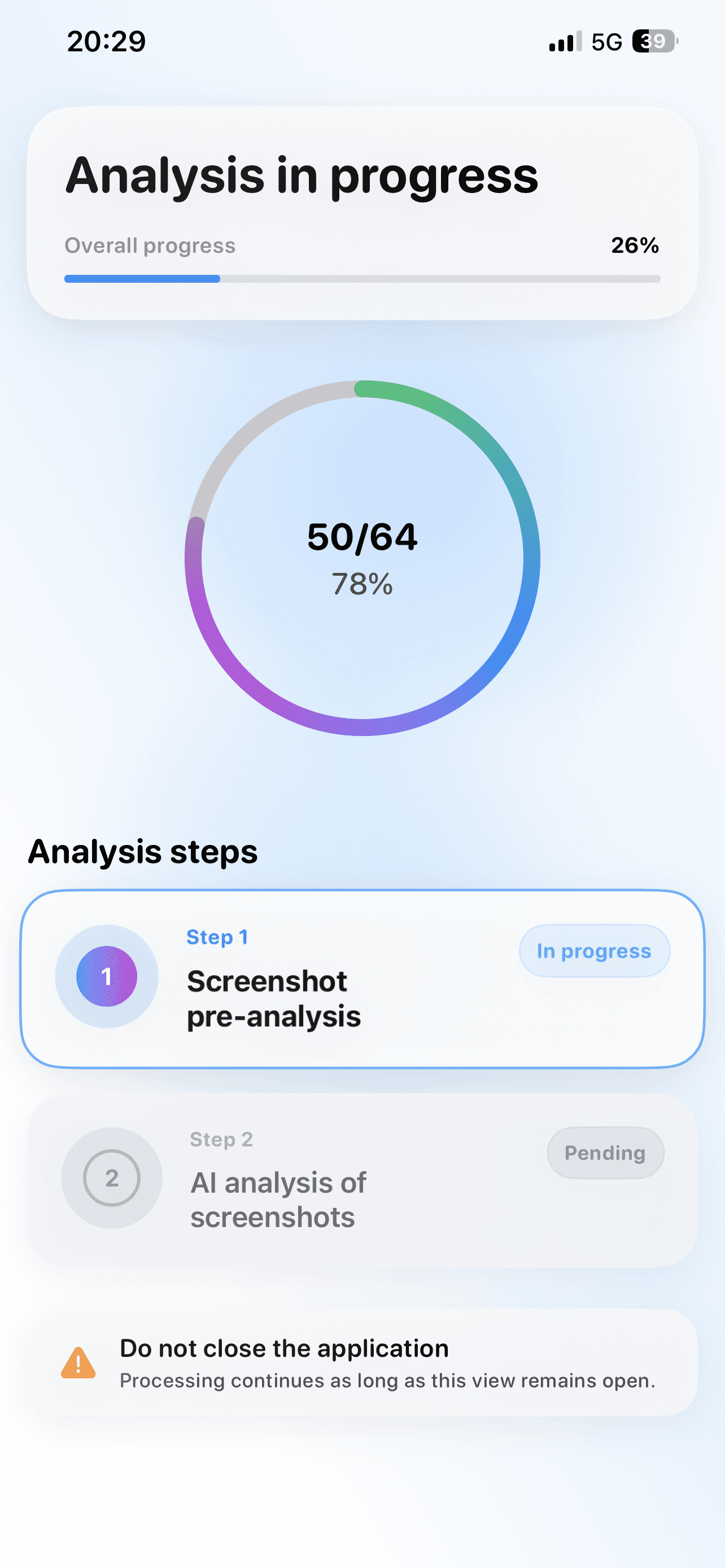
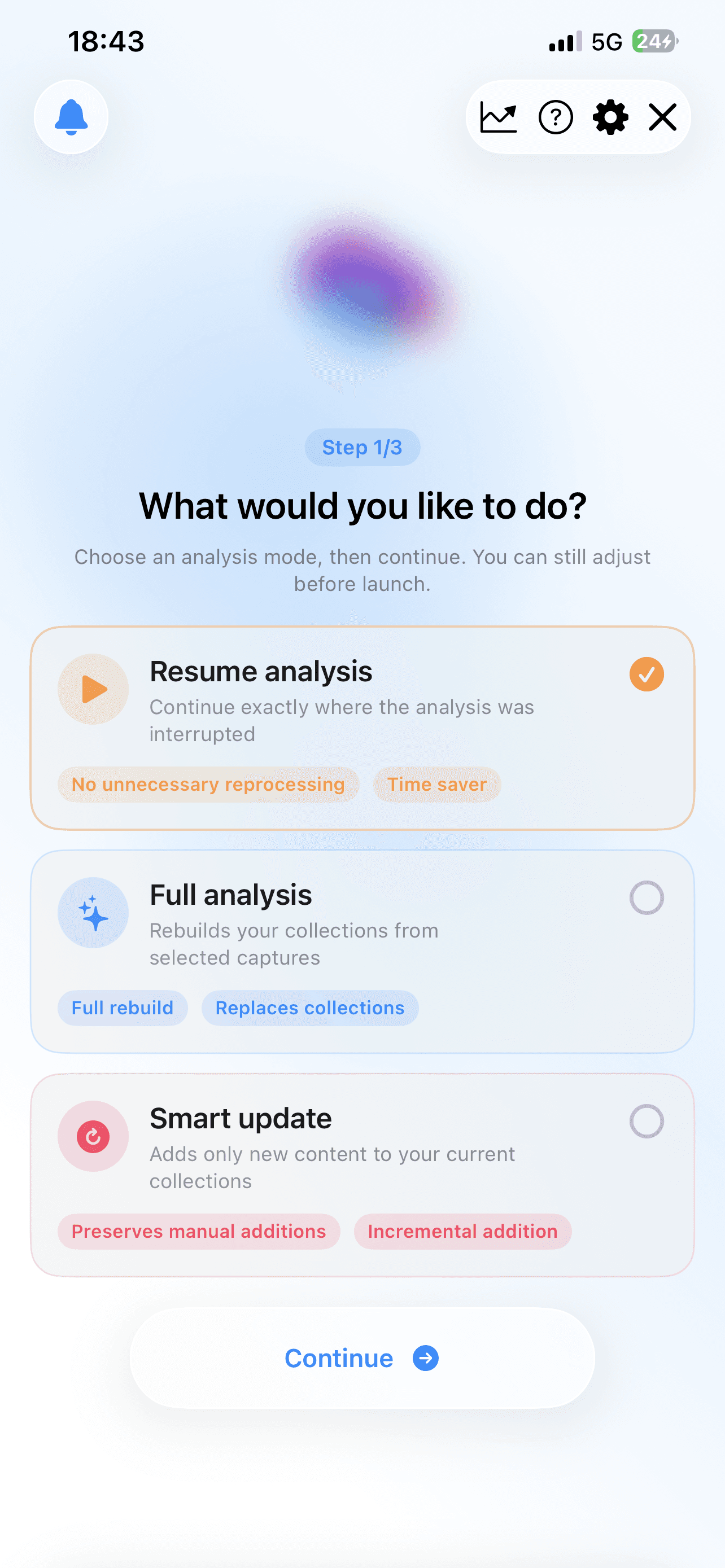
Choose your analysis mode

Screenshot de l'application

Partial Analysis

Select the screenshots you wish to analyze manually, without processing your entire photo library. Ideal for exploring CaptainShot, filtering specific captures, or managing targeted projects.

Manually select the screenshots you want to analyze.

Comprehensive Analysis

Let CaptainShot analyze all the screenshots on your device at once. Achieve complete organization of your photo library.

Let CaptainShot analyze all your screenshots at once.

Smart update

Always stay up to date: Incremental mode that detects and analyzes only new screenshots since your last analysis.

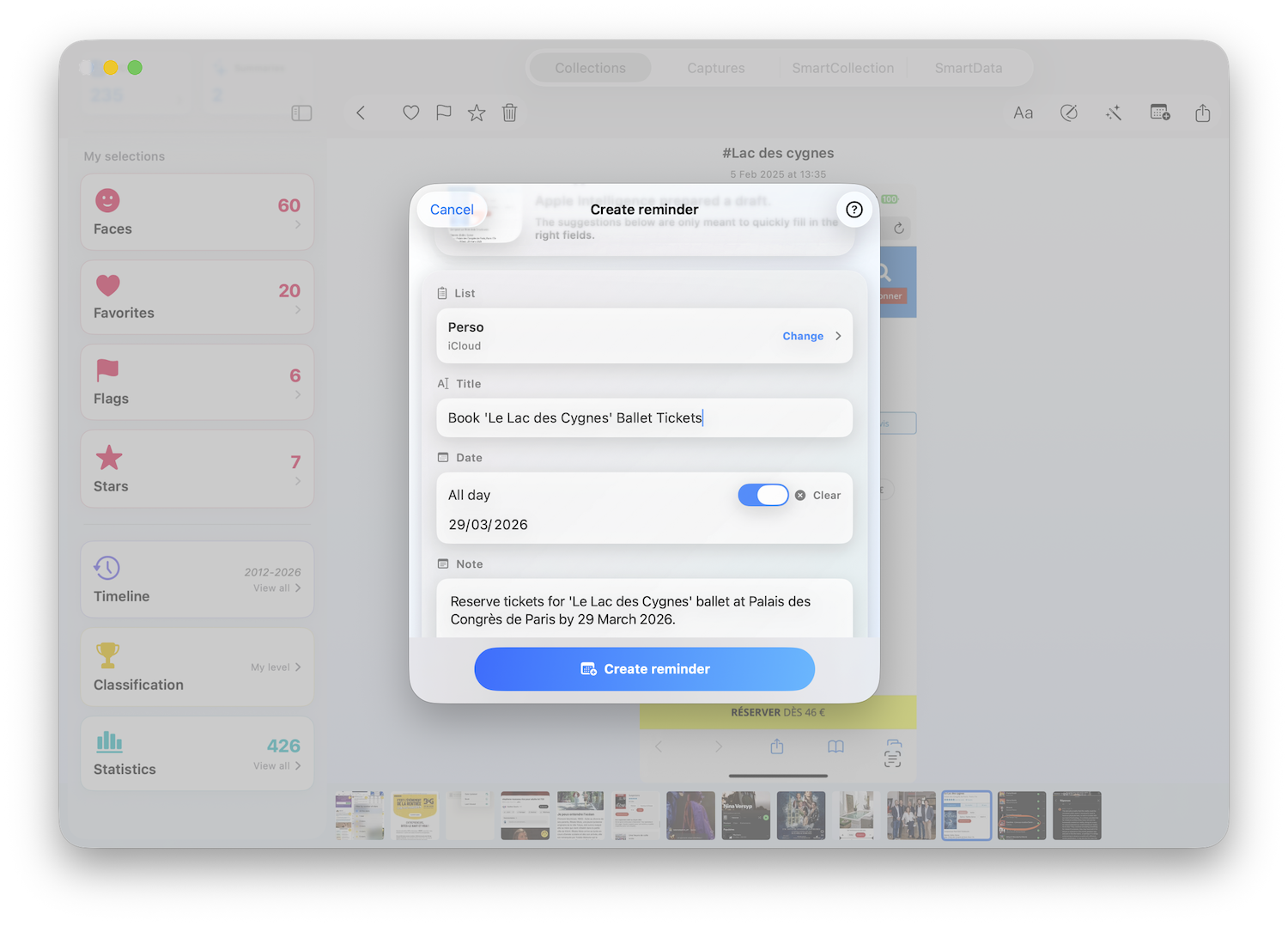
Scan photos taken

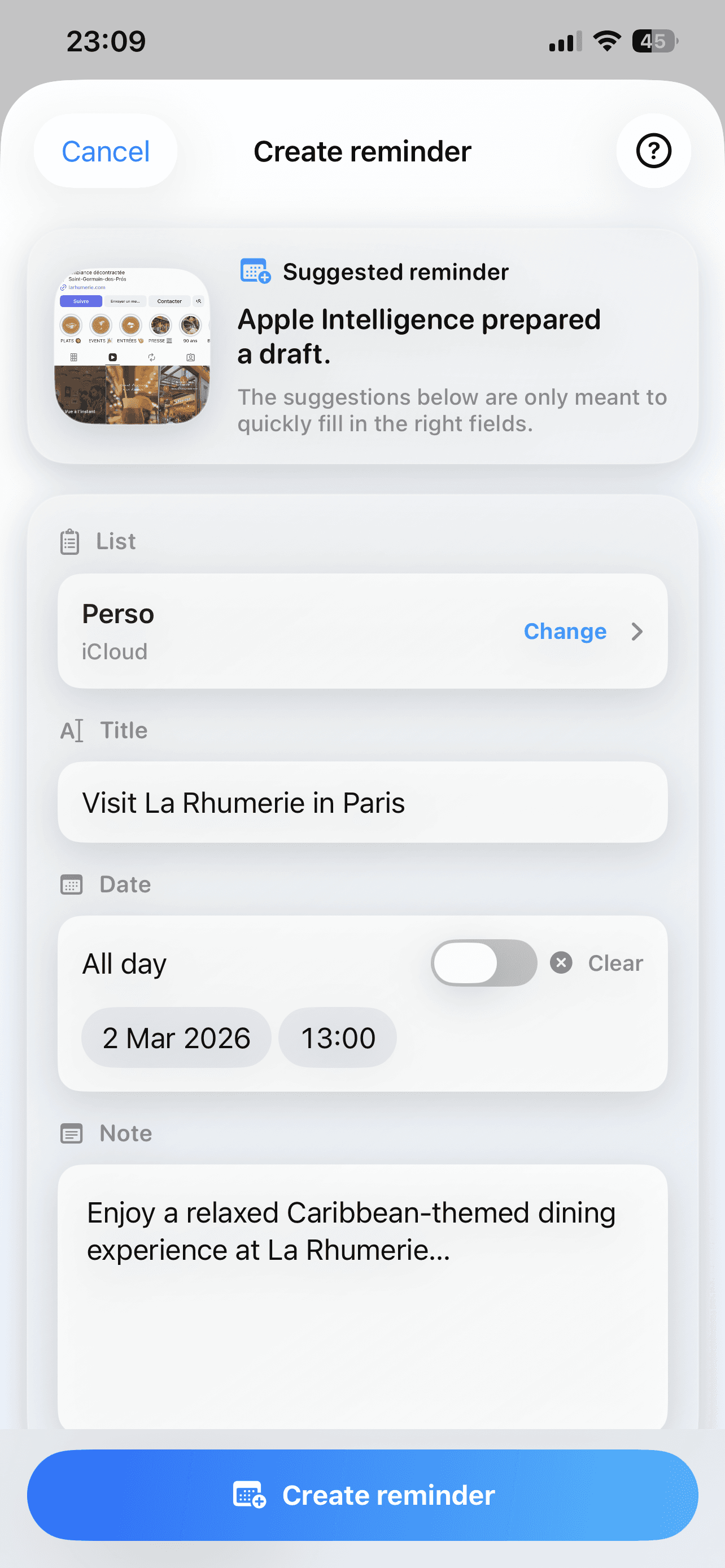
Integrate additional photos taken into your collections that are not screenshots: documents, magazines, conferences, bills.

Available on
Mac, iPad & iPhone
Optimization for large screen

Take full advantage of landscape mode to view more collections and screenshots at a glance.

Multitasking Integration

Integrate CaptainShot into your workflow thanks to Side-by-Side compatibility and Stage Manager.
Perform your analyses on MacOS in the background.

Integrate CaptainShot into your workflow with Side-by-Side and Stage Manager compatibility.
Perform your analyses on MacOS in the background.

Integrate CaptainShot into your workflow with Side-by-Side and Stage Manager compatibility.
Perform your analyses on MacOS in the background.

Accelerated performance

Benefit from the native SwiftUI interface and faster processing for analysis thanks to the power of Apple Silicon M-series chips.

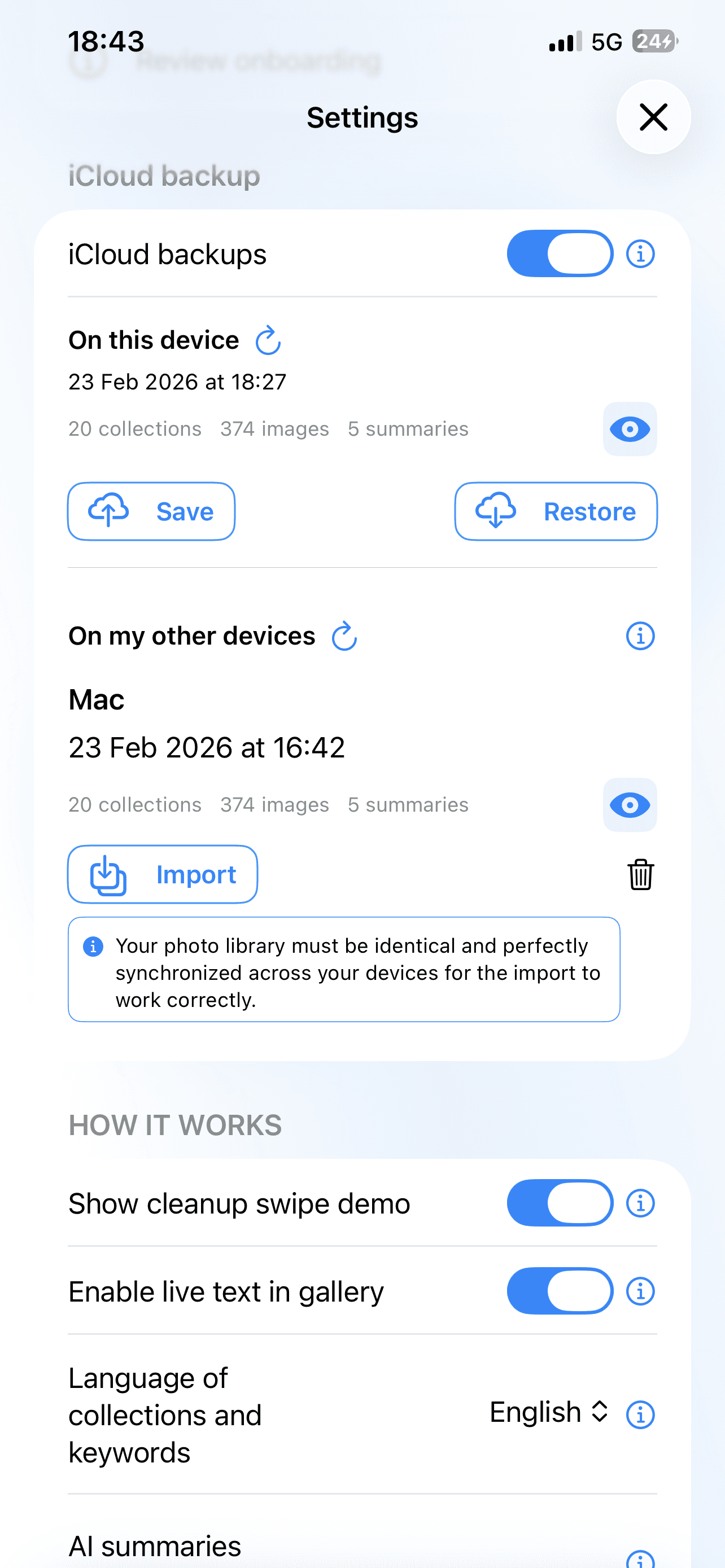
Backup and import between your devices

iCloud retrieves all your data and associates it with the analysis data, without duplicates and without any images stored in the cloud.

They love CaptainShot

Sophie L.

"Why don't these features exist natively on Mac? My screenshots have been sitting idle for years!"

Sophie L.

"Why don't these features exist natively on Mac? My screenshots have been sitting idle for years!"

Sophie L.

"Why don't these features exist natively on Mac? My screenshots have been sitting idle for years!"

Antoine M.

"I had 1200 unexplored screenshots. Now everything is sorted, searchable, and useful. An essential application!"

Antoine M.

"I had 1200 unexplored screenshots. Now everything is sorted, searchable, and useful. An essential application!"

Antoine M.

"I had 1200 unexplored screenshots. Now everything is sorted, searchable, and useful. An essential application!"

Julien D.

"It was possible to play by sending data to chatgpt, claude, or gemini, but now everything is local, I can sort everything without risk."
Julien D.

"It was possible to play by sending data to chatgpt, claude, or gemini, but now everything is local, I can sort everything without risk."

Julien D.

"It was possible to play by sending data to chatgpt, claude, or gemini, but now everything is local, I can sort everything without risk."

Chloé B.

"The search finds any text in my screenshots. I find everything in a few seconds."
Chloé B.

"The search finds any text in my screenshots. I find everything in a few seconds."

Chloé B.

"The search finds any text in my screenshots. I find everything in a few seconds."

Pierre A.

"Just for the swipe cleaning and smart collections, the app is really useful to me! I create my own rules to extract my screenshots on tech and everything gets organized automatically."
Pierre A.

"Just for the swipe cleaning and smart collections, the app is really useful to me! I create my own rules to extract my screenshots on tech and everything gets organized automatically."

Pierre A.

"Just for the swipe cleaning and smart collections, the app is really useful to me! I create my own rules to extract my screenshots on tech and everything gets organized automatically."

Jeanne T.

"Intuitive interface, local AI, privacy respected. This app completely transforms the use of screenshots."

Jeanne T.

"Intuitive interface, local AI, privacy respected. This app completely transforms the use of screenshots."
Jeanne T.

"Intuitive interface, local AI, privacy respected. This app completely transforms the use of screenshots."
Unlock
your
screenshots.

Unlock
your
screenshots.

iPhone, iPad, Mac

Apple Intelligence

100% local – no tracking or accounts

100% local – no tracking or accounts

App screenshot
App screenshot
App screenshot
Screenshot de l'application

FAQ

How does the analysis work?

Is my data safe?

Does the app work without internet?

Is CaptainShot multilingual?

How does AI categorize my screenshots?

Is my device compatible with CaptainShot?

Can I use the app on multiple devices?

Is CaptainShot free?

I need help using the app.

How does the analysis work?

Is my data safe?

Does the app work without internet?

Is CaptainShot multilingual?

How does AI categorize my screenshots?

Is my device compatible with CaptainShot?

Can I use the app on multiple devices?

Is CaptainShot free?

I need help using the app.

How does the analysis work?

Is my data safe?

Does the app work without internet?

Is CaptainShot multilingual?

How does AI categorize my screenshots?

Is my device compatible with CaptainShot?

Can I use the app on multiple devices?

Is CaptainShot free?

I need help using the app.

Stay informed about the latest updates.